Topaz Video AI 7.2.0.2b
Hi everyone,
We have a new Beta release with plenty of new updates!
Once you’ve had a chance to try out the Beta, please make sure to fill out the feedback survey here.
See more details below:
7.2.0.2b Downloads
Improvements and Fixes
- [Pro] Starlight Mini: AMD and MAC support
- Starlight Sharp: Additional Resolution Outputs
- Nyx XL
- Tunable Preset: General Enhancement
- Seek Render refinements
- UI touch ups
Pro: Starlight Mini: AMD & Mac support
The long requested and long awaited Starlight Mini for AMD & Mac is finally here! One of the most talked about and envied AI models can now run locally on a wider selection of machines. Additionally there is some better performance for NVIDIA users. Please note, that the all the same Starlight mini footage requirements need to be met for these iterations. More in the notes below.
Please note that we are aware that the quality will not match the current public released version of Starlight Mini. This Beta variant is not intended as the final output. This is our first Beta version to ensure that we are able to bring this feature to our AMD and Mac users for testing.
We are requesting the following feedback for this Beta:
- How is the overall performance of this iteration for your machine(s)?
- For AMD users, can you output a result?
- For MAC users, can you output a result?
- For NVidia users, is there any improvement with speed?
Starlight Mini Notes/Reminders
- Currently listed as “Starlight” on AI Model list.
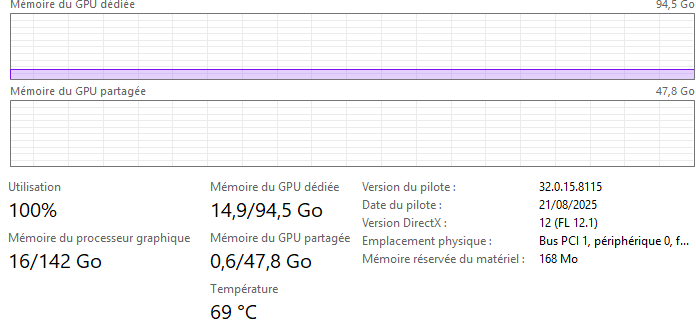
- This iteration of the AI model is both complex and resource heavy. Depending on the hardware you are using (AMD, MAC or NVIDIA) the performance can vary and take hours to process pending the media input.
- Starlight Sharp is a standalone enhancement and can’t be combined with other filters.
- Recommended to use square-pixel video footage at or under 1920x1080.
- Please note that if you have text that is too small, blurry or inconsistent, the result may not be processed correctly. The AI model may interpret unclear text as a texture or pattern.
- If you have interlaced videos, it is recommended that you deinterlace first before enhancing with with this model.
- Please note that Multi GPU does not work with the current iteration.
- It is recommended for AMD, to have 20GB of VRAM.
- The recommendation for Mac is to have 36GB of RAM
- A requirement for NVIDIA GPU with at least 10GB of video memory, but we strongly recommend a GPU with 16GB or more memory for optimal performance and quality.
- One of the minimum NVIDIA GPU requirements, is that the GPU needs the compute capability of at least 7.0, which means all the legacy GPUs with compute capability smaller than this version is not supported, including GTX 10 series and Quadro P series.
- In addition to these NVIDIA GPU requirements, Starlight mini also requires a minimum of 12GB of system RAM.
Pro: Starlight Sharp: Additional Resolution Outputs

Starlight Sharp, can now get a 4K output. This output is currently using a Nyx variant under the hood to assist in the 4K output. This optional method is available until the model can produce this natively. You can decide your own 4K upscaler by inputting the 1080 result as source.
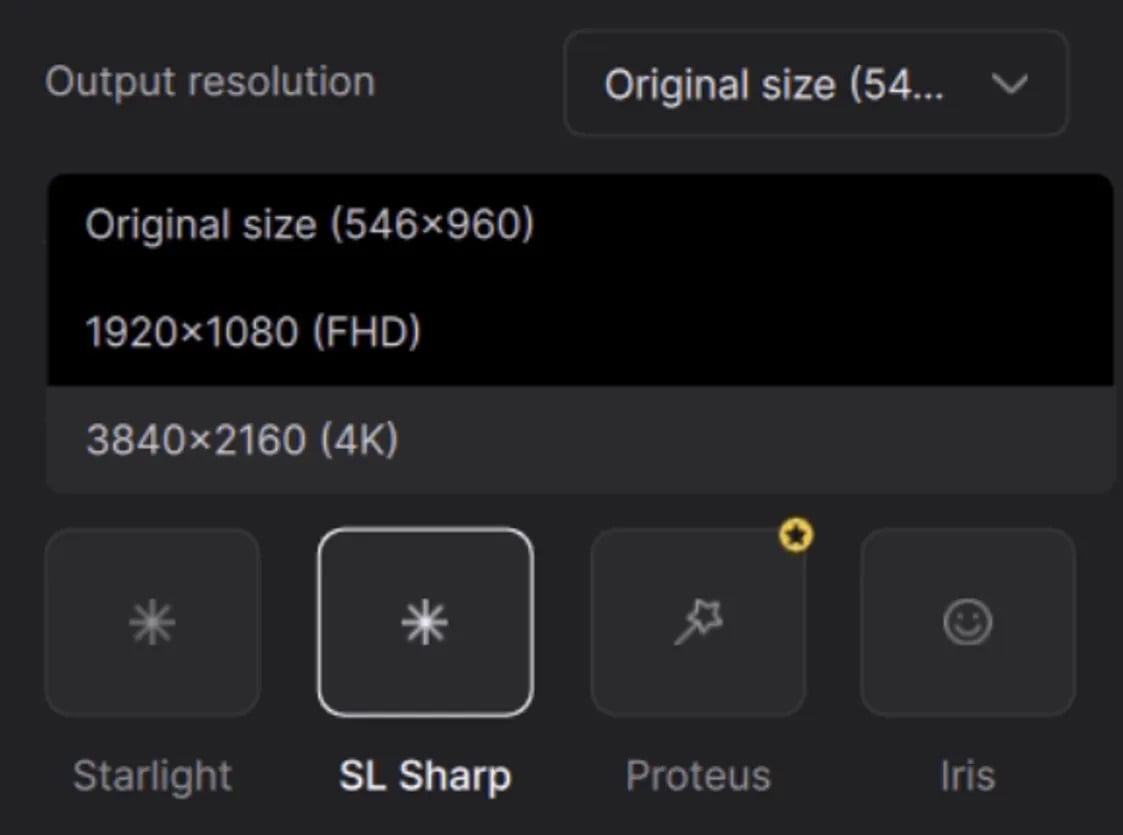
The following outputs are now available:
- 1x (Native resolution)
- 1920x1080 (FHD)
- 3840x2160 (4K UHD)
Nyx XL!
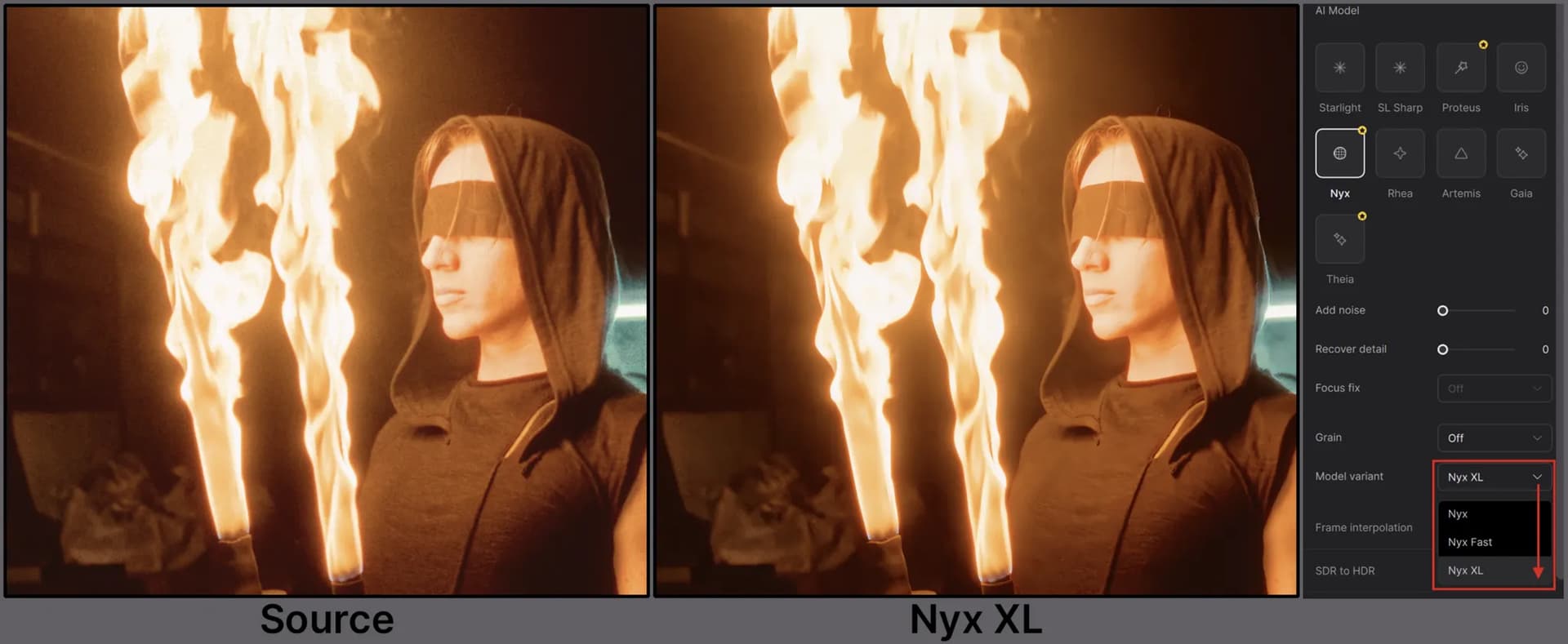
The original Nyx is primarily a denoise model tuned for preserving detail in high-resolution input footage. Nyx XL takes this to the next level by learning the frames and outputting a clean and sharp output.
Nyx XL is optimized for sharpening and denoising a wide variety of footage in many lighting conditions.
This model is geared for high quality and high resolution media.
Nyx XL lends itself as a great chaining model, when merging with a different enhancement. A great results occurred when coupling Proteus with Nyx XL as the second enhancement. What kind of chaining combo can you make with Nyx XL?!
Additional Nyx XL notes
- This is a more complex and heavier variant of the Nyx Model series. Please note, that this will currently produce slow render times. This is something that we are looking to make more efficient.
- Please note that previews can take quite a while.
- It’s not recommended to use with Seek Render due to long processing.
- This is a one size fits all type of model, so there are no modifiable settings.
- Though Nyx XL is not limited by a resolution size, this variation of the model is not an up-scaler. Essentially, it will function at the resolution you input and render out the same. Though you can output at a higher resolution, the details and quality will be based on the original input resolution.
- Please keep the long processing in mind with your machine’s capabilities/resources when calculating larger resolution sizes.
- Cloud is currently unavailable for this beta. But will be made available soon!
Tunable Preset: General Enhancement
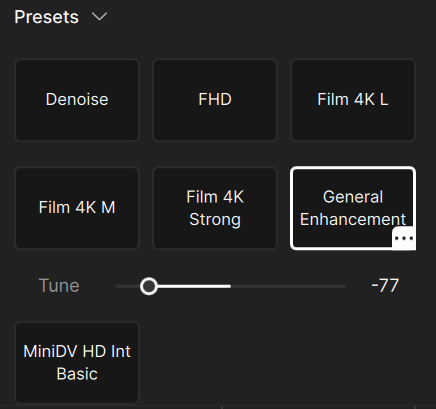
Try the all new Tunable Preset: General Enhancement! The first of it’s kind, this specialized preset is built on three setting into one. As you move along the slider, this will adjust the preset parameters automatically so that you can determine how light or aggressive you want to modify the preset. At default, the modifier is centered between the two extremes.
General Enhancement has the following properties that it’s addressing: sharpness, compression and detail. This preset can also be utilized as an up scaler.
Seek Render: Updates
We have made some additional refinements to the Seek Render tool.
Here are a few key updates:
- Made several improvements to reduce crashes from the tool
- Fixed out of sync timecodes
- Fixed infinite processing status
Known Issues:
- Videos that are non square pixels may have a slight resolution distortion in the viewer.
- EXRs and Tiffs are not supported at this time.
- Nyx XL is not recommended, due to long processing requirements.
- Though SDR to HDR is supported, there is a little color discrepancy at this time.
- Seek render does not support the Starlight models. If you have seek render enabled with a Starlight model, this will currently display “Processing” with nothing actually occurring.
UI: Updates
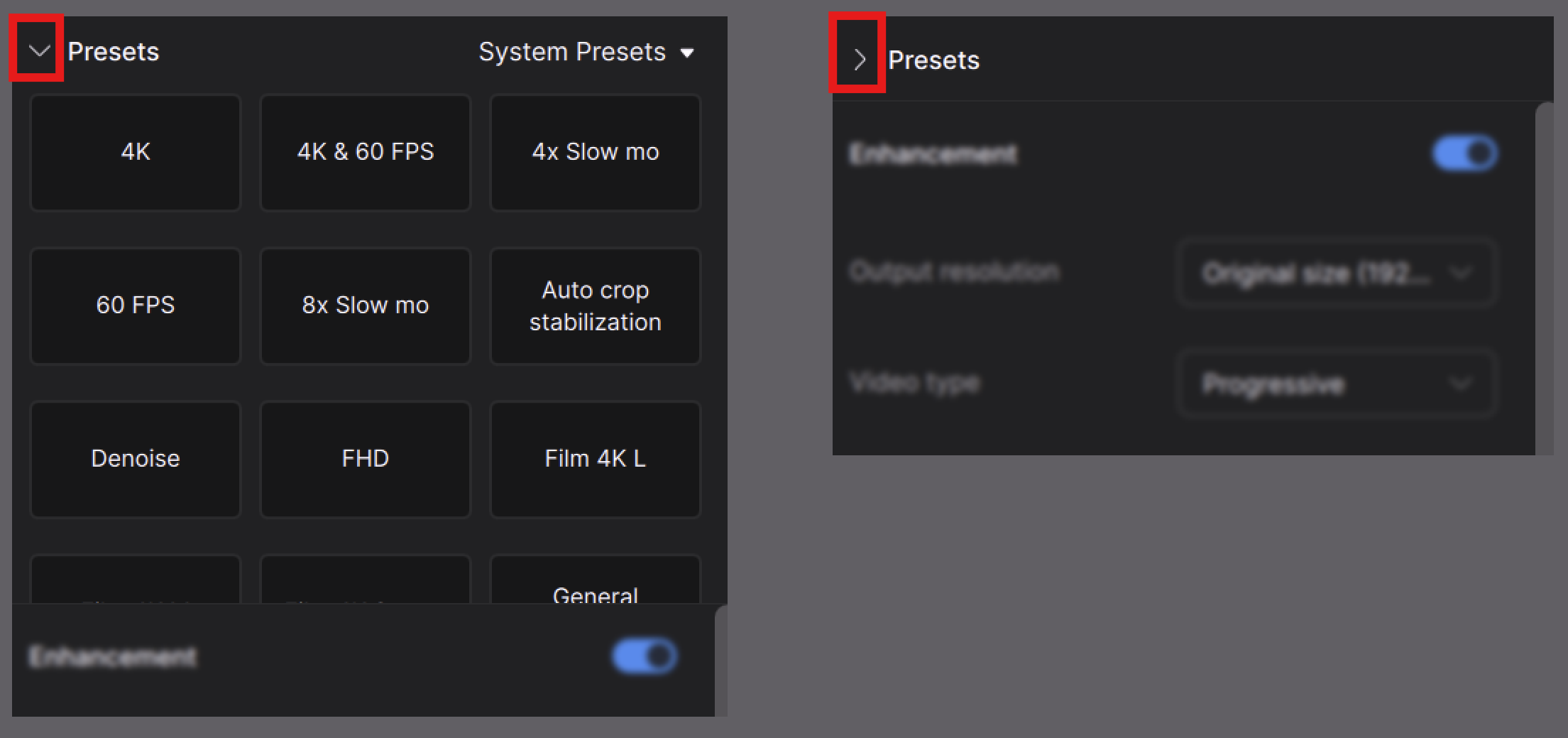
We have made some additional touchups to the UI.
Here are a few key updates:
- Sizing alignment updates
- Wider Right Panel
- Presets are now collapsible
We look forward to your feedback! Have fun testing out 7.2.0.2b!