Well, actually…
a PAL video isn’t exactly 4:3.
It’s slightly wider. It’s 59:54 (4.09:3).
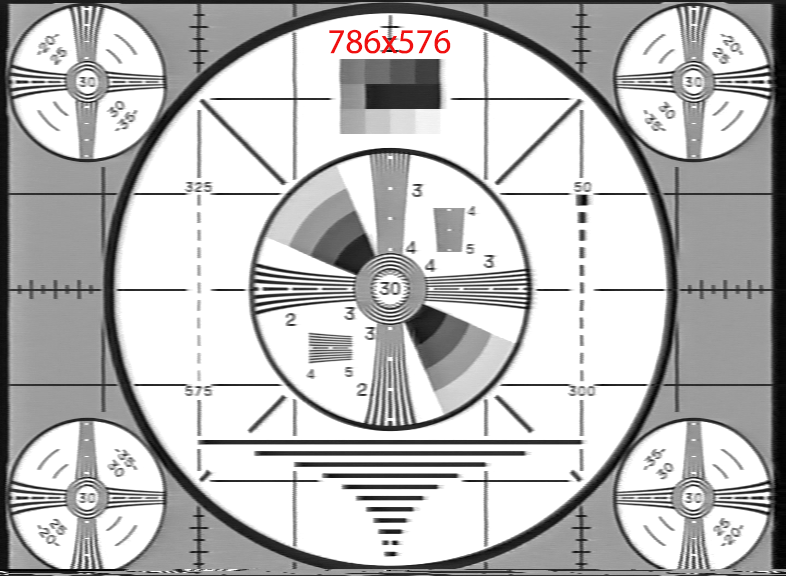
The correct resolution for square pixels would be 786x576.
In order to feed it to Starlight Mini, it needs to be de-interlaced (if not already), then scaled to 786x576 (this is not a typo, it’s 786 not 768) and then cropped to remove unwanted parts of the video that contain no actual image. VCR images tend to contain garbage at the borders. Especially
at the bottom.
3 Likes
As far as the enormous files, I put a 7000 bit rate limit on mine in the codec settings (Constant) with absolutely no loss of quality and as far as the Rhea…
I used to use it a lot until I discovered that Proteus does a better job of keeping things more realistic looking.
1 Like
I’ve tried the Stabilization a couple times when the videos are problematic like that and found that it works really well.
1 Like
This is sorely needed!
5 Likes
I will disregard your directive to me this once. After this reply….no more.
Apologies for getting your hackles up.
Was simply amused as to the dichotomy of you telling folks not to overclock as it is a waste and possibly dangerous…
While at the same time you spend an enormous amount of man hours on an open source program.
If you notice my “likes”…I have liked your posts virtually more than anyone else has….and have complimented you on being very smart with this “video stuff.”
I was trying to be humorous, but it obviously fell flat with you.
I will now comply with your directive and I will no longer reply to your posts after this.
Take care and good luck in your journeys.
3 Likes
If I start seeing Topaz go “cloud first” with everything I’m not going to renew any of their products and I’ve bought nearly all of them all at some point.
In meantime, I’m getting on top of open source even if it’s annoying. If Topaz is abandoning their traditional model for some low rent cloud grift, it’s probably worth learning about the threat which drove them toward it.
4 Likes
Hi John, what you mean file sizes are enormous, do you FFV1 export?
1 Like
which is funny everyone tells somehing different. I think your right, but it’s strange no one does. When I do it, it seems to much streched in width to me. When I rip PAL DVD then DAR is set to 4:3 and 720x576 gets streched to 4:3 when play, same as you do when you native stretch 720x576 to 768x576. Could be a DVD player does it to 786 and crop 10 pixels left/right? I also notice same series but different seasons, some seaons are content filled to the 720 pixels, so i losse content here when croping, and other seasons have this small bars left and right.
Is there anyone here who has tested a current Pro version with dual GPUs?
So far I didn’t read the rules how to upload video files into Starlight (Mini) Cloud.
Sounds all a little bit complicated.
1 Like
Yes, I tried also different things.
The stabilization of Hi8/VHS/S-VHS (and Super 8) footage is mostly difficult.
It helps a lot, that Starlight Mini increases the resolution to do afterwards the stabilization.
Also increase the FPS up to 50fps helps a lot for a better stabilization in my case.
1 Like
Could you explain deeper how you do that? Because you talk about Adobe Premiere. You do all that with that program?
Possible to do that without it, just with Topaz AI or another free tool or at least much less expensive program?
You do a first pass with Proteus, then Rhea, then SL Mini.
So in the program you say first pass Proteus, the when finished, you do a second pass but with Rhea and new settings, then a third pass with SL mini. But how many time to do all that? It must be time consuming like hell. Just SL Mini is already 1 fps on 5090.
Thanks for any clue.
I believe it is simply money.
I read a response in another thread where an official Topaz rep said it was “easier to develop for the cloud.”
And companies exist to make money.
But at the same time….a cloud based product appeals to a completely different audience then the loyal customer base that built the company in the first place.
It is an exciting yet VERY dangerous time for this company I believe. Keep your existing customers yet expand into a new market.
I really hope they are able to accomplish it.
In the meantime I have a friend who has a professional business with photo/video production….and my sister has her own business in this area….more photo related though. Both rely on Topaz….a lot.
They could in no way afford any cloud offering from Topaz and still make a profit and pay employees. They are quite worried. And my friend is furious that SLM is not available on the Mac. Especially after I showed him my rudimentary simple results I was getting.
3 Likes
I was talking about ANALOG PAL video.
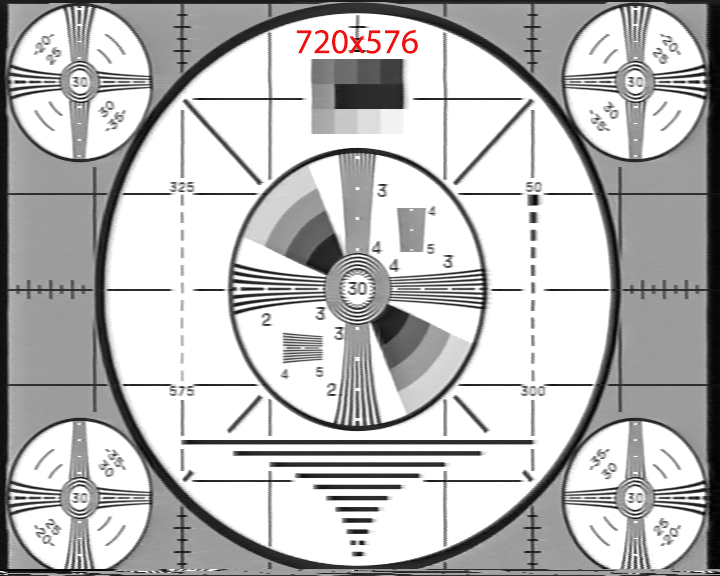
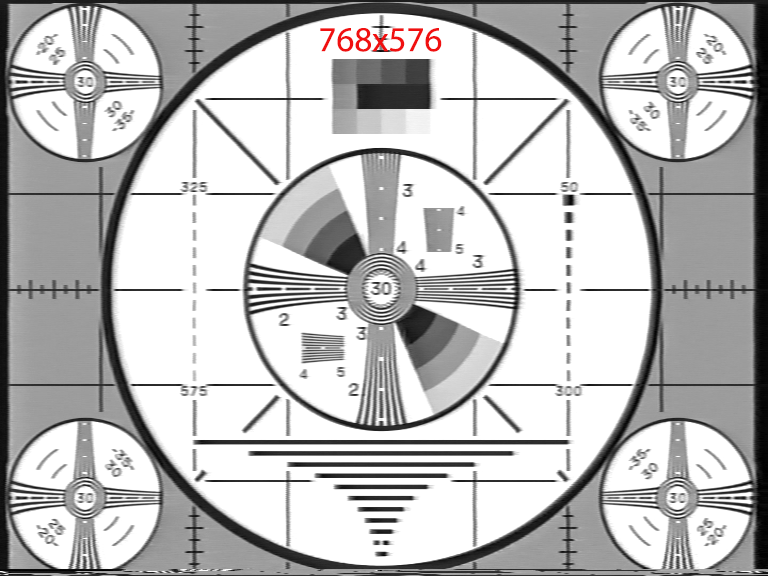
I have a Hauppauge HDPVR and a HDPVR2 and also a Blackmagic Decklink. When I digitize a VCR video at 720x576 I need to scale it to 786x576.
Which is correct because analog video has never been 4:3.
The 4:3 format was introduced with digital computer screens.
Like 160x120, 320x240, 640x480.
You are talking about PAL DVDs. They are cropped to match the 4:3 aspect ratio.
Most of them are scans from analog film. Analog film also never had the 4:3 aspect ratio (I think).
Here is an example of an image digitized from VCR.
Blow the image up to full screen and measure the circle.
EDIT: this image is digitized from a Panasonic alignment tape.
1 Like
No…simple .mp4.
When I run Rhea 1 on a digitized VHS-C 1920x1080…
The original 4 GB file can turn into a 7 or 8 GB file virtually doubling.
Now this was just at defaults….no other settings.
It does improve the video….slightly.
But I do have to pay attention to file size as I have limits on the Vimeo account I am using to post these results.
It’s all my family home video from 1945 to present…16 mm, 8 mm, VHS, VHS-C, MiniDV then finally iPhone cameras.
I believe you can do a “free tryout” 2 or 3 times a month.
With a one minute video (that might be 30 seconds…not sure).
And I think your free vid is watermarked….again not sure.
I will try to do some free runs and then post the process/results.
They claim they are in Beta and make it pretty clear this isn’t even close to what their final offering will do and look like.
Interesting would be, how long it does take in total from upload to available download.
1 Like
I will record that in my test…good point.
I have an easy day today….l will try to do this and report back.
They don’t make it easy to do or understand….that’s for sure….
Holy Moly Tommy!
Your method WORKS!
And it’s easy and FAST.
And that part can be done on the Mac! So I don’t have to tie up the computer that I’m rendering in SLM.
The “softness” in SLM is sharpened up remarkably! Videos are just better…no question!
File size jumps a bit but not horribly.
Dang it! Now I have to decide whether to go back and run this second pass on all of my SLM videos that I have rendered so far….like 70.
Sigh…. Just when I think I am “getting there”….. a new method pops up that is clearly better. 
4 Likes
Does Vimeo still keeps uploaded orig files? The big files comes from worse “NVEnc” TVAI uses, you have to do high bitrates here because the encoder is free and fast but not good. x264/x265 (Xlib) encoder is better, but costs license for comercial use and Topaz won’t pay it.
What you can do is lossless FFV1 TVAI exports. Yes you get huge files but you delete this afterwards! Import FFV1 into Handbrake and encode with x264/x265 at low speed and quality level maybe 16-20. Then this files gets better encoded than TVAI does and are smaller.
3 Likes
