I’m not sure if this question has been asked before, but is there any way to render a 10s preview with the new Starlight Mini model like you can do with other models?
I am not entirely sure resolving pulldown conversion is the same as frame interpolation (at least not the way TVAI defines the term).
I too have this issue with SLM. Haven’t found a way to bypass that corruption.
You do notice that you have Proteus manual in 7.1 and Proteus relative to auto in 7.02?!
Sorry, I forgot about that other bug when making that specific example. But I assure you that the problem is the same when using Proteus in manual, with the same parameters.
It’s just that I forgot that Topaz Ai doesn’t keep the auto/manual setting of the second enhancement correctly. So when I downgraded to make that example, I didn’t noticed that it switched back to auto by itself.
Try it yourself: make a preset with secondary enhancement. Then try to apply it to a video and the secondary enhancement setting won’t be restored correctly. (And it seems that even closing Topaz and reopening it will mess the secondary enhancement of the current projects)
Use the mark in/out function for the portion of the clip you want to sample SLM in.
What about the issue with the Starlight Mini cutting off the last few frames of the video in the final output? I thought they were going to fix that. Isn’t it on the radar?
Maybe it’s because of your “add noise” setting that is fixed now in 7.1? It was reported to be broken (without effect) in 6.2 and maybe it is also broken in 7.0.2.
Now I also can see the flickering, my choice between scene detection and flickering  …downgraded to 7.02
No, I also tested with add noise to 0.
Anyway, it shouldn’t matter: those settings should affect all the frames. The problem is that there is a lose of temporal consistency in the 7.1 .
After upgrade 7.1.0, can’t process any videos. Here is the log:
2025-07-29 12-02-14.186 Thread: 0x1f4949f00 Info FF Process Output: 6
2025-07-29 12:02:14 0x16dfef000 INFO: Preflight frame index 1 2
2025-07-29 12-02-14.188 Thread: 0x1f4949f00 Info FF Process Output: 6
2025-07-29 12:02:14 0x16dfef000 INFO: —TBlockProc::TBlockProc W: 192 H: 320 C: 1 R: 1 X: 0 Y: 0
2025-0
2025-07-29 12-02-14.188 Thread: 0x1f4949f00 Info FF Process Output: 6 7-29 12:02:14 0x16dfef000 INFO: —TBlockProc::TBlockProc W: 192 H: 320 C: 1 R: 1 X: 0 Y: 0
2025-07-29 12-02-14.962 Thread: 0x1f4949f00 Info FF Process Output: 6
2025-07-29 12:02:14 0x16f543000 INFO: —TBlockProc::TBlockProc W: 192 H: 320 C: 1 R: 1 X: 0 Y: 0
2025-07-29 12:02:14 0x16f543000 INFO: —TBlockProc::TBlockProc W: 192 H: 320 C: 1 R: 1 X: 0 Y: 0
2025-07-29 12-02-16.053 Thread: 0x1f4949f00 Info FF Process Output: 6 libc++abi: terminating due to uncaught exception of type cv::Exception: OpenCV(4.8.1) /Users/joshyoo/.conan2/p/b/openc46eb0a0cbd589/b/src/modules/imgproc/src/color.cpp:182: error: (-215:Assertion failed) !_src.empty() in function ‘cvtColor’
2025-07-29 12-02-16.054 Thread: 0x1f4949f00 Info process exited error occurred: 6 1
2025-07-29 12-02-16.054 Thread: 0x1f4949f00 Info process exited: 6 6 1
2025-07-29 12-02-16.054 Thread: 0x1f4949f00 Info Going to delete path: “/Users/bobsmith/Downloads/dance1_912635442.mp4”
2025-07-29 12-02-16.054 Thread: 0x1f4949f00 Info Close and delete path “/Users/bobsmith/Downloads/dance1_912635442.mp4”
2025-07-29 12-02-16.054 Thread: 0x1f4949f00 Info Going to delete path: “/Users/bobsmith/Downloads/dance1_3_aion1.mp4”
2025-07-29 12-02-16.054 Thread: 0x1f4949f00 Info Close and delete path “/Users/bobsmith/Downloads/dance1_3_aion1.mp4”
2025-07-29 12-02-16.055 Thread: 0x1f4949f00 Info ~TProcess(): destroyed
2025-07-29 12-02-16.066 Thread: 0x1f4949f00 Warning qrc:/videomanager/TVideoManagerPane.qml:1190:29: QML IconImage: Detected anchors on an item that is managed by a layout. This is undefined behavior; use Layout.alignment instead.
2025-07-29 12-04-09.184 Thread: 0x1f4949f00 Warning qrc:/videoplayer/TPreviewInfoOverlay.qml:65: TypeError: Cannot read property ‘video’ of null
2025-07-29 12-04-09.184 Thread: 0x1f4949f00 Warning qrc:/videoplayer/TPreviewInfoOverlay.qml:65: TypeError: Cannot read property ‘video’ of null
2025-07-29 12-04-11.739 Thread: 0x1f4949f00 Warning qrc:/videoplayer/TPreviewInfoOverlay.qml:65: TypeError: Cannot read property ‘video’ of null
2025-07-29 12-04-11.740 Thread: 0x1f4949f00 Warning qrc:/videoplayer/TPreviewInfoOverlay.qml:65: TypeError: Cannot read property ‘video’ of null
Computer: Mac OS M3 Max
Downgrade 7.0.2, everything is OK!
1 Like
And a single frame in the beginning. But only if it’s the beginning of file or a scene.
If I set in point in the middle of the scene, SLmini doesn’t eat a frame in the beginning.
Has anyone noticed…
When preview mode is in ‘side by side’ mode, the ‘Original’ video window was always on the left and the enhancement video window on the right. They reversed this in these latest updates. Now you have to manually place the ‘Enhancement’ video window on the right side. 
Hello,
I am contacting you regarding a malfunction in Topaz Video AI.
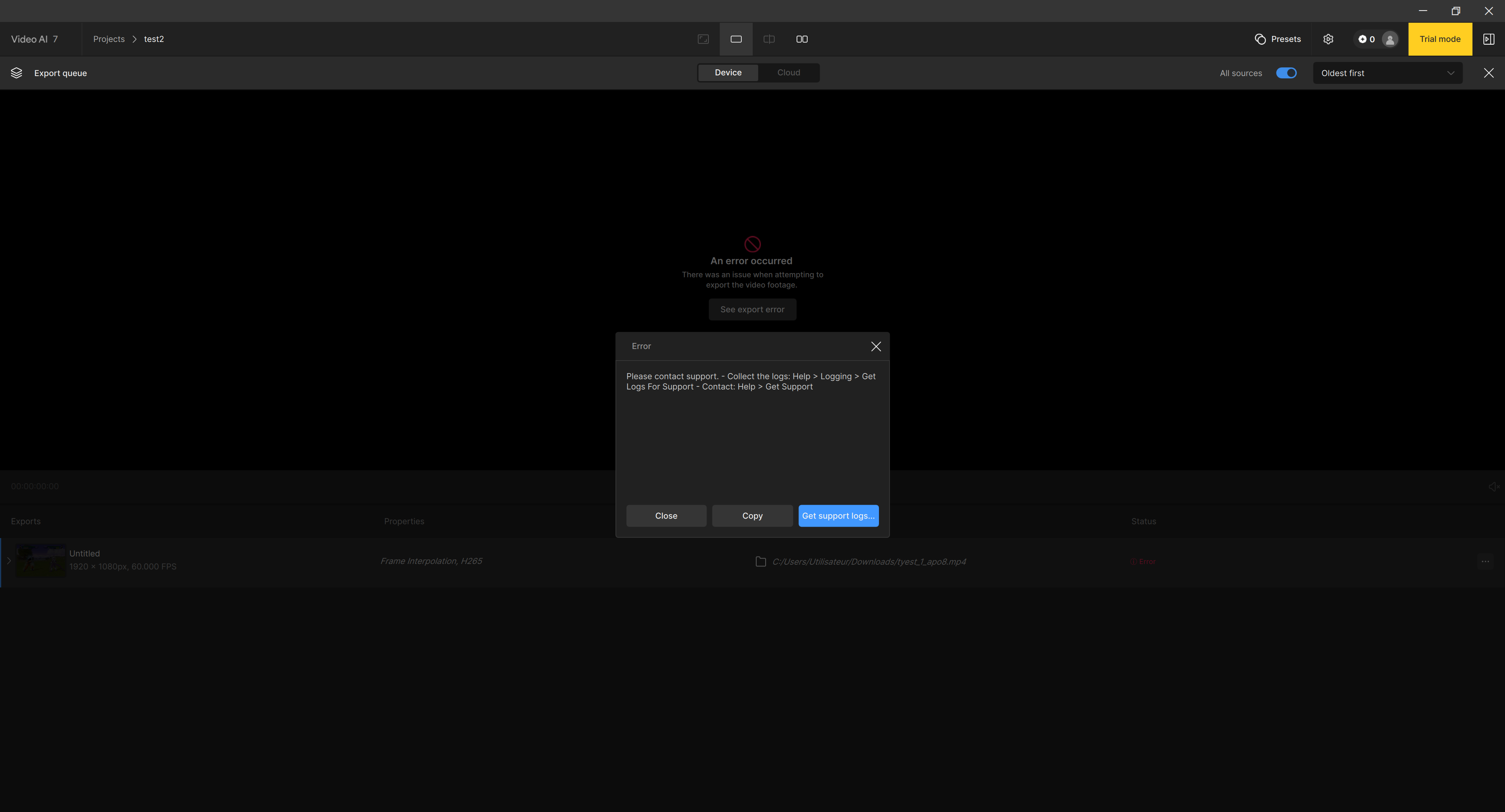
Impressed by the performance I observed in the trial version (7.1), I initially achieved excellent results. However, since replacing my graphics card (from an AMD RX 6800 XT to an NVIDIA RTX 5080), the software systematically crashes during video export with a “Processing error”.
The old AMD drivers were completely uninstalled, and Topaz was reinstalled, but the issue persists. During rendering, Windows becomes very slow, and the export fails. I’ve unsuccessfully tried the following:
- Reducing GPU memory allocation (down to 30%)
- Changing the codec
- Using different enhancement models
My configuration:
- GPU: NVIDIA RTX 5080
- CPU: AMD Ryzen 9 5900X
- RAM: 64 GB DDR4
- OS: Windows 11 Pro (fully updated)
- Topaz Video AI 7.1 (trial version)
Attached:
- Screenshots of the crash
- Benchmark results
Thank you in advance for your assistance.
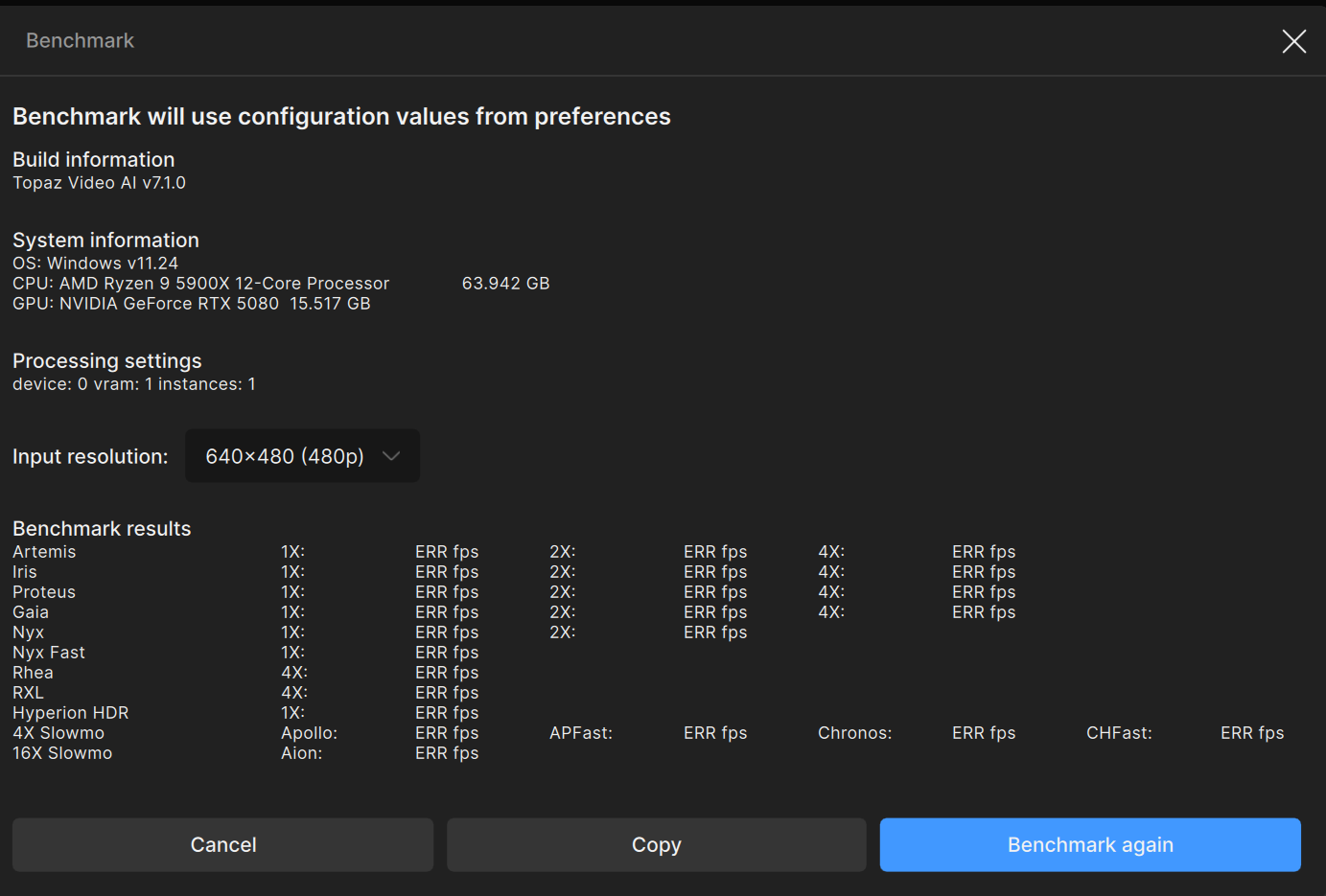
logsForSupport.zip (61.3 KB)
My guess is that something got left when you uninstalled TVAI. You’ll get better help when you email support. Home | Topaz Labs Docs
2 Likes
As someone that used to be a software product manager, I can tell you that bringing a product to market (that people will pay for) is a different universe than open source. It costs money to research trademarks, write contracts, decide where to sell and to whom, not to mention documentation, release management and pricing. That’s AFTER the program is written. Open source just needs to attach a GNU license and you’re done.
1 Like
I have some old 16mm family video film that was converted to DVD format approximately 20 years ago.
I have the original DVDs….but also saved the Video_TS folder of each of the 5 DVDs to my NAS.
Can you give me a good suggested workflow for these DVDs to turn them into the best quality I can get at 1280 by 720.
I don’t have a DVD player anymore, but I imagine I can get one if needed.
I tried converting the .vob files in Handbrake, but then it re-encodes the file and adds compression.
Suggestions how to approach this and will the files need de-interlacing?
Assume I am pretty much a noob.
I would like to get the best quality I can before running them through starlight mini which has given me wonderful results on other family video.
Thanks in advance for any help or advice.
Open the Video_TS folder (or the DVD), in makemkv to generate a mkv without transcoding. Then use Topaz to deinterlace and improve the video. Or deinterlace first with something like Hybrid (which has QTGMC deinterlacer) before Topaz.
As an alternative to makemkv, you can use vob2mpg to convert the DVD vob files into a single mpg file.
3 Likes
also check with MediaInfo your Vobs; resolution (PAL 720x576, or NTSC?) display aspect ratio (made for to stretch when play to 4:3 or 16:9) and audio tracks, often there you can also see there if its interlaced “top field first” or “bottom field”. I get best results using Hybrid, Urix settings for deinterlacing here (you can set “final temporal smoothing” to 1 or 0, pending on content smoothness)
1 Like
I have a lot of home video digitized via a VHS-to-DV camera, which I converted using QTGMC at maximum settings. It looks good for a film. I tried to restore it to SLm, and then I took the DV source (before using QTGMC) and converted it to progressive via DioneTV, and then ran it through SLm. In the latter case, the video after SLm turned out to be better, with more detail and clarity. QTGMC removes noise well, but the details that are needed for SLm are lost.
1 Like
