I read here that the video quality will be better if you don’t encode the entire film, but cut it and encode it in parts. How long should a video segment be to get the best quality result when using the Starlight model? 1 minute, 5, 10 minutes, etc.?
I think that’s just a time thing and also a hedge against losing hours or even days of work when/if something crashes. I do it to allow for possible stopping points just in case I want to do something else with the PC, so it’s not tied up for days at a time. (I use 5 ir 10 min chunks)
That’s also my impression and the way I’ve handled my first significant project: in 5-minute segments. Video AI seems to have some capacity for resuming after a stoppage or crash, but I wasn’t prepared to rely on it ‘getting it right’ if something happened during a 20+ day upscale.
In my case, the first 7 of 11 segments ran without a hitch, but #8 didn’t complete for some reason while I was away from home for several days. I had to restart Video AI upon returning. It did attempt an auto-resume, but I went back in and scheduled a repair, myself, just to be sure I had everything needed.
The interruption - whatever the reason - left an open .mp4 file that would play in VLC, but had no audio. It also lacked metadata so would not open in Mediainfo or my editor, Vegas Pro. I was able to read and rewrite a new file with VideoReDo, fixing up the metadata issue, but still lacking audio.
BTW, not blaming Video AI for whatever happened. Could have been a Windows update/unwanted reboot, for all I know know - I wasn’t around when it went wrong…
The one failed rendering attempt that I have had occurred when windows had some kind of auto reboot during my three day render. I don’t think it was the malicious software tool nor any of the normal windows updates, which I had set to delay for two weeks.
But something in Windows bypassed that…. And my resulting file from video AI is exactly as you described, no meta-data and no audio…..
I’ve had over 70 some successful renders with starlight mini….longest has been five days….
So I just chalked it up bad luck…re-rendered the file and drove on.
I had also disabled Windows Updates. And have the rendering computer on a UPS - there were no signs of power failure, anyway. But there were signs of a reboot - a couple of other apps that auto start on a reboot left evidence.
Ironically, my re-render of the failed file finished shortly after you posted your response. All is well.
I have a new workflow now, and it seems my long experimenting combining models comes to an end. But the procedure is not for everything, when it comes to look as natural as it can get, then maybe it’s not the best, but sometimes our videos has to be cuter than the nature Maybe I wrote a guide later, there are several points needs deeper explanations, just in short the keypoints:
Source prep: Deinterlace first/crop/resize - if needed
Source prep: Adjust brightness gamma, colors etc (into you video editor)
SLm 2x upscale, having 480p you get 960p
Downscale the 960p result to 720p by downscaling do sharpenng using “Bicubic Spline” Resize filter from Hybrid, choose values between 4, 8 or 16 (needs explanations)
Again SLm 2x upscale, now with the 720p downscaled one, from 720p you get 1440p
Here comes the beauty: Run Iris LQ 1x (no upscale!) in automode over it and use “Deblur” only, nothing else, also no “Rec. (Orig) Details” set it to zero. Increase deblur until Image becomes sharper/more deepness (but is still smooth enough). Iris refines the pixel structure, disolves rest of compression blocks, and has a denoise effect. Doing this step, the result becomes more homogeneous.
optional: use a finisher, choose between Proteus (I reccomend V3), *)RheaV1/XL or Artemis (Strong) Halo…pending on footage
optional: Add grain (Filmlook) use Hybrid Filter “FilmGrain (GLSL)” Values between 0.03 - 0.06 (Register Filtering-> Vapoursynth->Add Grain)
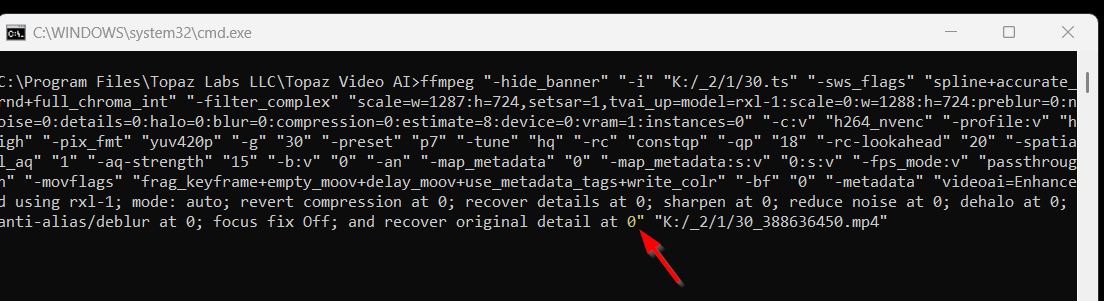
*) Rhea has built in “Rec. Orig Details=20”, set it to 0 when you use the model as finisher, copy your cli code into TVAI and paste, then edit the value to 0 and press enter to start the encode
I found an outfit in Minnesota that I spoke to their owner for about 30 minutes on how they take a VHS tape and digitize it.
After two days of calling around and talking to various companies that the AI said would have time base correctors as well as high-end equipment…
This outfit seemed to really know what they were doing.
They use Super VHS VCRs with the best logic chips then run through a $10K time based corrector….then the best of the old Canopus Capture cards to get a base product.
What impressed me the most was he then described their tailored post processing procedure. Where varying deintelacing techniques are used…compared then applied.
Then he asked me what I wanted as a final product.
I said a deinterlaced file at 480p I could then run through Starlight Mini in Topaz.
He laughed and said….”you have the best tool the industry can offer at the moment.” “We can do that no problem.”
I sent them one of my original family VHS tapes as a trial run.
Will let folks know my results.
My theory is: the better the quality of the media you start with…the better the final product. I am convinced my transcription quality of the VHS tapes I had done locally….is just not very good.
Heavily depends on how much action / movement there is in the video.
For sports or similar you should consider 60fps, for „slower“ material 30fps might be fully sufficient.
I recently deinterlaced the „Aloha from Hawaii“ concert (new edit) and was satisfied with 25fps not really seeing any major difference to a 50fps Delace.
So, of course, I used the 25fps rip to feed SL mini (since yes: 50fps will take double the time compared to 25).
I bought this software specifically for video quality enhancement, which should be its main purpose. I don’t need AI video generation—all I want is the ability to improve various types of footage to a level that satisfies me. I think focusing on AI-generated videos and models that can’t even run locally is a terrible direction. It goes completely against why I subscribed in the first place. Besides, I feel this year’s subscription was totally not worth it. It was a really disappointing purchase.
For me, AI generated starlight mini is an absolute breakthrough…. because all the media I am working on is old VHS and VHS – C family videos.
I had worked with the other topaz models for going on two years….. and no models they had came close to the results I am now getting with starlight mini. Not even close.
My only beef is I wish it were faster and it would work on my Mac as well as my PC.
I completely agree that the Starlight series is an exceptional product, even though it’s quite slow. As I mentioned in my review, from my perspective, your company seems to have shifted its focus recently toward AI-generated video (Astra) and cloud-based processing like Starlight. While I understand that Starlight Mini may be a compromise and that the Topaz team aims to develop the best possible models, as a user, this year’s subscription has been disappointing. The main reason is the absence of a new model that effectively combines comprehensive video enhancement with higher processing efficiency.
I guess the REAL question is… loyalty or lose ends… and do some users understand the true difference between the two?
Loyalty between customers and many businesses today is more of a paradox than a genuine commitment. Customer expectations must be clear and managed; filtered and tempered… for the unpredictable realities of some modern markets. That’s simply the way it is. If a user(s) ever veers its true reality with said company, just remember, that said companies ToUs that you were encouraged to agree to that states what that entity & that user so-called “loyalty” really stands for.
Companies offering monthly/annual subscription services are constantly monitoring membership numbers, often for stakeholder reporting, CapEx planning, financial forecasting, ect. Yet, even with all that data, they rarely know for sure which customers will renew when their subscription ends. Churn is inevitable and often unpredictable.
Because of this uncertainty, a wise company doesn’t rely solely on recurring revenue. It diversifies… seeking additional income streams (Bloom, Astra, ect) to safeguard its bottom line.
The same logic applies to customers. When a company fails to meet expectations… especially when payments start to feel less like a purchase and more like a donation… wise/sick-&-tired customers are quick to leave… if they’re not seeing tangible value in the form of real features, meaningful improvements, or responsive support; they won’t hesitate to jump ship (well, the wise/sick-&-tired customers).
That said, for companies, and its userbase, mistaking retention for loyalty is dangerous; silent dissatisfaction can erupt when a better, or work-in-progress, option finally appears.
Thank you for your reply. Your response has given me a new perspective. A monthly subscription sounds like a great option! Indeed, due to unmet expectations, there was a period this year when I did not use the software.
Maybe the model was downloading because your local installation was an older version and it was updating. From what you’re saying, 90 percent of the file was processed, which suggests the model was working. Another thing is: why are you processing such a long video in one go? Crashes can always happen, especially during prolonged GPU load; the reasons can vary—unstable overclocking, a sudden voltage drop or spike in your electrical setup. I’ve noticed that with my standard overclock, processing performance goes up by about 10–15%, depending on the model I’m using, and it works great for the first hour to hour and a half. Later, performance starts to gradually drop, even to below its normal speeds without overclocking. A few times, in extreme cases, this ended for me with a crash similar to yours. That’s why, with longer video files, I first split them into smaller parts and then rejoin them after finishing. You can always queue up a list of files to process. Then, even if something goes wrong at some point and there’s a crash, you won’t lose all your progress and you’ll be able to quickly resume work.
When you just look at the pictures side-by-side, you can see a little bit of improvement….. but when you zoom in….good gracious….the improvement is remarkable!