If someone had a H100 GPU would that be able to run Starlight locally?
2 Likes
Yes, we are able to deploy Starlight on-site to H100 GPU servers. More info here.
How can I run Starlight locally on M1 Max with 64 GB RAM?
1 Like
I’ve been watching this forum since the end of version 2, hoping at some point the application will have improved enough to justify jumping back in. For a fleeting moment I thought Starlight was just that moment, until it was announced that this model will be based on a “pay-as-you” go scheme. I can’t afford that at any price, beyond how current models are available for unlimited use, based on the TVAI annual renewal fee. It really makes me wonder if Starlight is the reason why other models have been allowed stagnate over the last couple years. That seems to be a common complaint on this board that models have not been improved in quite sometime.
8 Likes
We already paid for the app: Forget the pay as you go!
I will use ONLY my local computer hardware and if that becomes not an option I will find something else.
15 Likes
We hear you. We want to bring you the best possible quality in the desktop apps as part of the app license you purchased. This is how we get there.
Eric’s Roadmap post goes into more detail:
The short answer is that Starlight is huge and won’t run locally unless you have server-grade hardware. The longer answer is: to make technological progress, we need to push quality first, then focus on speed and size later.
We would all love a new model that is fast, small enough for your laptop, and higher quality than anything we’ve ever seen before. But the reality is that we can only optimize for a single attribute at a time.
In 2023, we tried improving quality on our video models while holding speed and size constant, but this approach was ineffective. While later iterations (Rhea, RXL) do offer improvements over earlier versions (Proteus, Artemis), you’ve probably noticed that the changes have been getting more incremental.
So in 2024, we asked the question: “How much video quality could we achieve if we didn’t care about speed or size?” The result is Project Starlight. It requires huge VRAM and currently takes 20 minutes to process 10 seconds of footage, which we know is sort of ridiculous. The results, however, are truly mind-blowing - an accomplishment which was quite challenging just by itself.
4 Likes
So let me get this right… The version got bumped to 6.1 so you could include cloud only rendering that costs additional money but nothing else is included in this update? Did I miss something? Please keep the cloud stuff out of the desktop application. We purchased this because we want to be able to do the rendering on our own devices. As someone who has renewed my license multiple times and owns most of the Topaz software lineup, this is the most disappointing update I think I’ve seen… more like a glorified advertisement.
28 Likes
We’ve had cloud rendering in the app since version 5.5
We are a research-focused company that is working to improve video quality using AI. Project Starlight is a window into the very best quality we can achieve right now.
Nothing else has changed, the same desktop models are available in Video AI and we will continue to release and update both desktop and cloud models.
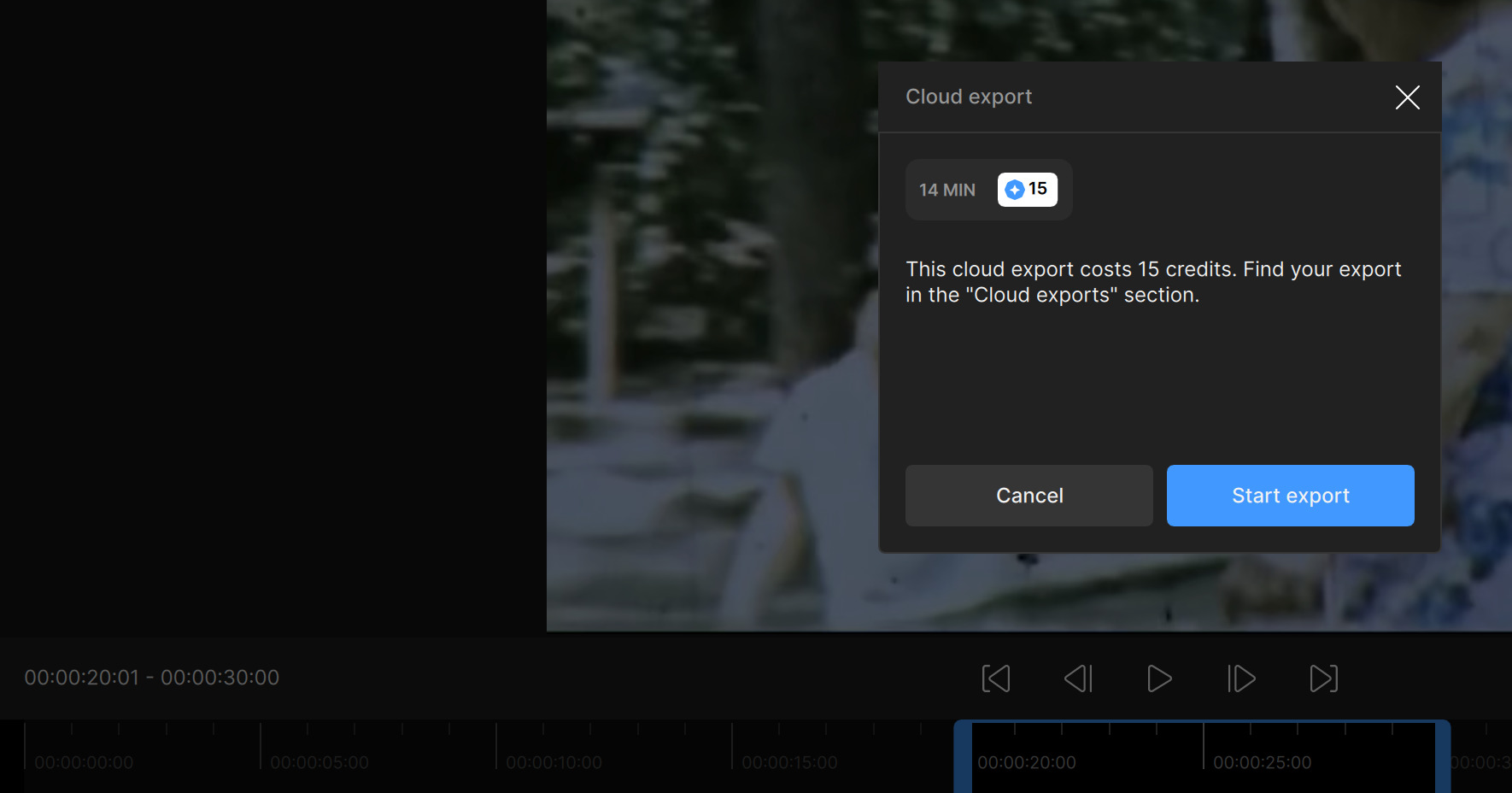
" Active Video AI users can currently process three 10-second weekly previews of Starlight for free."
I selected a 10 seconds test clip, why is it going to cost 15 credits if it is a first weekly 10 second preview, which should be free?
1 Like
Tony you think it would be possible in future to have an alternative to the three 10 seconds weekly preview renders with Starlight? I was thinking maybe the option of having a one 30 second weekly Starlight preview render.
This could change the game for AI generated video, if the benefits are significant enough.
Folding@home, but for AI video rendering!
1 Like
Did you click Starlight Research Preview or Starlight Early Access?
It’s likely, today we have added significant GPU capacity so we will be looking at the next wave of research preview access.
1 Like
Thank you, I’ll try that, since at the moment I’m using just ‘overall’ 70% of power envelope, or, more like a ‘ceiling’ for the GPU. 
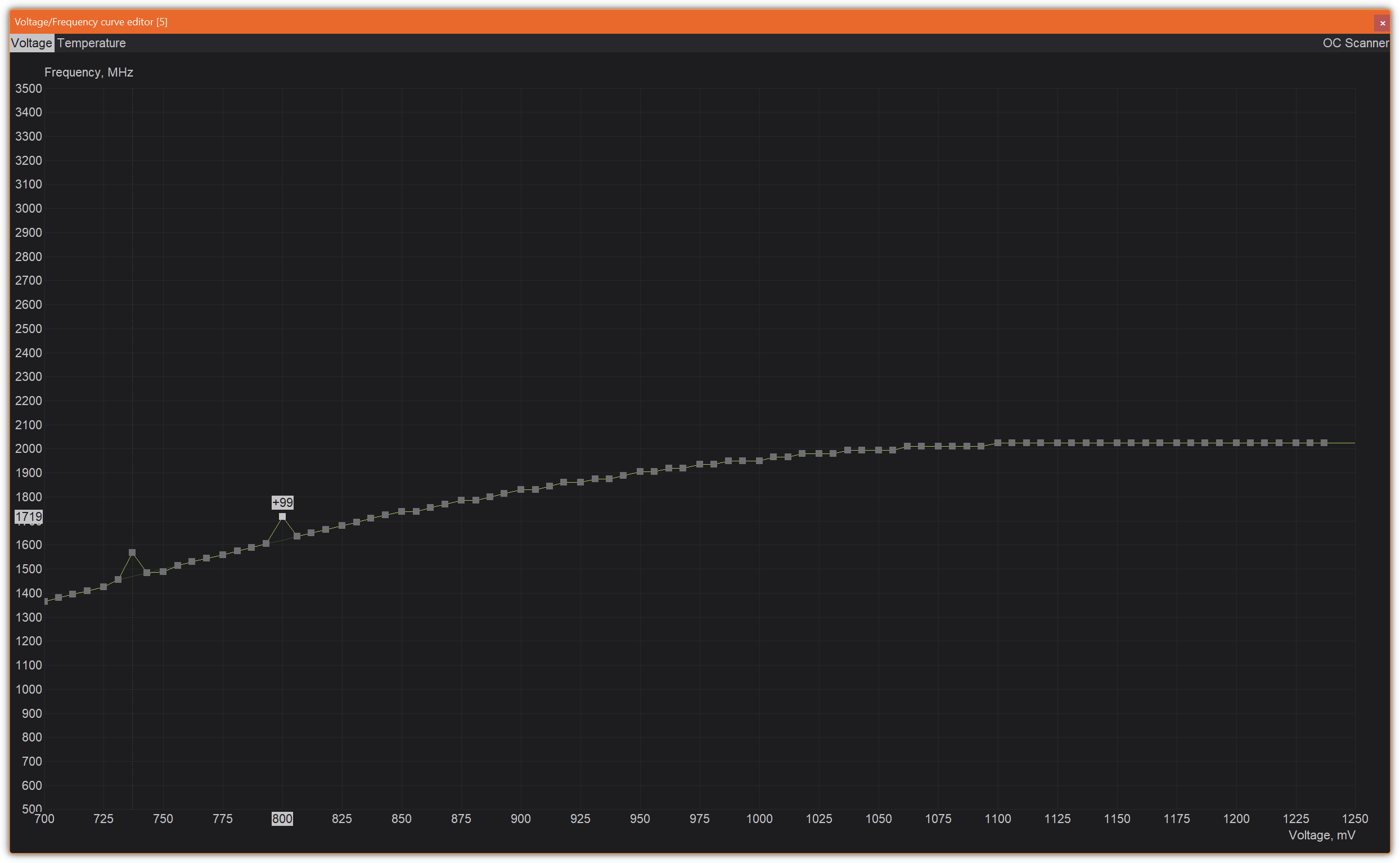
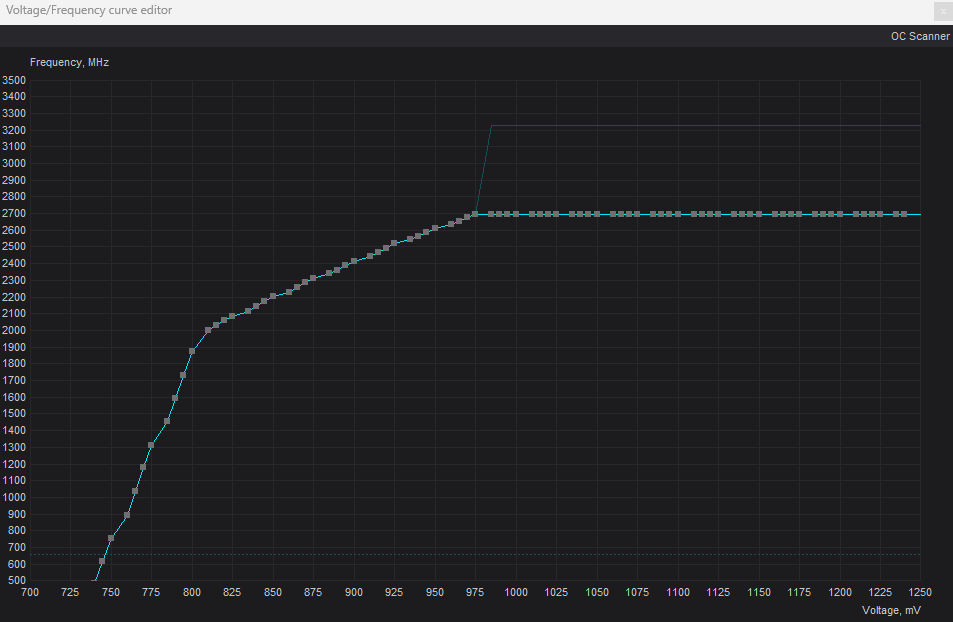
I wonder if I should flatline the rest of the curve past 800mV and then apply 100% of the power…
Interesting, the curve became like this - smart!:
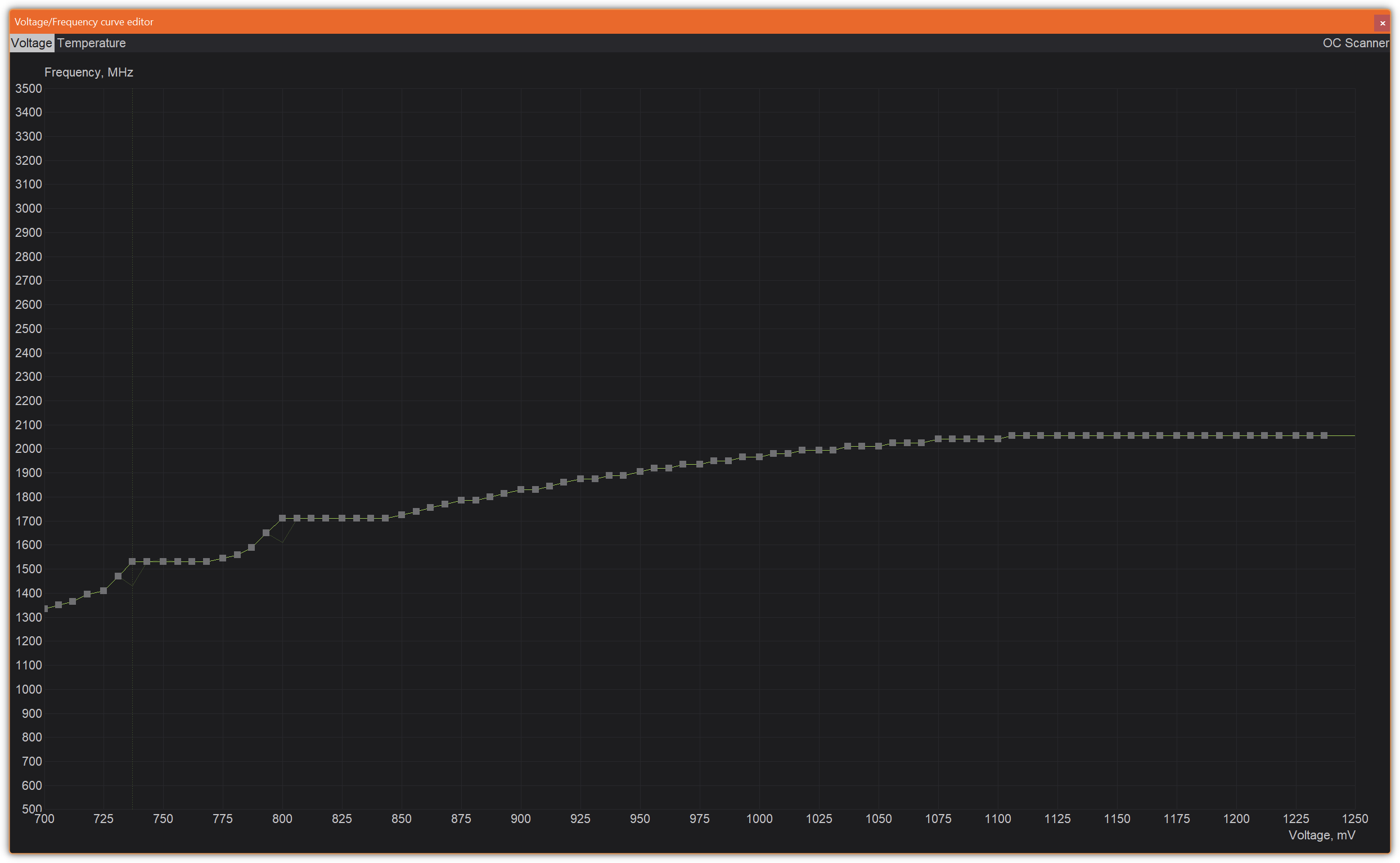
Don’t do this. 800mV is far too low and might cause instability. Set a voltage limit of at the minimum of 850mV, preferably 900-950mV. Nvidia cards of the last 3-4 generations throttle at around 1050-1075mV.
It’s the voltage+clock (and voltage+clock=~power draw) spikes that are dangerous and caused my 3080 to crash a few times when I initially got TVAi due to overclock.
Edit* Remove the first example, as the below one is a more stable approach.
- If you want to downclock → set a flat minus clock to your desire → click apply. (In the below example i chose to not downclock, only set a voltage limit at fabric clock)
- Open curve editor and note the frequency of the voltage limit you want to set (in my case that is 2692Mhz with no initial downclock).
- Place your mouse pointer on the left side of the voltage limit you want to set and hold shift while you click and drag all the way to the right. This will cause all points in that area to be adjusted when move.
- Select the voltage points to the farthest right like i have done in Picture #1.
- Drag it all the way down to the same frequency as the voltage point you want as limit, like in the picture you can see 2692Mhz on the far left (Picture #1).
- Click apply and you will get a curve that still has the default curve up until the voltage you want as a limit. See Picture #2.
- Set power limit to your desire. I’d say 80-90% is a good buffer.
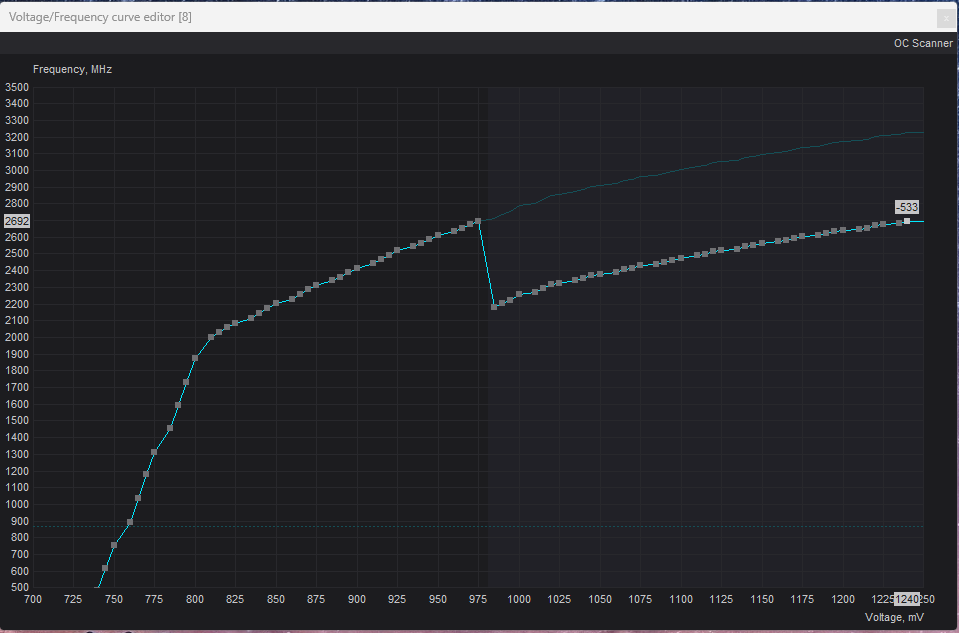
Picture #1
Picture #2
2 Likes
Were you able get a test clip up?
I would have access to H100, H200 and GH200 GPU servers,
but for upscaling a few videos as a hobby, my 4090 desktop was just enough,
no need to try to get it running under linux or make a Windows VM.
Now, first I lost multi GPU support over the last year,
and now I am not even able to run it on my own machines,
but have to pay a huge amount of money to use the new models, for which I had a renewal?
I am disappointed about that, but the new model really seems like a big step forwards.
I wish the team much success in further developing and tuning the model and hope, that we are soon allowed to run it on our local hardware, even if it has to be a very very potent workstation or desktop.
6 Likes
I’m also on an Apple M1 MAX Macbook Pro. I’m debating about switching back to Windows though for future updates. However, I’m curious to see what the M4 Ultra or M5 Max will bring. I know Topaz uses mostly tensor cores, but hoping we can get some more love on the Apple Silicon side in the near future.
4 Likes

I didn’t submit it yet to not burn these credits unnecessarily…
