Topaz Video AI 5.5 + 5.5.1

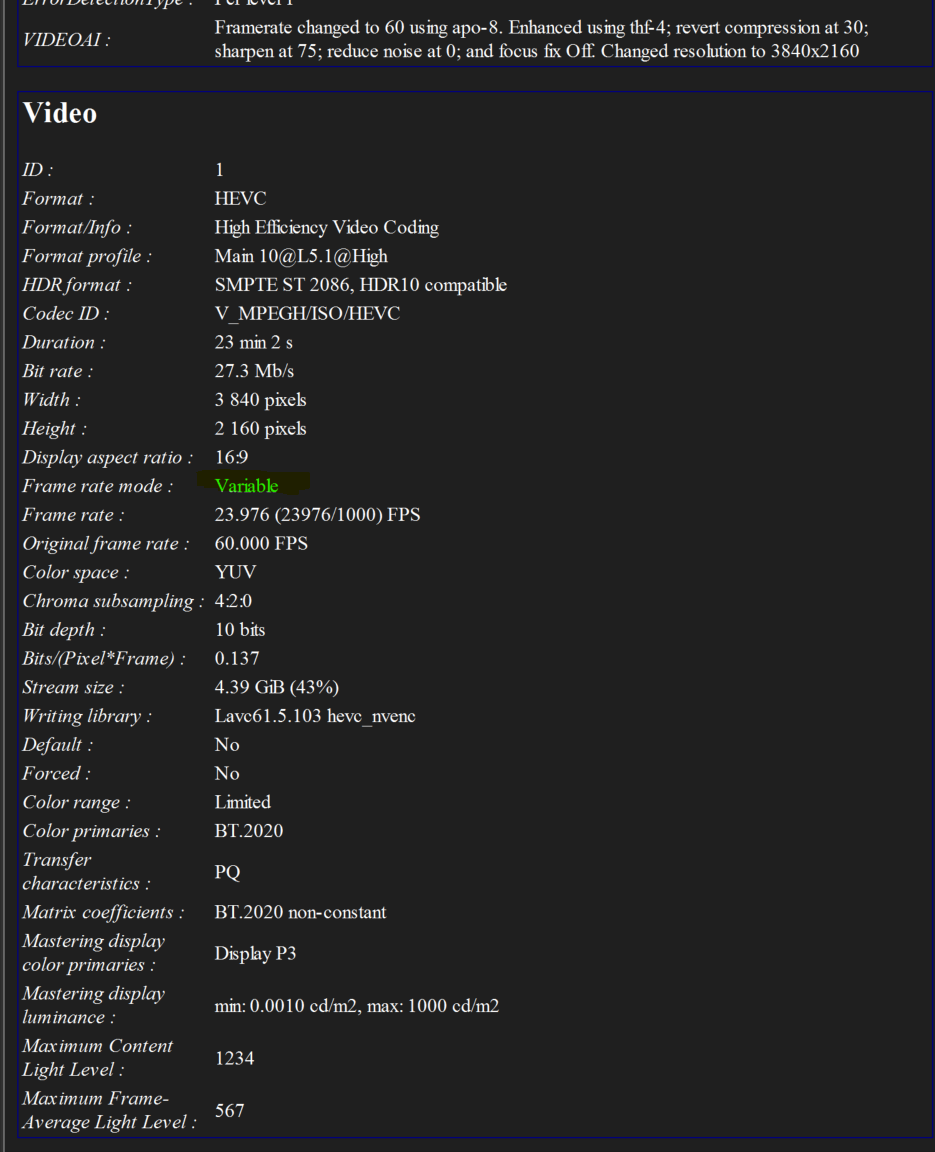
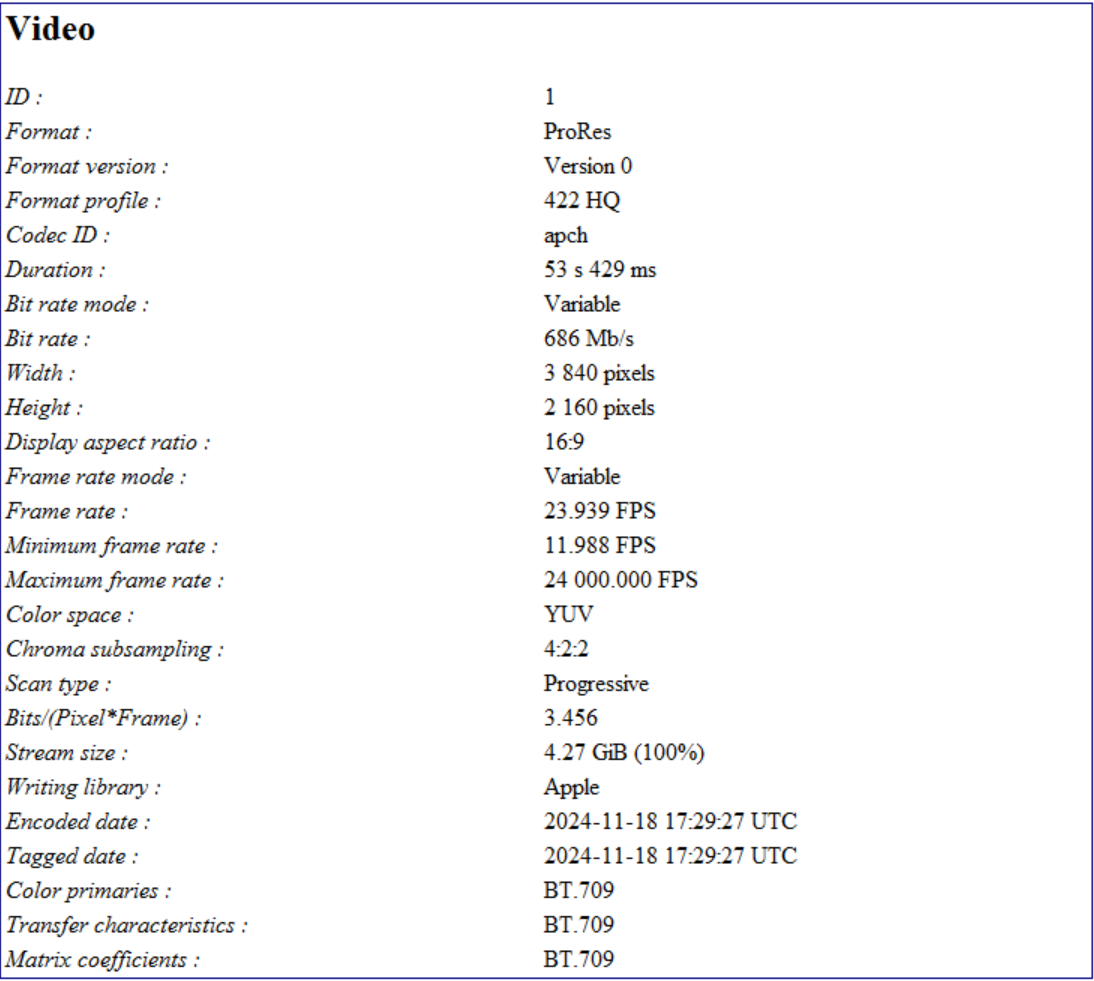
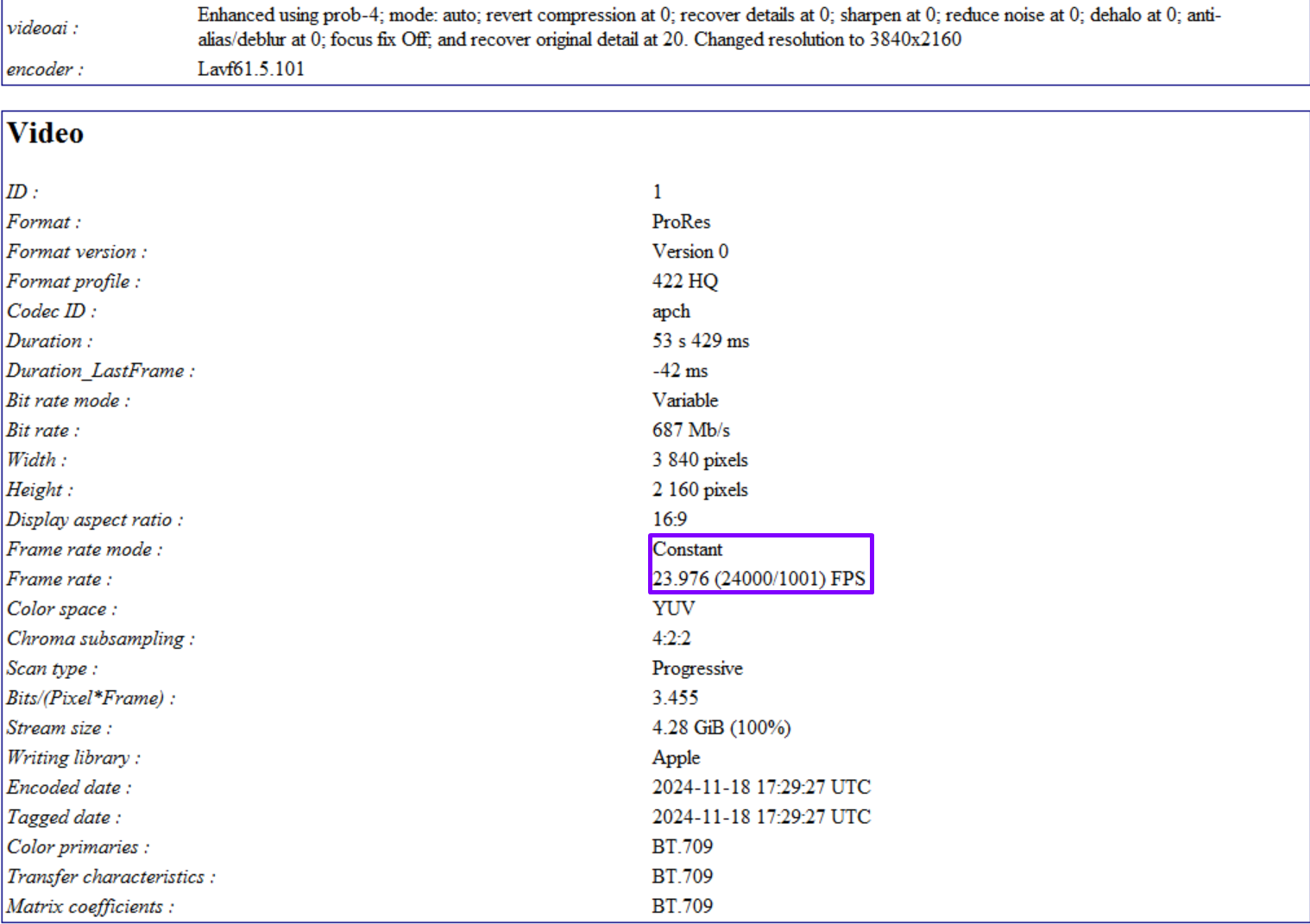
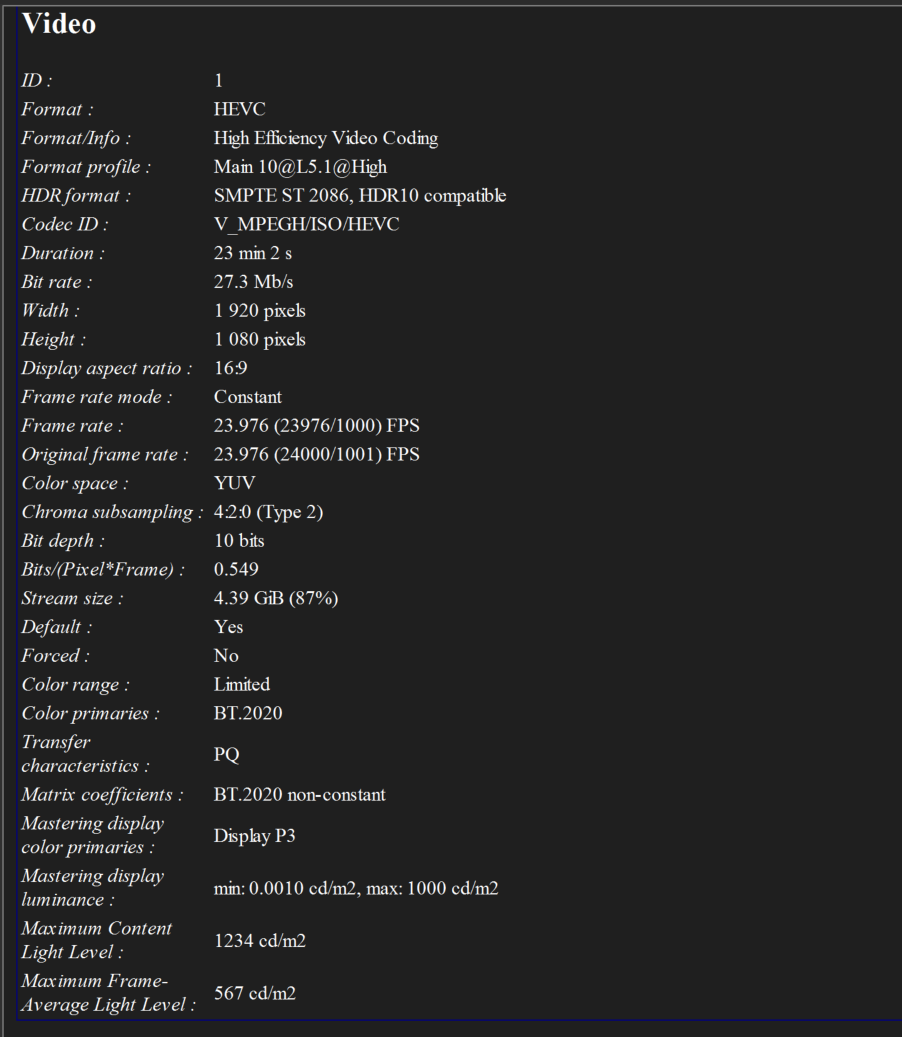
Used mediainfo v24.11.1 in text mode and Debug → Advanced Mode to get the attached text files. Other than some added context at the start of the txt-files and change of filename and path, the output from mediainfo is untouched.

Edit: GPU-model and driver: HP RTX 3080 10Gb Rev A1, GPU Code Name: GA102-202, CUDA DLL: nvcuda.dll - nVIDIA ForceWare 566.14, nVIDIA Studio Driver v566.14 endEdit

Example1_input1.txt (10.6 KB)
Example1_output1.txt (11.1 KB)
Example2_input2.txt (12.0 KB)
Example2_output2.txt (12.3 KB)

Two different examples:
Example 1 / input1.mp4 - Downloaded video, otherwise untouched before processed by TVAi.

Example 2 / input2.mp4 - Downloaded video, manually encoded with ffmpeg before as you can see in the txt file, before processed by TVAi.

These are only 2 examples. Almost all videos I’ve increased FPS on have resulted in VFR(except perhaps 2-3 videos). Tried all interpolations models except for Aion, several times, both with and without any other enhancements. Tested different output containers/parameters and input containers/parameters.

I read on here somewhere that using mkv as output container works - tried that. Sure, mediainfo says it’s got constant framerate, but it’s lying. A simply remux to change container shows VFR.

I’ve forced CFR with ffmpeg on a few of the vfr output videos, which has worked (kind of, since it just duplicates frames, or removes frames where the frame rate differs from actual):

-vf “setpts=PTS/1,fps=60” -fps_mode:v cfr

Sure, it’s not ideal. But end result is less than a few tens of a second down to milliseconds different in total time, and a few frames might get duplicated or removed to achieve it, although, a minimal amount (most I’ve seen is some 20-30 extra/removed frames).

I’ve not owned TVAi for more than a couple of weeks, and have been using v5.5.0 until yesterday, when i downloaded 5.3.6 to test it after reading comments on the forums. Had it Interpolate + Enhance 6 different videos running non-stop for about 16h. All completed with a constant frame rate. This I’m sure you already know, but i thought I’d add it as extra context to rule out user error as much as possible.
2 Likes

Interesting I never heard of VapourSynth but see that there is a lot of Python in it and quit a lot of you tube tutorials. By the way my TV does not do the upscaling but my satelite settopbox does which is an Open PLI 9.0 and has 4 Gpu’s Just add a USB 3 harddisk of 20 TB and you have a Mediaserver

Open Pli updates every week and it only gets better and better so my TV does no upscaling only uses it s AI magic

I let Topaz only do Enhancing this is what it does best

1 Like

most of us probably 96 percent don’t care about your cloud service fix the product already

6 Likes

Especially because cloud service only offloads actual processing. Unresolved problems with enhancements just get done faster and at a higher cost.

5 Likes

also then your material. is out on the interweb and if they get hacked etc

Problem with that statement is, that ‘enhancing’ and upscaling are closely related. Aka, part of what makes the enhancement a reality, is precisely the extra interpolation room that comes with upscaling. Like ziggy curves that can be more easily smoothed out.

And yes, VapourSynth is a Python-based frame server (like AviSynth before), for which many plugins exist.

Good stuff. I did the same, with already borked vids, in a post-process VapourSynth script, with

vid = haf.ChangeFPS(vid, 24000,1001)

Like in your case, it doesn’t truly repair TVAI’s broken output, but only acts as a filler, as it were, for missing frames. But at least produces a more-or-less workable file again.

If you run the manual command line, btw, ffmpeg will show dropped frames. In CFR mode. no frame should ever be dropped. So, soon as ffmpeg tells you there are dropped frames, you know are working with a broken version of TVAI (unless you were purposely doing some frame interpolation, of course).

Doesn’t look like you’re too eager to receive the data I collected, after all. Anyway, here are the logs and samples, for reproducibility (using v6.0.0.b), in case someone else wants to try:

logs.zip

I expect there are many others who are also wondering - why bother with this 5.5.1 update which apparently has no bug fixes but just one addition - to support two graphics cards that aren’t even officially available yet? From what I’ve read the B580 is available from 14 Dec, and the B570 from 16 Jan.

Couldn’t you have managed at least ONE BUG TO FIX in this version?

2 Likes

We work directly with Intel (and other GPU manufactures) to support new GPUs on day 1 of release whenever possible. This update does not replace our usual schedule of patch releases.

1 Like

Thanks for the files! I wish I had better news, but we’ve tested the same input, model, and output codec settings and generated a constant frame rate output:

Still keeping an eye on this issue and looking for common factors between the reports we’ve received so far.

1 Like

I’m getting variable output with frame interpolation to 60fps (from constant 23.976fps)

Input is MKV (1080p HEVC HDR10 P3 (with an AC3 audio track))


Output is MKV (H265 main10, constant 60mbps bitrate, passthrough AC3 audio)
Only MP4 output shows “constant” for my clips, however it is NOT constant 60fps.
When averaging the amount of frames over time of the clip, results vary from 56 to 59.94fps average, so the mediainfo is flat out wrong. I have not checked min or max frames.

The metadata for MKV could use some work. light levels are incomplete and the “original” frame rate 23.976 should be removed, to be more consistent with MP4 metadata.


3070ti with Nvidia studio driver 566.14
TVAI Versions 5.3.6 and 5.4.0.

1 Like

Okay, that is exceedingly weird. For the record, I output to FFV1 (with a .mov extension, else LibavSMASHSource won’t open it). I will try and output to true ProRes 422 HQ now.

No, it was already set to ProRes 422 HQ by default in the new beta.

Thanks for looking at this. For me, and others, apparently, this VFR bug is most egregious.

EDIT: I had tested it on v6.0.0.0b, btw.

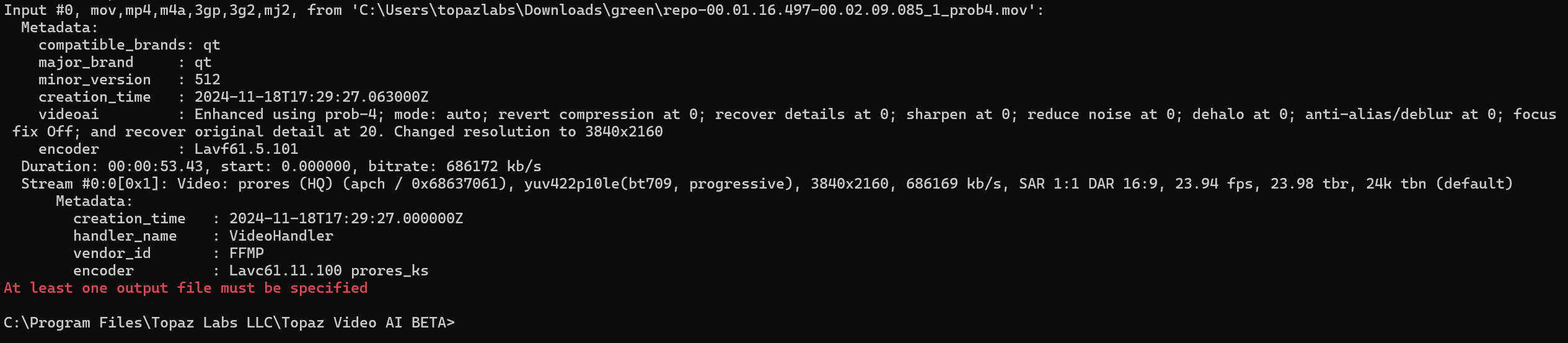
Interesting, MediaInfo reports the _prob4.mov version you sent over as a ProRes 422 HQ(?)

Same with ffmpeg:

1 Like

Yes, my bad (see above). Apparently, beta already defaults to ProRes. Doing the opposite now, trying FFV1 instead. :slight_smile:

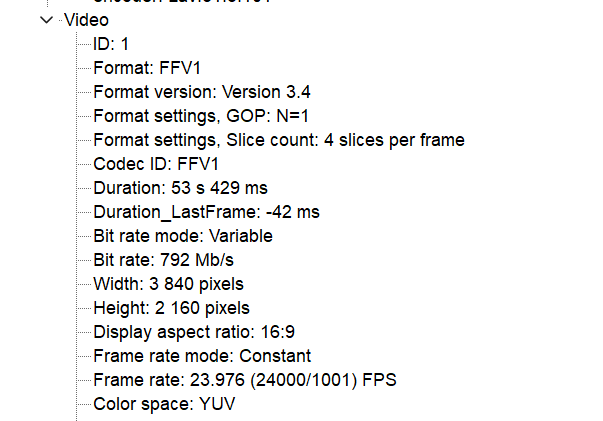
WAIT, that may have been it (Sic!) FFV1 reports a CFR output!

image

Hello.

I decided to lurk around here a bit today after just giving up on Topaz unfortunately recently, for obvious reasons, ofc but after 360+ posts later, I’m just SMH to Topaz’s overall response here - the "it’s you and not us… go-to thingy :smirk: - when there’s a clear issue that IS effecting a group of users; and by Topaz stating such replies:

This is a priority item for us and our QA team is working on replicating the issue, but we have not seen the same behavior across EIGHT OF OUR TEST MACHINES so far.

This is not how an effective IT / engineering team correct ongoing / dormant issues… again… effectively due to its CONTROLLED environment some times.

Without thought, IMO, this is the time when Topaz should go to their beta testers (or any one of their customers), especially those that has these galore of issues, and negotiate something with them to send their effective rigs/units to Topaz on Topaz, IF Topaz is really committed “to correcting these issues”.

Vincent,

I understand that it can be frustrating to not see rapid progress on a bug fix like this VFR error, but it is both a security and privacy issue for us to physically receive our users’ personal computers for testing.

I know you, like many of our users, spend ample time reading through community pages to gain a deep understanding of how different software tools function and protect the privacy of the end user. In the 1 year+ that you’ve been a part of our forums, I hope that you’ve seen the overall importance we place on the security and privacy aspects of our AI tools in a market segment that does not normally offer desktop-based, local processing.

We appreciate your input, but this would not be a realistic way to source test cases for bug fixes. If you are able to replicate the issue on your installation of versions 5.4 or 5.5, log files and sample inputs are the best way to contribute to a patch.

In their defense, one might say, The wheels of support turn slowly, but grind exceedingly fine. :ok_hand:

At least they’re on it. I’m not a dev, but a preliminary test for me showed a CFR when I output to 10-bit 4:2:2 FFV1 (comparable to ProRes). So, maybe there’s something broken in ProRes? Except the dev wasn’t able to replicate the issue on their side – which makes all of this rather bizarre.

Good to know FFV1 does not show the same behavior @meimeiriver – we think your earlier comment about the dropped frame log messages may point to ffmpeg switching to VFR to attempt a sync between the (smaller) total frame count and the input’s track length.

One more question: was your FFV1 test written to a .mov or .mkv container?

1 Like