Most likely limited to Apple SIlicon Mac users at the moment (I can see it on my Mac, but not my Windows machine)
RXL is better in the details I would say exceptionally good, but I see that it introduces zombie faces in which Iris does a much better job. Also at times RXL introduces when focusing on details some glowing streams. The hair of ladies text and objects are remarkybly well recreated, but faces in the background and glowing streams should be improved. Hopefully a second version of RXL will improve on speed and background faces. Still I found that the details uncovered a lot of detail that I forgot I was wearing during my wedding 30 years ago in Hungary hence still a remarkable model.
Wasn’t there a GPU memory fallback if the memory is full?
For Nvidia.
There is a switch in the driver menu you can change.
That is because it is x4 upscaling (RXL/Rhea) not x2 (no matter what output resolution you set , it will always upscale it at x4 then downscale it).
you are doing the compare wrongly , you need to do RXL and compare it with other Upscaling AI which you find is good but compare it when you do x4 on that AI.
that would be a true compare.
1 Like
Yes RXL is version 1 the details are ok in close up hair faces text objects it even has a pretty good HDR, but faces a bit remote eyes are suddenly at the iris version 1 level and yes I prefer iris 3 over Rhea. RXL has a big future ahead if the focus on details do not result in streaming rivers, the facerecognition incorporates iris 3 in stead of goophy figures. Hyperion is nice but no matter what I do there is an overexageration in colouring red is to red white might become blue and green is very green so not yet production ready
In my testing with RXL on Windows with a NVIDIA RTX 4090 and macOS with a M1 Pro, when something is mostly stationary in the video, RXL will produce a “flow” on that thing.
What I mean is that the pixels in those areas will flow over multiple frames in a specific direction (usually towards the center of the frame).
This issue does not happen on Windows AMD (RX 7800XT) with it instead flickering between poorly upscaled results in those regions.
Testing was done on a 960x540 24fps video.
I would upload the videos for you to take a look at, but there doesn’t appear to be a dropbox link to upload files too. Although this may be normal now as it has been many months since I did proper beta testing and removal of the dropbox link may of been something I missed over the months.
I have also noticed that RXL seems to remove detail from some things. For example I have a video of someone with pale skin, dark freckles, and piercings on their face. The freckles are quite noticable. The piercings are visible in the original video although arguably a bit small.
With Rhea the freckles and piercings are retained after the upscale. While RXL removes both.
I’m sorry I can not share samples for this one for privacy reasons.
RXL also doesn’t work on Intel GPUs. Testing here on a Intel Arc A750, the exported video is either blurry or highly pixelated, with many parts of the video containing flashing colours.
Note: All tests were done with auto settings.
1 Like
hmm rxl works for me without this json so if i have a low resolution video from a 768 x 576 chances to run into vram limitations are limited or will it always render a 5760x4320 internally than this is more than 4 x i have a 4080 with 12 gb dedicated and 19 gb vram shared no issues
1 Like
Do you mean like trails left from previous frames? I’ve seen that, particularly noticeable when there is a watermark on the video.
It’s not a trail left behind from previous frames. It’s that the pixels just flow.
Here are copies of the videos on YouTube to demonstrate the effect and the other artifacts I'm getting:
I’d recommend watching this videos in 4k as lower resolutions have compression related temporal artifacts.
Flowing pixels - 4x RXL on NVIDIA or Apple GPU: https://youtu.be/tzQxRMIg6es
Flickering upscale - 4x RXL on AMD GPU: https://youtu.be/saGJVoWvpo4
Broken upscale - 4x RXL on Intel GPU: https://youtu.be/KtJDo-VouaI
Just for reference - 4x Rhea on NVIDIA GPU (It has it’s own temporal issues as would be somewhat expected from trying to upscale a high detail low resolution video, but it’s completely different from RXL): https://youtu.be/dYwAxskyIYI
I would upload the original video, but it’s 540p and YouTube compression would make it look way worse. So I just uploaded a Rhea upscale as an example.
2 Likes
Yeah, there is one issue with the new model that has serious artefacts with lower quality videos, I’ll upload a video later to illustrate this…
2 Likes
Yes, I can definitely confirm, it’s quite unnoticeable with upscaled 1080p to 4k, but 320/640p videos shows the artefact quite clearly, but I’m hoping that they clean that up a bit with further adjustments with the model
2 Likes
When exporting 4k with Rhea, the output file is unusable/unplayable. Even the same alpha is not able to read in the file. Full export log attached! Proteus does export a usable file.
2024-09-01-02-24-26-Main.tzlog (10.6 MB)
it really shows HDR played from my open PLI mediaplayer to my LG TV but the colours are overexagerated, white is blue even though I used 2 controls to minimize the coloureffect and even it shows really HDR effects from the bottles of Vodka from my marriage 30 years ago in hungary the colour mix is red to red a bit to superficial and teeth are becoming suddenly radiantly visible it is funny better than the previous hyperion but definetely still aplpha Why does everhting on my media player becomes orange looks like a driver issue. next step put it on mu ysb stick and play from my LG TV directly
All those things relate to lack of many HDR metadata, MaxCLL, MaxFALL, HDR Type, PQ aso, list is aslong as am.
We only got luminance and chromiance out of TVAI stuff, and gamma SMPTE 8046, thats all
If I well understood, Topaz is doing what we claim all over ther, working on the model, so let them do this.
Don’t forget this release is “alpha”, sowe all have to get our hands dirty if we want something perfect and move forward.
What is yet done is SD to Wide gammut, so transofrming BT.709 or whatever into Wide gammut
-
To add HDR10 metadata
Follow my post from here
Hyperion SDR-to-HDR Alpha #2 - #23
If you do want to add HDR10+ or Dolby Vision metas, you’ll have to do it with DVR or use “Dolby Vision, Version 1.0, Profile 7.6, dvhe.07.06, BL+EL+RPU, no metadata compression, Blu-ray compatible / SMPTE ST 2086, Version HDR10, HDR10 compatible” this depends of your player -
To add MaxCLL / MaxFALL
Use DVR to find them relative to you video and not using CIE 1931 values
If you do not want to do tons of click into DVR with your samples, do compile this
GitHub - HDRWCG/HDRStaticMetadata: MaxFALL/MaxCLL computation -
Use either MKVtoolnix to inject additional metas or use ffmpeg with following option CIE 1931"-metadata:s:v:0 mastering_display_metadata=“G(13250,34500)B(7500,3000)R(34000,16000)WP(15635,16450)L(40000000,50)” -metadata:s:v:0 max_cll=“1000,400"”
else use peak_detect to auto detect MaxCLL
Personally, I do encode TVAI stuff into FFV1 10b 4:2:0, then compress it with SVT-AV1 (AV1 special 16 threads to be short)
You can try FFV1 10b 4:4:4 to get studios godlike quality, but be ready to buy a 24TB drive for a 2h video 
I did test it in 10s fade sequences, there’s a differnce, but it’s priceless. 4:2:0 will be enough for mortals.
and try SVT-AV1 PSY, so don’t ask me more  it’s not ffmpeg
Follow them on reddit here :
https://www.reddit.com/r/AV1/comments/1am8f2b/introducing_svtav1psy/?rdt=39674
And Githhub here :
It’s a full W.I.P., so it changes all days, but very promising codec because using psyshovisual enhancment, what SVT AV1 intend to do with -g (GOP = group Of Frame) ot make the scen fluent and not chopped
4 Likes
After Hyperion Alpha #2 represented an improvement in every way compared to Hyperion Alpha #1, I was really excited about the release of Hyperion Alpha #3. To give my conclusion upfront, I am massively disappointed (my criticism here only refers to Hyperion and not to the new interface or the new Rhea model).
I understand the changes made to the exposure sliders based on our feedback to reflect a comprehensible nits value, but now this option makes no sense to me. What does a value of 50 even mean, and why can it be adjusted from -100 to 100? Does a value of 50 mean that brightness is boosted by a factor of 0.50 in nits?
In Version #2, at least I could achieve somewhat consistent results using the “fixed” nits values. In Version #3, this no longer works at all due to the changes made to the two sliders.
Additionally, I’m facing the same major issue with color shifting that I had in Version #1, but in Version #3, it’s much worse—especially with reds. This is particularly noticeable with skin tones, where pale-skinned individuals in HDR suddenly look like they have a deep tan. Depending on the video, this shift is either extremely pronounced or barely noticeable. In some videos, I’ve also had issues with other colors being severely altered, like white shifting to blue.
This severe color shifting issue cannot be corrected with the sliders either. After several failed attempts to find a workable setting, I’ve given up.
What makes this version completely unusable for me, however, is a certain haze that the update introduces over the image. Especially when the footage contains film grain or isn’t ideally shot, Version #3 produces a horrible HDR conversion that is not only extremely noisy but also blurry.
In summary, Version #3 is a massive step backward in every respect compared to Version #2. To ensure that the issue isn’t with my hardware or the video material itself, I reverted to Version #2, which still delivers the best results for HDR conversion. None of the issues mentioned above occur in that version. So, I’ll be sticking with Version #2, even though I do like the new layout in the latest version.
5 Likes
Rhea had a daughter, Hestia
1 Like

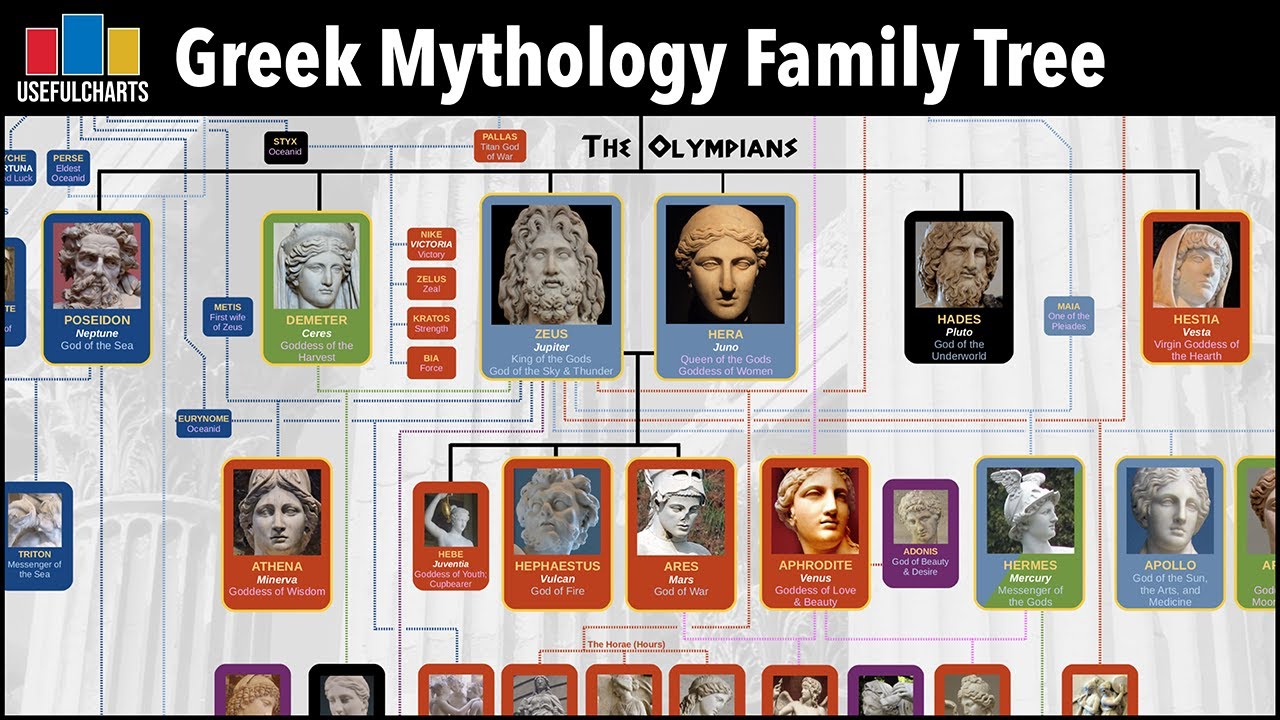
I love nerds… being one as well! 
2 Likes
Video Ai could Process SDR To HDR in 12 bit.as well as read in Log and Cine Video.
And what about file size in 12b ?
12b 0:0:0 ? 
