Release today? Or a new beta?
2 Likes
This is rather cool. He used, I think, Video AI on this old movie. The first 5 minutes has info about the Video AI enhancement.
And Then There Were None (1945) | Full Movie Restored in 4K at 60fps

*Many people have asked for this movie to be enhanced in its original black and white form. I have gone ahead and done it in 4K at 60fps. The original was quite low resolution. *
I have added a 5 minute intro to the beginning that shows part of the enhancement process. It is set to upscale the film from SD to 4K and more than double the frame rate from 24fps to 60fps.
To cut out some of the blur, I also used AI facial enhancement that does make it look much clearer. You can see the difference in the enhancement process clip.
The process took just under 32 hours to complete.
3 Likes
Not bad, but for a 1945 film it would probably have been a good idea to add a bit of grain.
3 Likes
I hope Topaz team addresses the issues with Rhea as shown above. It will be a big shame if the model fails to be as consistent as Proteus or Iris, let alone being better than them. I do agree that Rhea tends to oversharpen things and smoothen them out a bit too much, thus the end result looking plasticky/video game like. This needs to be addressed. Otherwise Rhea might not be worth using.
4 Likes
I never saw all the years using VAI such bad/strange results in/with Topaz Video AI overall and also not especially by using Rhea.
The right picture - the result - shows added much contrast, added saturation/color, blurred and overexposed parts. I have no idea, how VAI should do this.
He didn’t use Topaz Video AI but AVCLabs Video Enhancer AI. That app has some nice features, but the video looks too plastic imho.
1 Like
Wow, I haven’t updated. Is this now how long it takes?! Oh my gosh… I remember the days it was instant after the first preview (same model)…
1 Like
And I just came online to see if it was worth renewing as the examples looked promising. But still beta level I see.
Topaz Video AI 5.2.2 What’s new Released today ?
I encountered an issue where the framerate significantly dropped during batch processing, making video processing 4-5 times slower. This happened with the Proteus v4 model. I noticed that ffmpeg was randomly “messing up” and downloading ox.tz models, even though I had previously downloaded all the necessary Proteus v4 TensorRT models using the model manager.
I resolved the problem by removing the unnecessary models from the JSON configuration file, ensuring that only the TensorRT models were used.
Example of the Proteus v4, prob-4.json file:
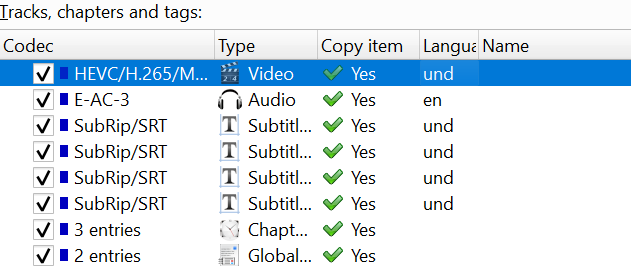
Topaz loses a few of the MKV-attributes that were properly set in the source file.
- language of video and subtitles gets lost
- original language flag for video gets set to “no”
- default track gets set to “no” for video and audio
- attribute for commentary is lost (not 100% sure, this is from memory)
Of all these, the language attribute for subtitles is the most inconvenient and needs to be re-established with mkvtoolnix
Can someone confirm/deny this?
3 Likes
Nearly 1 Hour of Never-Before-Seen 9/11 World Trade Center Collapse Footage Surfaces After 23 Years – Kei Sugimoto Says He Found His Tapes While Cleaning Closet – Uploaded on 2024/7/22
World Trade Center Collapse on 9/11/2001, Upscaled to 4K 60P with Topaz Video AI

Footage I filmed of the World Trade Center Collapsing on 9/11/2001. Filmed from the roof of 64 St Marks Place in NYC on a Sony VX2000 with teleconverter. Upscaled to 4K 60p using Topaz Video AI. For historical archival purposes only.
5 Likes
I confirm, I set it back constantly with MKVToolnix
Looks like 576p
1 Like
@tony.topazlabs @kyle.topazlabs This Version has Color Space Errors When I Trim in it.
I get best results using relative to auto mode and “Deblur” with Rhea, most cases values from 10-30 for film. Plastic look is a indicator the image is too soft. Deblur only, leave all other Rhea parameters untouched, for film they are too invasive. Then I use second enhacement model “Theiha → Fine Tune”, it makes the image harder. Set reduce noise to 2 and increase sharpen a little bit with Theia. Depends on source you can rid off more or less the plastic look
Some content tends to plastic look, this is one of it: Example upscale from SD to 1440x1080 using Rhea (in this case Deblur +15) & Theia (in this case Denoise 2, Sharpen +15). The plastic look is still there, but minimzed, and overall I get better result than with Iris or Proteus (for this source)
There are scenes that look even better than this example. But long-distance shooting is also a problem with Rhea
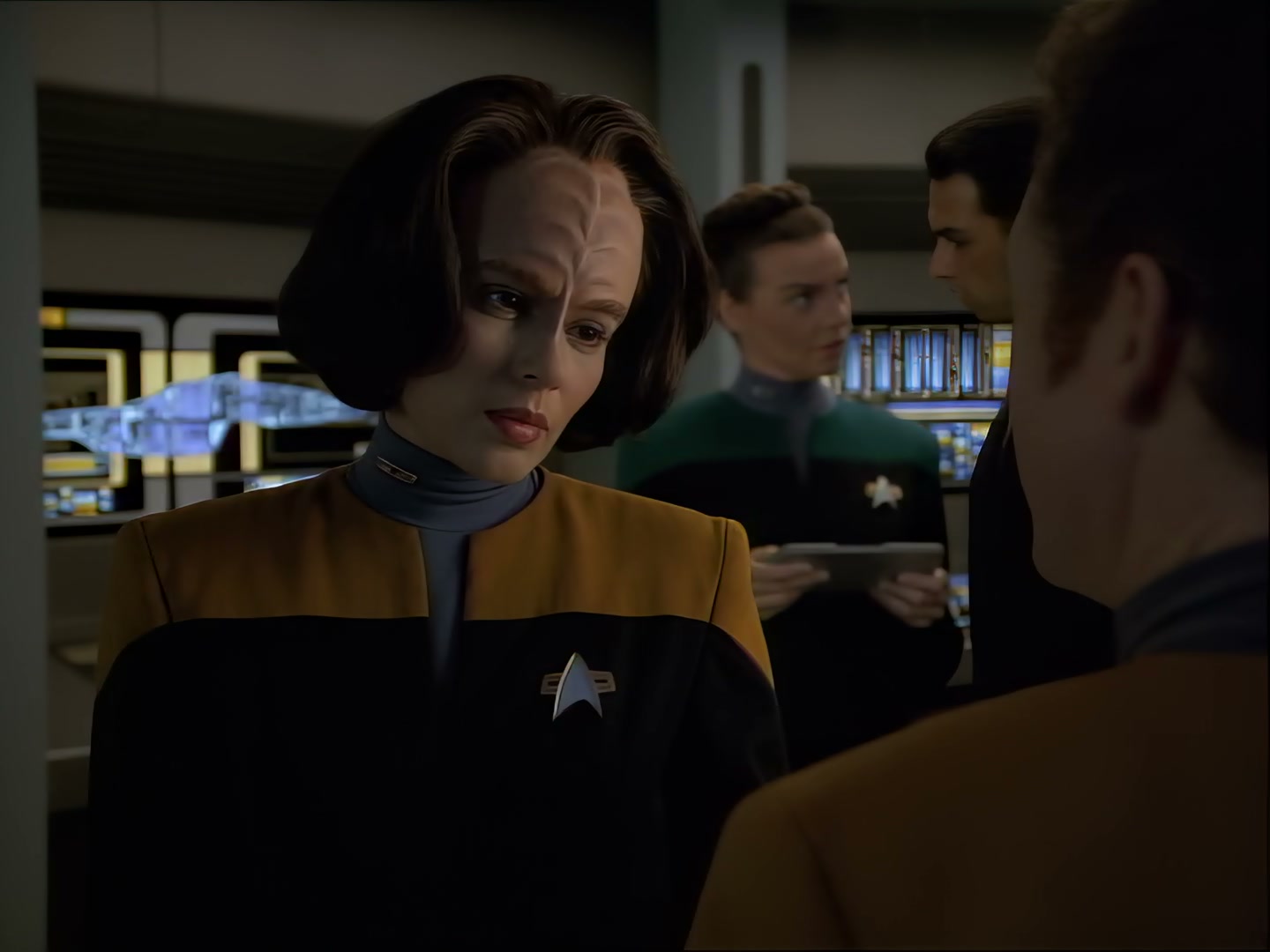
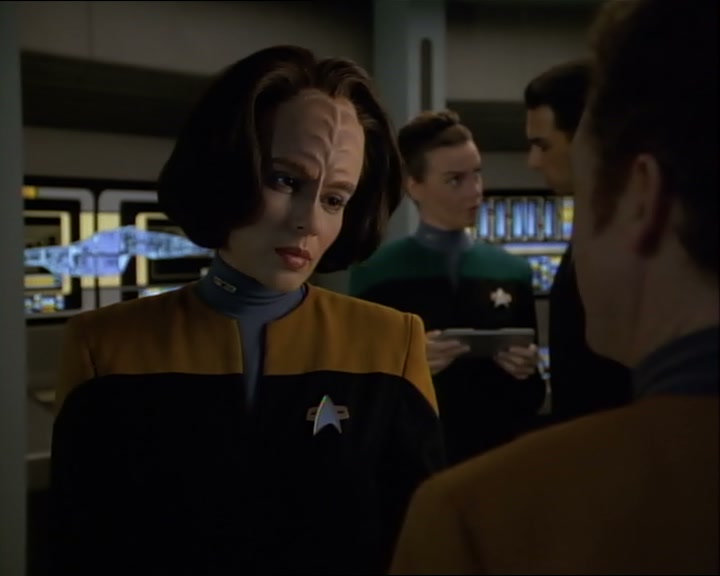
Orig not enhanced (720x576)
Edit: After Rhea upscale, you can also try “Gaia” als finsiher instead of “Theia”, to rid off plastic Look. Try it out.
4 Likes
Yes this needs a lot of deblur. All the edges are much too fat. But I think it’s very well possible to patch this up. That’s the word, ‘patching’.
Bc at least for me, with low res source it’s hard to get the result you want straight away. Lots and lots of steps can go into getting some materials looking great. I usually scale it down until it’s sharp (Davinci Resolve). I add some not too fine grain, sometimes before scaling down, sometimes after. Whatever it takes to get it organically sharp and textured. If the result is great, then Gaia should be able to pick it up nicely.
Sometimes I use Topaz go get it sharp, as long as it doesn’t destroy valuable detail (which happens super fast). Then again, adding grain can trick Topaz later again. But I have to say the Davinci Resolve neural denoise and upscale / enhance features are becoming better and better with every update (and fast!) so I could throw it first in there and upscale some, sharpen and clean it up, add some grain, then send to Topaz and start a level higher, basically.
And the same goes with images in Photo AI. For low res static material (images) I have to use Denoise AI, Sharpen AI and Photo AI + Photoshop. The Photo AI Denoise and Sharpness sliders are great but the Toggle Denoise & Sharpen features of Photo AI are so bad that I keep using the other apps for that. And the face restoration is really great, it can do magic sometimes, but damn it’s tuned by a maniac so sometimes I prefer doing a few rounds of scaling up and down with only subtle face fx instead of 1x all the way.
So it’s basically grain everywhere 
3 Likes
Strewth!!!. 32 hours, now that’s what I call real dedication.
Best regards. 
Thanks for offering up some of your workflow. Very informative. Very kind of you to do so.,
I have done transcodes that took 8 days, and sometimes I think longer. Some of the models REALLY get much slower in some releases, and I had one release that was 0.2 fps for a 3 hour 4k. Yeah, that hurt. Back before it could resume, I lost more than one transcode that was running for 4-6 days, it really hurts the soul.
Resume was one of the best features I have seen added and honestly was a game changer for me, who has lots of power outages. UPS can only hold a machine under darn near full load for so long 
