Not sure what change this could be referring to. Login flows should be unchanged in this alpha, does logging out of one machine not free up a seat on one of your other systems?
it shows activate button but the button goes nowhere
Sorry to say that Rhea hm… simply does nothing more then smooth everything.
Here’s side by side with Iris (left), Rhea (right:
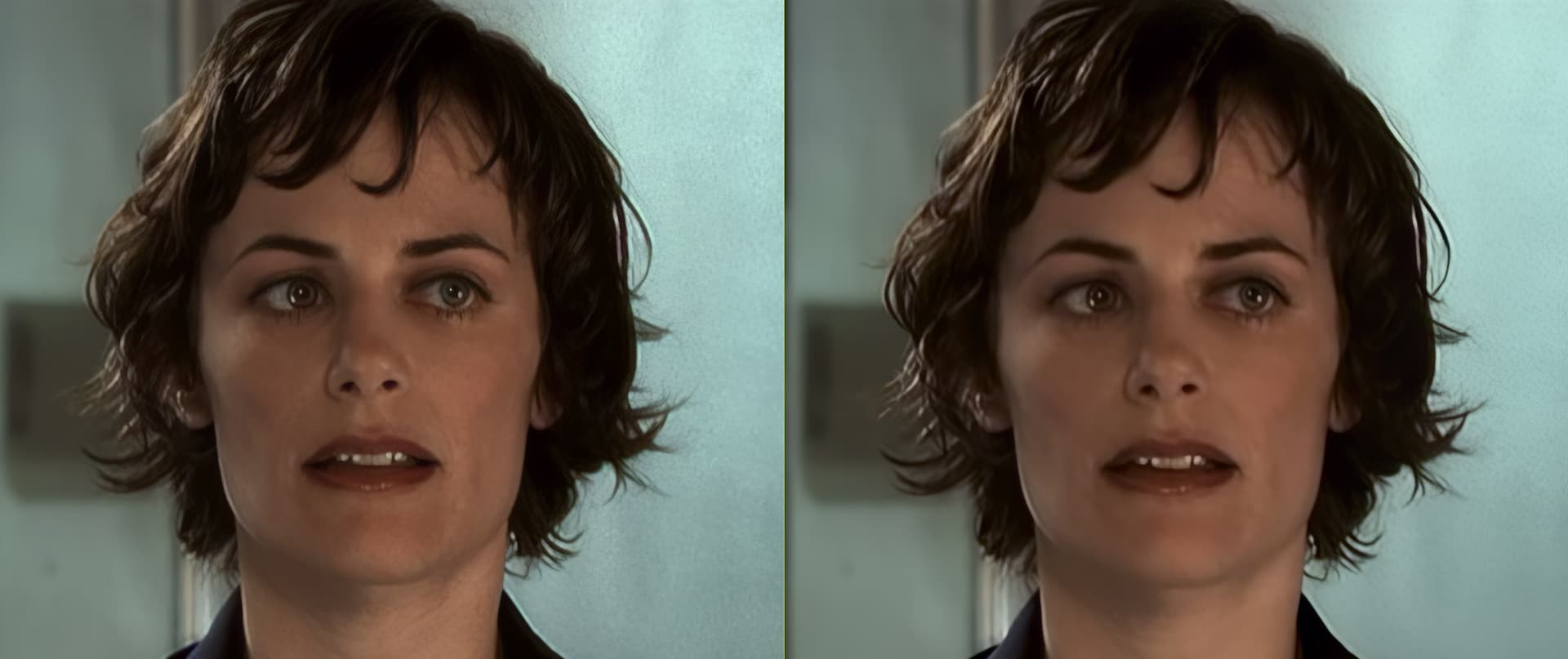
Notice the earring with Iris (left)
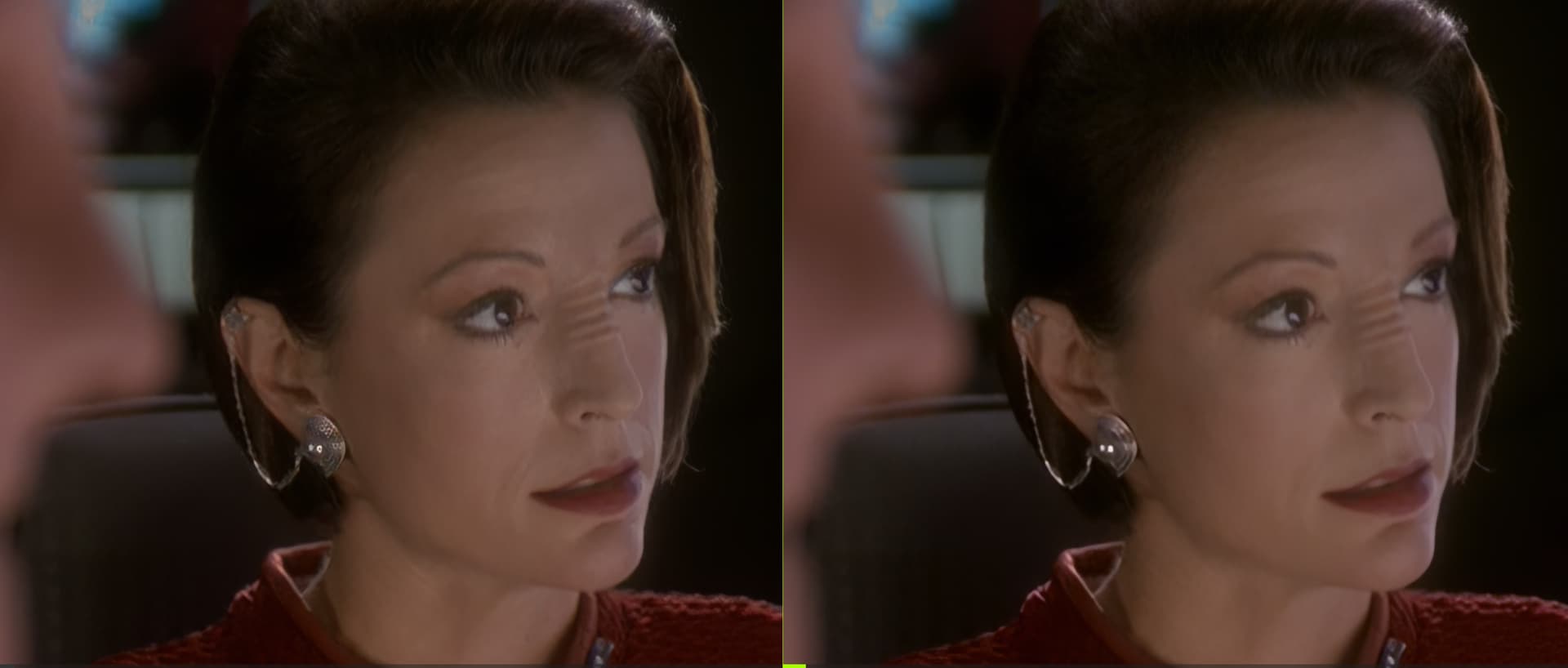
1 Like
Could you submit a log file to this link for me to check on? Thanks!
You can securely submit your file(s) to our Dropbox using the link below. Please be sure to send me a note to let me know you sent something.
To gather logs, please select Help > Logging and make sure that there is a check mark next to File Logging. Next, recreate the issue and then return to the Help menu and select > Get Logs for Support and attach the “logsForSupport” file to your reply.
Thanks, Logs have been submitted. I’ve updated my post above with additional screenshot.
Yeah a lot of smoothing a a little bit of high pass seems like. The example they showed is one that “works”
Yeah something like that. The screenshots are half the size of the original screenshot but Iris just creates more detail
Nah. Its still blurry… just different. The original screenshots show a lot more detail in most important facial features like the eye lashes and lips n stuff (from Iris)
Hello to you, why did you limit in 4x upscale for this model? I would have liked to export the video in 1080p with this model but impossible, you limited this model to export only in 4x upscale, it’s a shame. I hope that this will be fixed in the next version of the alpha or beta. So that we can export at any resolution for this new model.
Yes, the 4x limitation is only for the alpha.
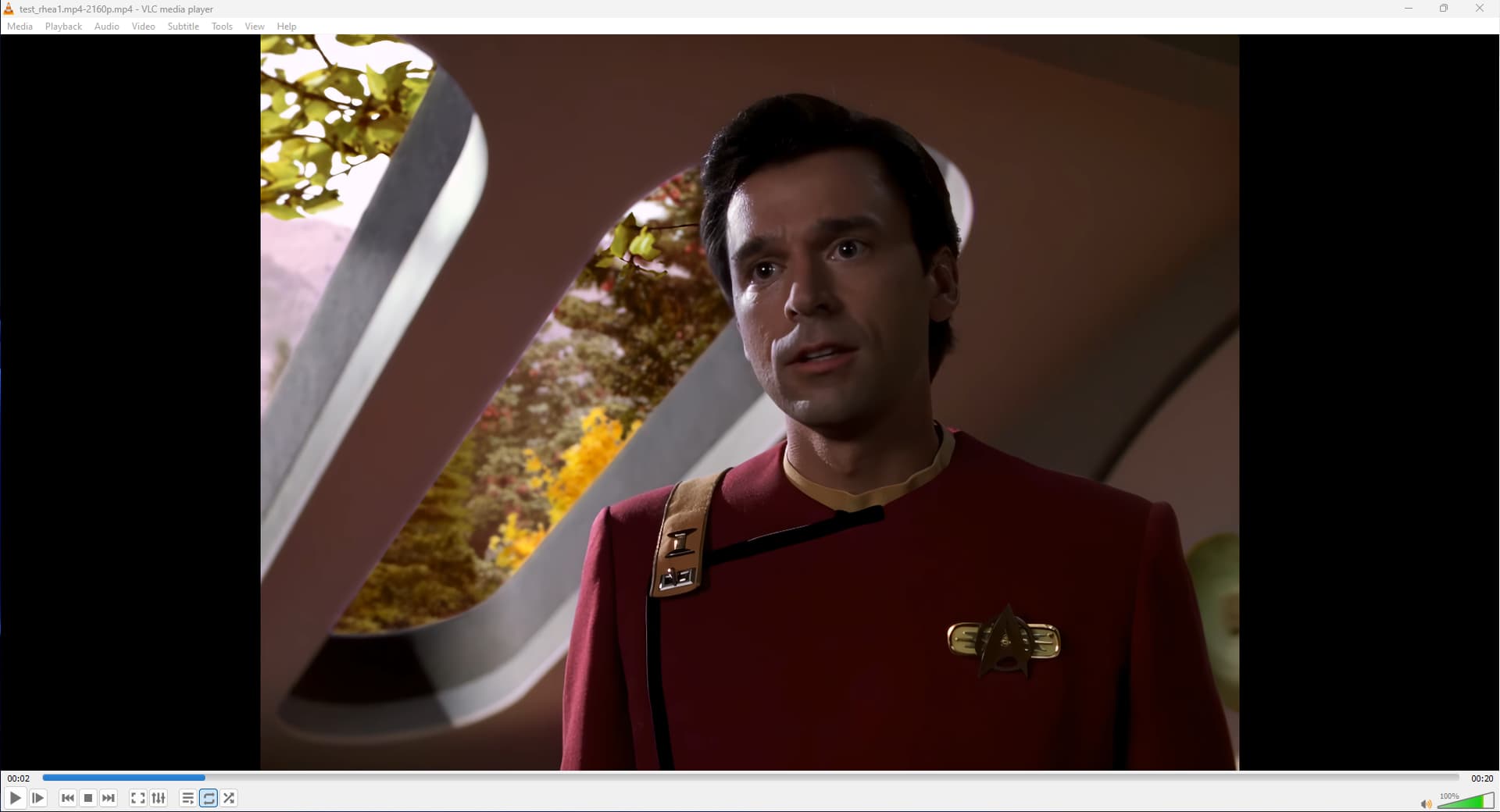
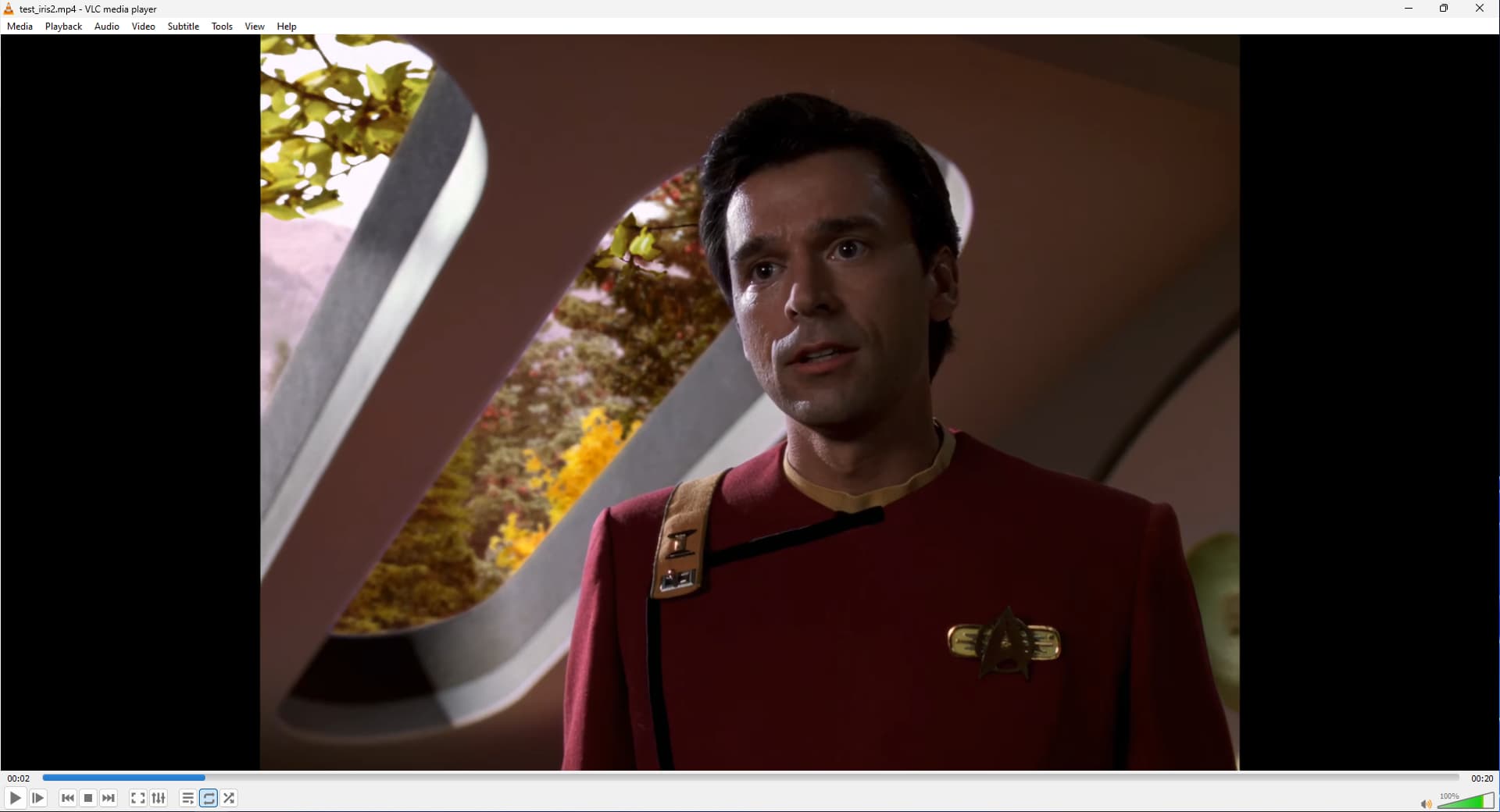
In its current state Rhea seems destructive/over smooths fine detail, especially on skin:
Rhea (auto settings):
Iris (auto settings):
2 Likes
Ok but the point of this thread is for feedback on the new model…not the GUI.
1 Like
It’s pretty much only about the new model:
1 Like
That’s true, lol
Ok. In the beta I hope it will not be limited to 4x upscale and that we can use it in any resolution🙏
Hello world, I did an experiment where I used RHEA and then downscaled the sequence to 1080p. What I noticed is that in terms of details, RHEA is slightly below IRIS but above PROTEUS. However, areas that are blurred in the film (because that’s how the focus is) remain blurred without additional elements being added (like eyes, glasses, etc.). From my point of view, this is a step forward. It is true that on skin textures, there are short sequences where detail is lost, which looks a bit strange. In Stargate SG1, I like what RHEA produces compared to IRIS and PROTEUS. Usually, I would export both versions processed with IRIS and PROTEUS, then for scenes without people in the background, I would use IRIS, and for those with blurred characters or text in the background, I would use the version exported with PROTEUS. Basically, I was losing a lot of time in Premiere. Now, I think with a bit of optimization, I will be able to use RHEA… Good job.
3 Likes
not exactly, new models are supposed to replace older inferior models. you can look at it as instead of updating a newer version of Artemis, they updated it by calling it a new name with much more enhancements then what Artemis used to provide..
You don’t update Windows 7 with more features, you create Windows 10/11 instead to replace Windows 7.
the models you mentioned are old tech now compared to newer models.
Try using relative to auto and set dehalo to “-100” (the rest leave at “0/default”), this should help a lot with the softness and details.
4 Likes
Fully agree, a button hide/unhide would change the life
I Mac Says Not supported. on mine
Did you select 4X for output resolution? It only works on that setting.
