My way to enhance low res/quality movies it to upscale them to biggest possible sizes, so i can see more details the noises and oversharpening, shadows and details, adjust the settings and finally use my real target upscale res… I find out that in 2.6.4 i could create a preview for a 1080p to *4 upscale in mov format 4 min, it uses huge amount of memory and pc started to freeze. I tried the same with same settings in 3.0.0.11b but pc goes crazy, all my 16 gb ram was used 99% i was not able to create a 2 second preview. Even when i reduce the ram usage in preference to 50% and reduced the ffmpeg.exe priority in task manager below normal + affinity from 8 cores to 4 cores, nothing changed. Ok, both versions uses different encoders but with ffmpeg encoders we should be able to get more support from the gpu.
3rd times the charm, I’m unable to even install this program (Again) as it’s permanently stuck removing the bloody shortcuts! >8^(
EDIT: Looks like it took a while, but I was able to halt the installation for 45 mins after hitting cancel then I uninstalled it proper, it’s now up and running!
I can still see using this program for the AI upscaling as it’s still the best paid version of its kind, and I love the UI, but the devs completely truncated all useful settings out of frame interpolation, as you can’t even set the frame rate that I can see, correct me if I’m wrong…
- EDIT: I have proven myself wrong! Great news for us!
FlowFrames actually allow frame rate adjustments up to 10x which is leagues smoother than a measly mandatory 60 FPS, also of mention is virtualdub, that uses a far superior stabilizer as you can set the zoom as well as the pan and roll settings, the truncated and vague settings offered here are only for people that shoot their own videos but still, more settings could not hurt…
I’ll admit it works good enough if YOU’re the one making the video and not trying to stabilize already found footage, as that is the majority of use for stabilizers, stabilizers with truncated features like this would have been better left for crap-tier editors like power director and/or its like!
The program is still great for AI upscaling, but the other features can be easily replaced by the aforementioned programs, which are free!
We need solutions that make the paid version of those features much more attractive, so we have a reason to actually pay for them, but not if the free versions 100% outclass them!
-
EDIT: My above complaint about frame interpolation was proven wrong as I finally noticed the setting!
-
EDIT 2: Upon further testing there looks to be some marked improvements that I’m ashamed I did not notice before, my apologies…
Surely he’s taking about the last beta release not the last full release
I think they felt the pressure of the AI space. it is going crazy. With stuff like State Diffusion getting popular in the open source scene, there has also been a proliferation of upscaling algos. And, they are getting good. It is a different time than it was just a few months ago when dev started. Too bad they had to rush it out the door and release incomplete, buggy software. But, I get it. I’ll be sticking with 2.x for a while… I don’t have time to do ‘beta’ testing while getting real, paid work done. oh well…I do get it though.
What are the open source alternatives? I would be interested.
@gregory.maddra Crash
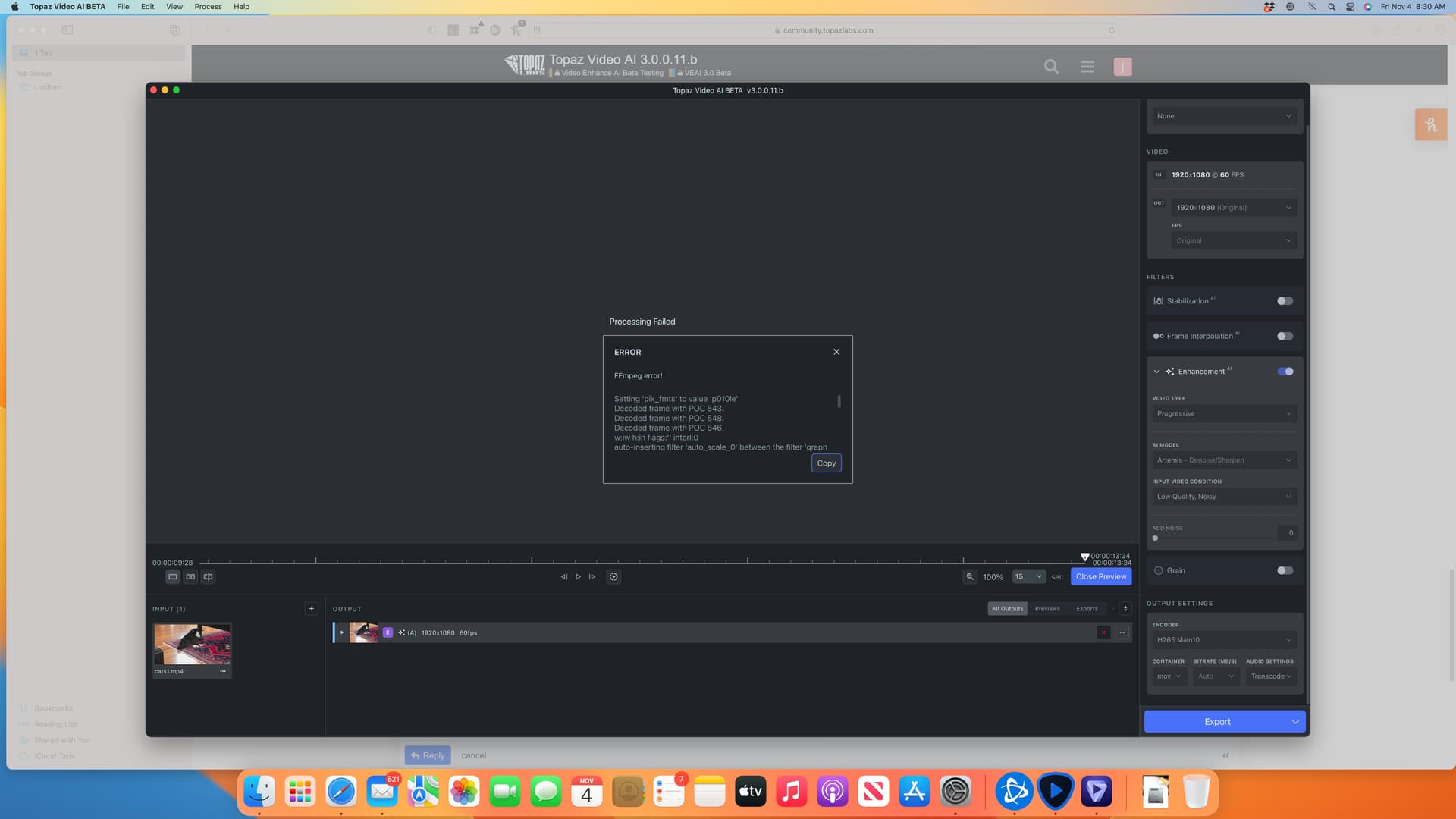
Setting ‘pix_fmts’ to value ‘p010le’
Decoded frame with POC 543.
Decoded frame with POC 548.
Decoded frame with POC 546.
w:iw h:ih flags:‘’ interl:0
auto-inserting filter ‘auto_scale_0’ between the filter ‘graph 0 input from stream 0:0’ and the filter ‘trim_in_0_0’
query_formats: 6 queried, 5 merged, 1 already done, 0 delayed
w:1920 h:1080 fmt:yuv420p10le sar:1/1 → w:1920 h:1080 fmt:bgr48le sar:1/1 flags:0x0
SAR: 1.000000 scale: 1 x: 1.000000 y: 1.000000 v: 1.000000
Here init with perf options: model: alq-13 scale: 0 device: 3 vram: 1.000000 threads: 1 downloads: 1
Invalid value 3 for device, device should be in the following list:
Failed to configure output pad on Parsed_veai_up_0
Uninit called for alq-13 1
Error reinitializing filters!
Failed to inject frame into filter network: Invalid argument
Error while processing the decoded data for stream #0:0
Statistics: 0 bytes written, 0 seeks, 0 writeouts
Qavg: 322.927
2 frames left in the queue on closing
Statistics: 2423785 bytes read, 18 seeks
Log files below:
Archive.zip (9.8 KB)
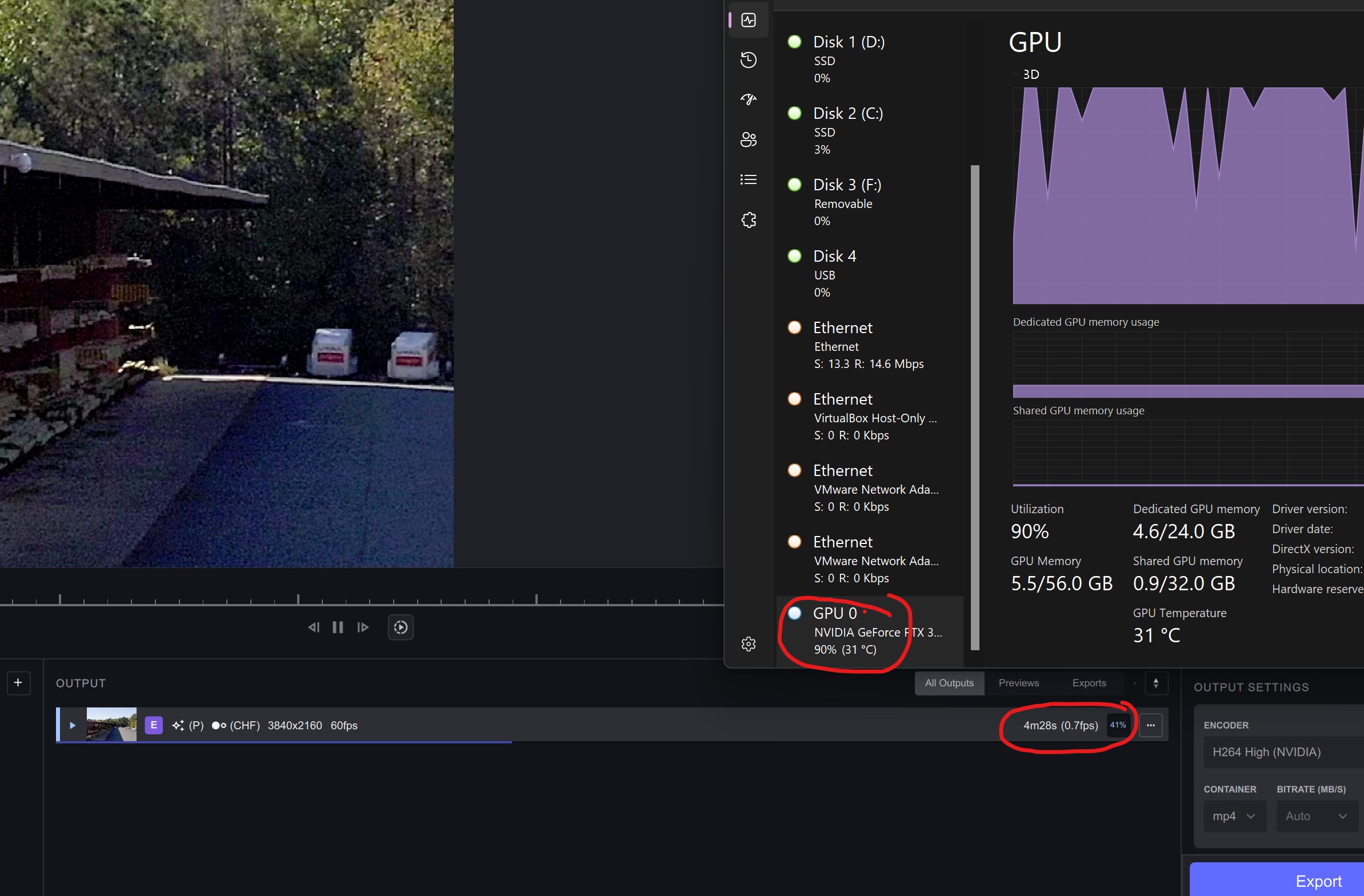
OPENVINO is used for Intel GFX (older ones) and CPUs (on v2.64) - ARC CPUs on V.3.x use One API…
On MAC, its metal, on Windows its DirectML/ONNX (DX12)… For Nvidia RTX Cards, Tensor RT is one of the underlying engines (called by ONNX)…
ChaiNNer can currently only run still image networks. Video networks like EGVSR or RIFE are currently not supported. Basically, chaiNNer is like running Topaz Gigapixel AI on a batch of video frames.
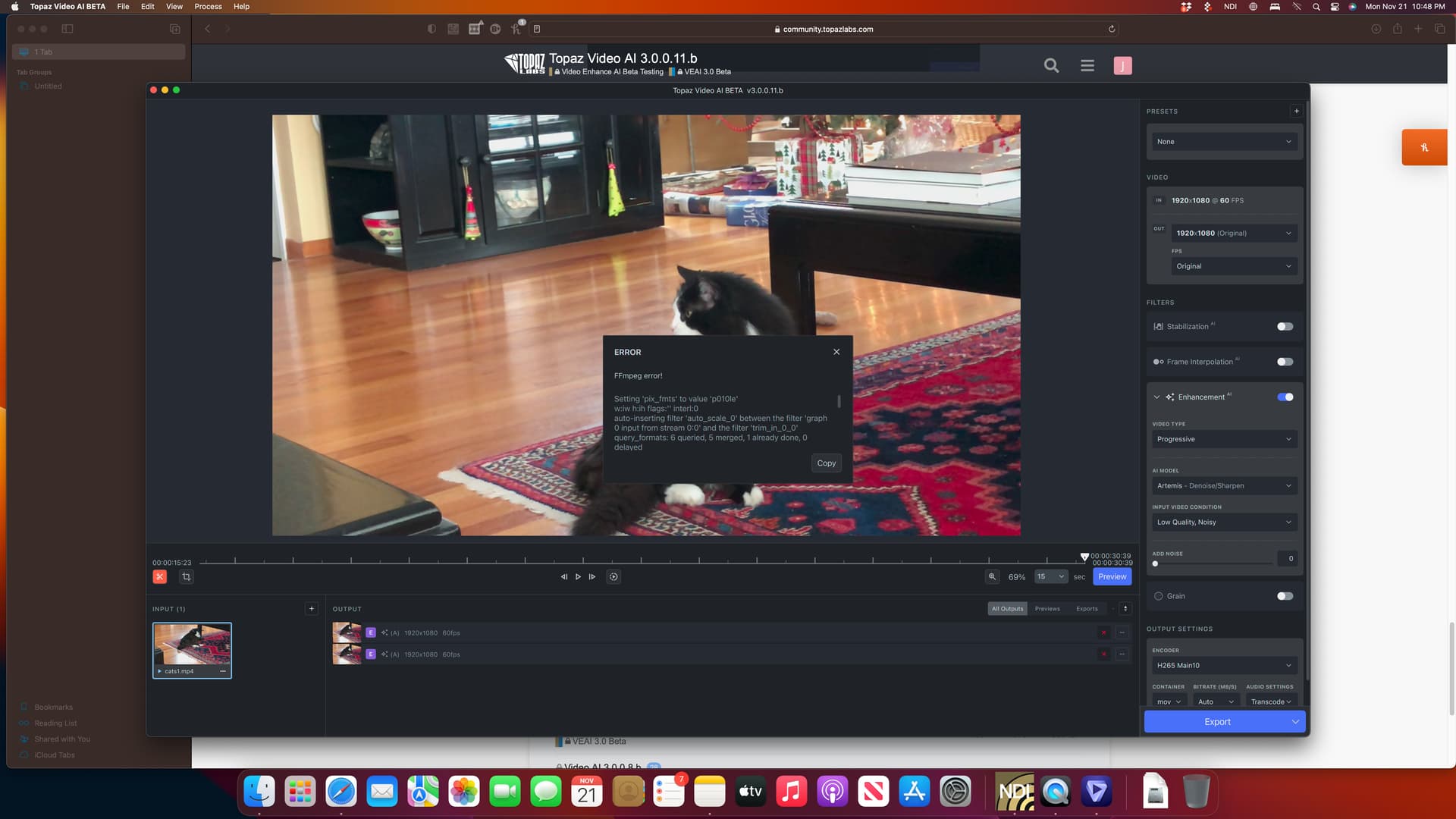
@ida.topazlabs Error:
Setting ‘pix_fmts’ to value ‘p010le’
w:iw h:ih flags:‘’ interl:0
auto-inserting filter ‘auto_scale_0’ between the filter ‘graph 0 input from stream 0:0’ and the filter ‘trim_in_0_0’
query_formats: 6 queried, 5 merged, 1 already done, 0 delayed
w:1920 h:1080 fmt:yuv420p10le sar:1/1 → w:1920 h:1080 fmt:bgr48le sar:1/1 flags:0x0
SAR: 1.000000 scale: 1 x: 1.000000 y: 1.000000 v: 1.000000
Here init with perf options: model: alq-13 scale: 0 device: 3 vram: 1.000000 threads: 1 downloads: 1
Decoded frame with POC 903.
Invalid value 3 for device, device should be in the following list:
Failed to configure output pad on Parsed_veai_up_0
Uninit called for alq-13 1
Error reinitializing filters!
Failed to inject frame into filter network: Invalid argument
Error while processing the decoded data for stream #0:0
Statistics: 0 bytes written, 0 seeks, 0 writeouts
Qavg: 335.640
2 frames left in the queue on closing
Statistics: 2643919 bytes read, 18 seeks
Decoded frame with POC 908.
Decoded frame with POC 906.
logsForSupport.tar.gz.zip (43.8 KB)
I do know better (than you, that is). ChaiNNer treats a video file no different than an image sequence, and will just upscale each frame separately without any temporal coherence. Single image super resolution networks like ESRGAN are fundamentally closer related to Gigapixel AI than to VEAI, regardless of whether chaiNNer accepts video files.
Video networks like TecoGAN and EGVSR are specifically meant for video, and perform optical flow to maintain temporal coherence and perform temporal subpixel super resolution. This has nothing to do with motion interpolation which you assumed because I mentioned RIFE, although VEAI does also allow motion interpolation with its Chronos models.
Fun fact: Artemis and Proteus are just EGVSR networks trained on custom datasets by Topaz Labs.
This topic was automatically closed after 14 minutes. New replies are no longer allowed.
