Here is a quick summary of Starlight 2.5 performance, 2x enhancement on Mac Studio 14 CPU 32 GPU 36GB RAM running MacOS 26.5
- 360p video : ~2h per minute
- 480p video : ~2h30m per minute
GPU is maxed out, memory is OK.
Not as bad as it seems. It’s just oversharpened/halos, and because teeth are so small and , the edges, teeth become too pronounced. SLP upscales need post-processing; I often do some de-ringing and/or blur it a little bit
he can try this, does blur only fine details while preserving larger structures
ffmpeg -i "input.mp4" -vf "smartblur=lr=1.0:ls=-0.2" -c:v libx264 -crf 15 -preset slow -c:a copy "output.mp4"
or same lossless FFV1 output
ffmpeg -i "input.mp4" -vf "smartblur=lr=1.0:ls=-0.2" -c:v ffv1 -level 3 -coder 1 -context 1 -g 1 -slices 16 -slicecrc 1 -c:a copy "output.mkv"
I also recommend trying hqdn3d=3:3:2:2
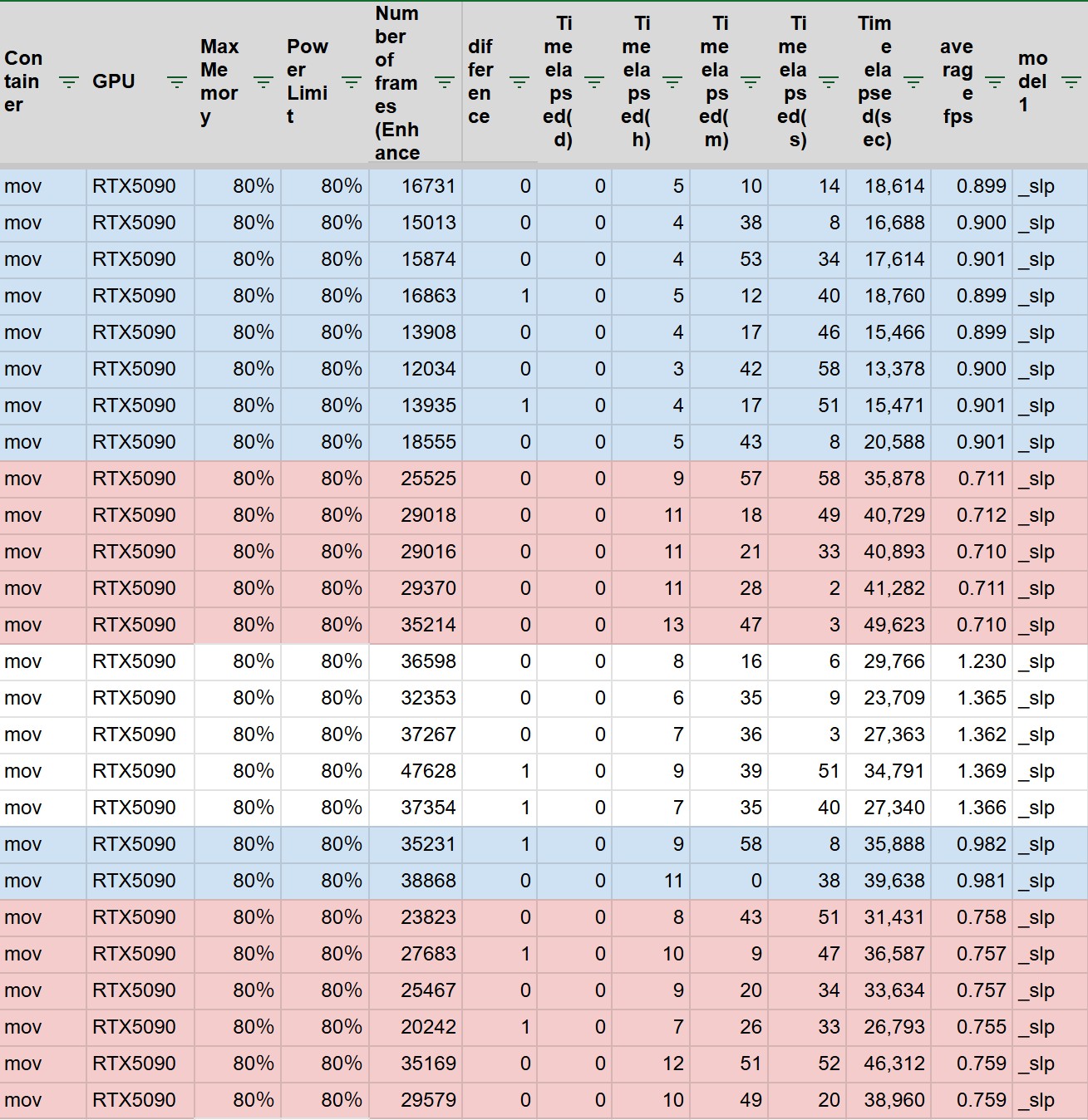
I recently updated to v1.6.0 from v1.4.0 (skipping v1.5.0) and noticed a substantial improvement in rendering speeds for the Starlight Precise 2.5 model on my RTX 5090 setup.
Since I haven’t seen much discussion around this specific performance uplift for NVIDIA cards in this thread, I wanted to share my benchmark log (attached) for your reference.
My Environment & Settings:
GPU: RTX 5090 (Power Limit set to 80% / Max Memory set to 80%)
Performance Improvements (v1.4.0 vs v1.6.0):
FHD (1920×1080) 1x Upscale [Highlighted in Red]: Improved by 6% to 7% (consistent at 0.759 fps).
SD (854×480) 2x Upscale [Highlighted in Blue]: Improved by 9% (consistent at 0.982 fps).
Hope this data helps the community!
Congrats on Precise model! This is the first model which really restores low quality movies.
Areas which can be improved:
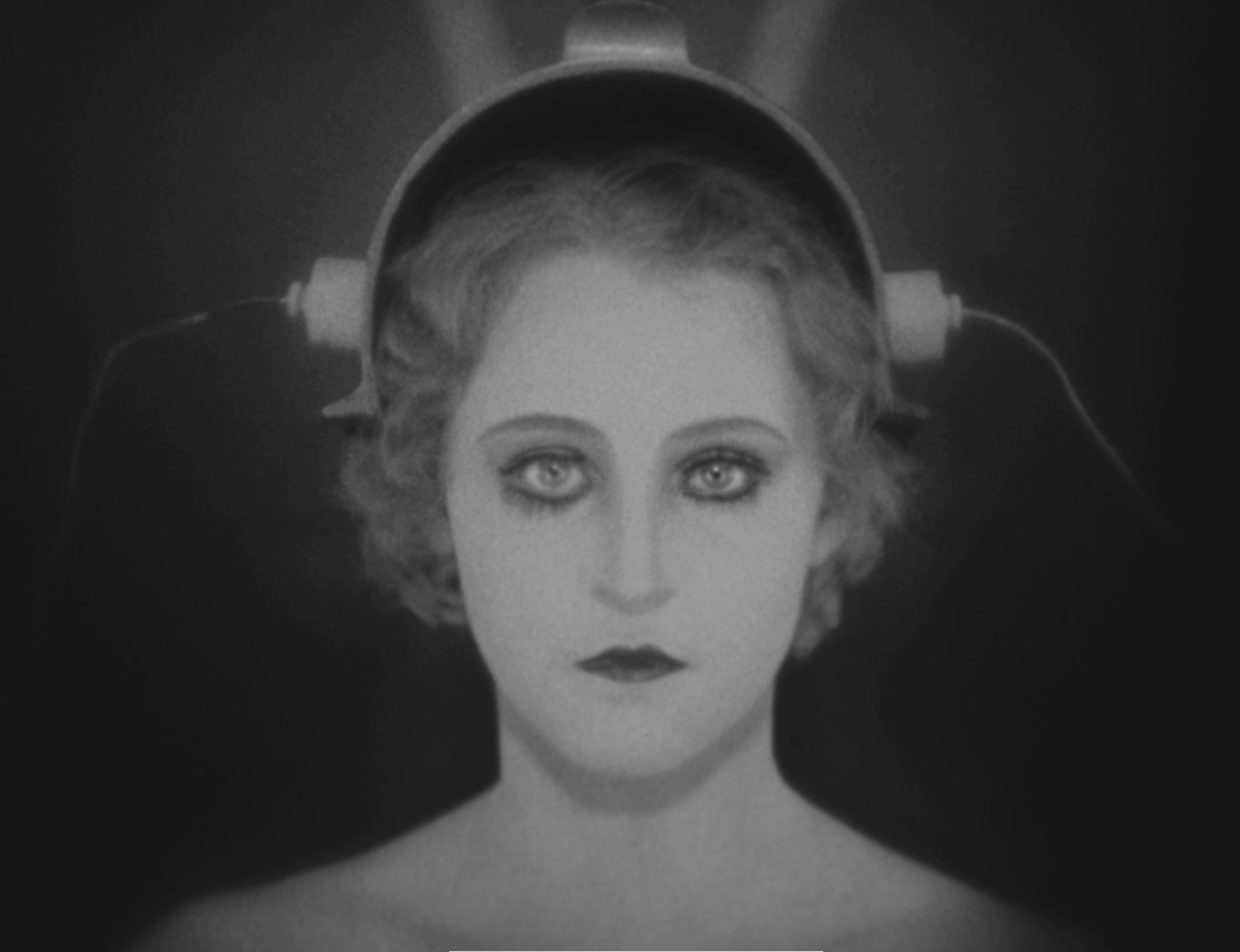
o The detail in faces, skin and hair tend to be slightly exaggerated and can look artificial and stick out from the rest of the image.
o Ground textures (cobble stone, earth, grassy/bushy,…) in general still tend to have somewhat over exaggerated and repeating patterns
o The generated image tends to have somewhat too much contrast and over emphasized object outlines. I counteract this by processing the output with Dehalo from Proteus 4. Dehalo also helps somewhat with over exaggerated detail patterns (eg. in skin).
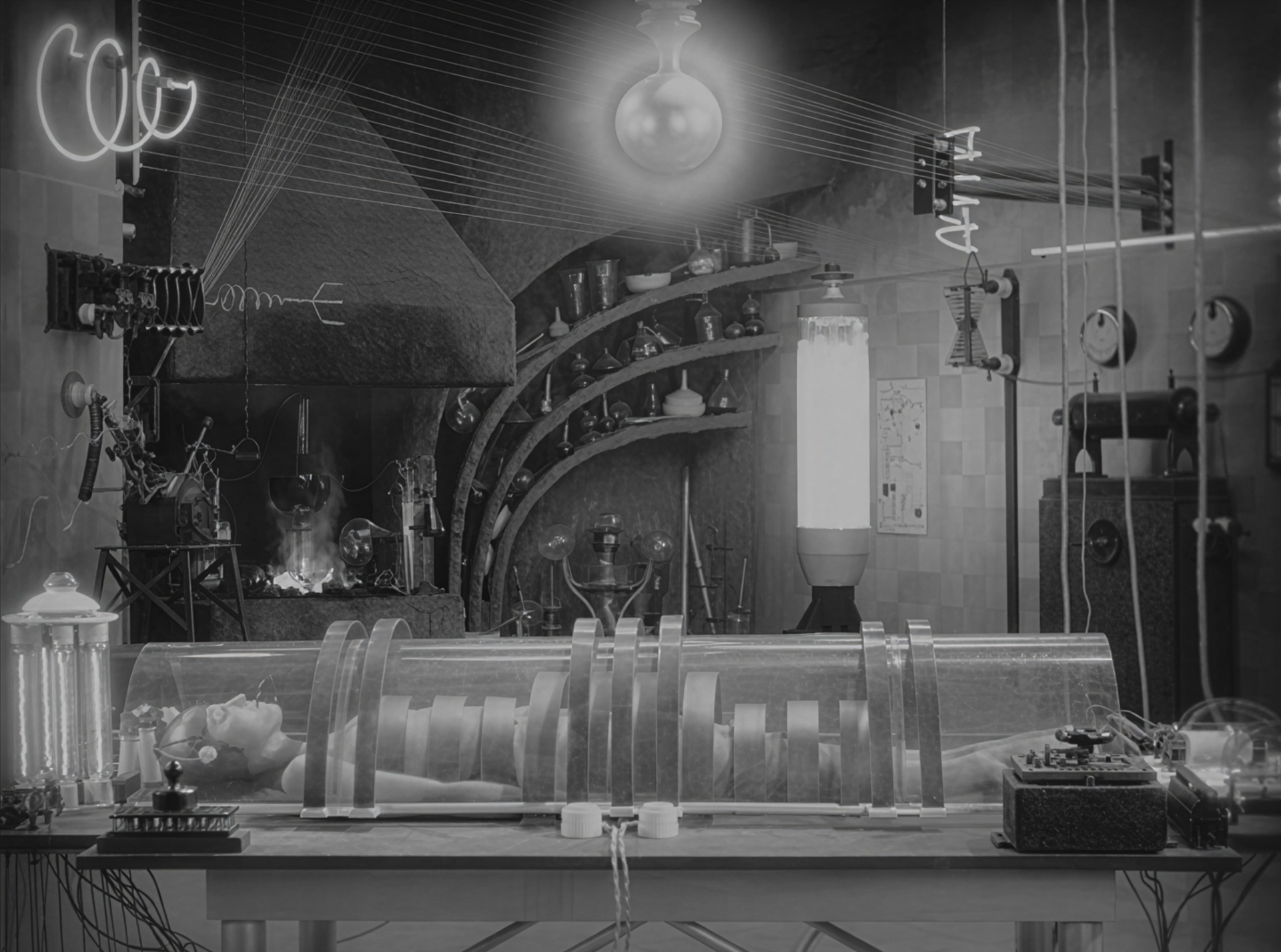
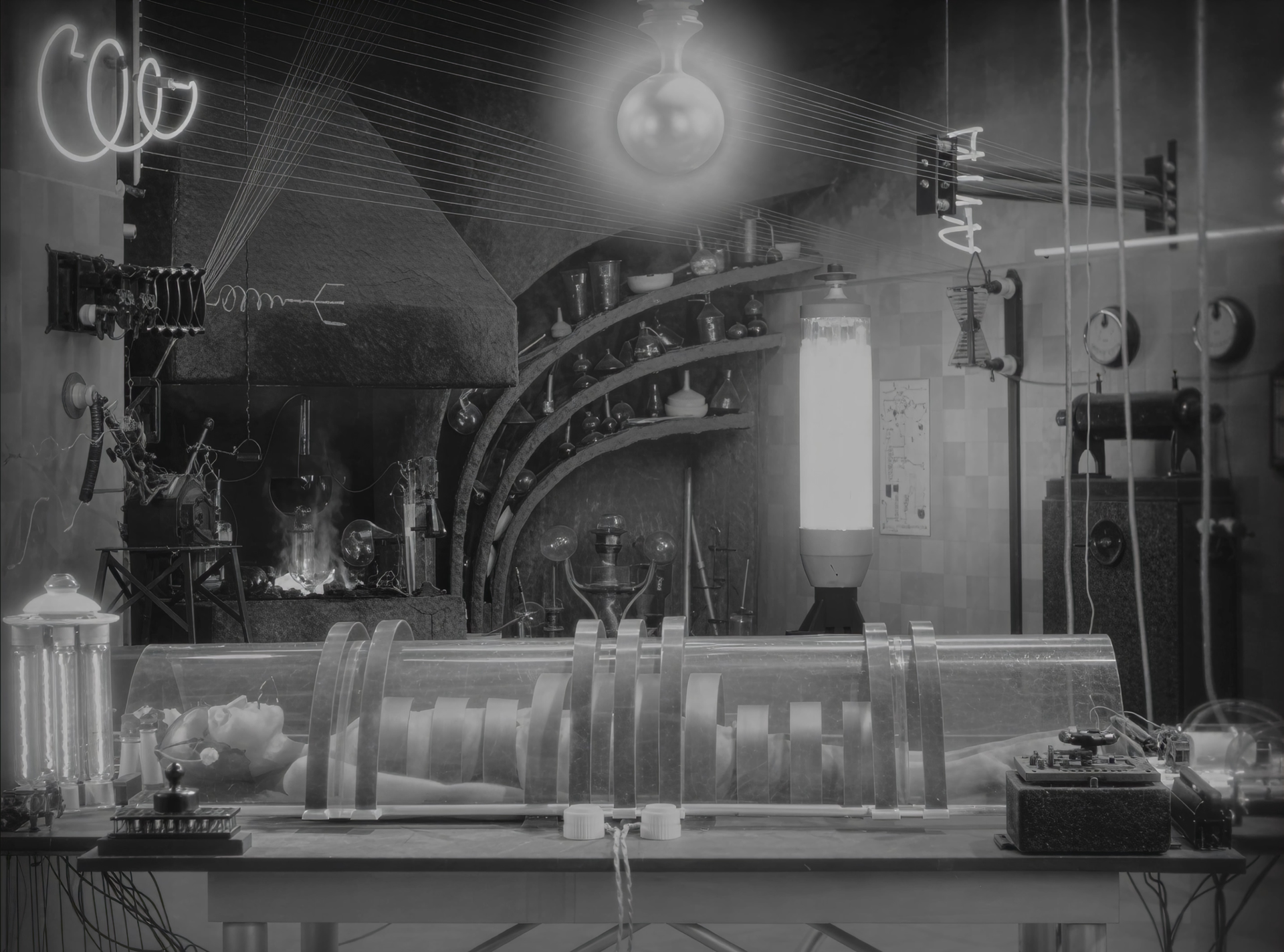
Original 1080p
Starlight Precise 1080p
Starlight Precise + Proteus 4 2160p
Original 1080p
Starlight Precise 1080p
Starlight Precise + Proteus 4 2160p
I want to mention that ghosting and artifacts can occur during fast movements, but as hi8upscale noted in the post below, you can effectively eliminate them by render 5 offset layers. While analyzing the frames, I also noticed that there is in motion usually a sharp frame every four frames or so. It looks like the ghosting is similar to that in SeedVR2. With more processing power, it should be possible for Topaz to always select the best frames internally and put that in the final render?.. Maybe a Fast-Mode and a Quality-Mod with an additional batch-blending is possible?
Here the post from @hi8upscale
Got Recoverable Error, Retry after 2 days of processing (macOS 26.5). Lost output file, need to start over. Will send logs. This is unacceptable. Hope there will be a solution very soon. Thanks.
Info FF Process Output: 2 libc++abi: terminating due to uncaught exception of type std::runtime_error: [METAL] Command buffer execution failed: Discarded (victim of GPU error/recovery) (00000005:kIOGPUCommandBufferCallbackErrorInnocentVictim)
Info process exited error occurred: 2 1
Info process exited: 2 6 1
Info Going to delete path: “/Users/dom/Downloads/pswaf_slp_temp.mp4”
Info Close and delete path “/Users/dom/Downloads/pswaf_slp_temp.mp4”
Info Going to delete path: “/Users/dom/Downloads/pswaf_slp.mp4”
Info Close and delete path “/Users/dom/Downloads/pswaf_slp.mp4”
Info ~TProcess(): destroyed
Edit: I had never ever encountered this error before. The only thing I can think of right now is I recently updated to macOS Tahoe Version 26.6 Beta (25G5028f). I have been on many betas of macOS Tahoe without issues. Cannot say this is related to that beta version but I also don’t want to ignore that possibility. Until we know more, I would recommend staying clear of 26.6.
Edit2: found recent information on this error: Can Local LLMs Really Be Used for Development? (Part 5) Automating LoRA Data Collection While You Code
“In Metal (= Apple’s GPU API, the Apple version of CUDA), this means this command buffer (= the block of instructions thrown to the GPU) was killed as collateral damage because something else died.”
Hope there is a way to automatically recover from this (please don’t ask us to click on Retry as I have seen others commenting, just try it, maybe a few times).
Edit3: logs sent
Thanks and good luck!
for others, here is a full command of yours:
ffmpeg -i "input.mkv" -vf "hqdn3d=3:3:2:2" -c:v ffv1 -level 3 -coder 1 -context 1 -g 1 -slices 16 -slicecrc 1 -c:a copy "output.mkv"
A quick note on what hqdn3d=3:3:2:2 does:
3:3 = spatial denoising strength for luma/chroma.2:2 = temporal denoising strength for luma/chroma.It’s primarily a denoiser rather than a blur filter. On oversharpened teeth and ringing artifacts, it can soften fine edge noise and shimmer while generally preserving larger features better than a simple blur.
I do not use -c:v ffv1 … Tastes differ.
I prefer HEVC encoding on the CPU.
-pix_fmt yuv420p10le -c:v libx265 -x265-params sar=1:aq-mode=2:deblock=-3,-3:crf=18.0:interlace=0:no-info=1
If the SLP result is fine, you could try using the filter
nlmeans=s=1:p=5:r=11
It applies subtle denoising and, to my taste, some picture improvement.
Also consider replacing lanczos with spline for resizing.
I often work with added grain, and this requires special settings for H.265 otherwise it kills my grain, low quantization, high settings super slow encoding time. For my workflows, I usually follow a lossless path during editing and processing, and only do the final slow AV1 or H.265 encode
"nlmeans=s=1:p=5:r=11`
I w’ll try thanks
Yes spline is better than normal Lanczos but I use “ewa_lanczos” which is one of the highest-quality reconstruction filters in FFmpeg / libplacebo. But you can really dive deeply into the subject there — that’s not really me. I found a good website here, though… ok maybe I’ll work my way through it during my vacation or something.
Slower than SLP? Tens fps vs Tenth fps.
about 0.6fps encoding 4k
Every time I update or reinstall the Topaz Video software, the Starlight family models need to be downloaded again. Even if I back up the Starlight model files in the models folder in advance and put them back after reinstalling the software, it still prompts me to download them again when using it. Is there any good solution to this?
The devs will, probably, make a common folder for the neuroserver models, especially for Gigapixel and Photo applications, but the Video app would profit off of it, too - one place for neuroserver (over 7GB of python stuff by itself) and models, to only download updates, when necessary, maybe even as differential patches? 
It will ALWAYS download everything on a reinstall…that’s kinda the point of a reinstall. But it would be nice to check and see if the proper versions of files is already installed, before downloading them again during updates.
… and one thing to be aware of is that nlmeans is an 8-bit only filter, so you’ll be round-tripping from 10-8-10 if you intend to encode at -pix_fmt yuv420p10le
nlmeans has a lot of fans from the early-days, but it can kill an 10-bit workflow. Of course, you get 10 bit at the end, but it is no longer really 10-bit. Throw your output in a scope and you may even see the 8-bit steps in a 10-bit file.
[ Edit: Here’s a ready to run FFplay that shows how nlmeans causes “faux 10-bit”, ie 8 bit, simply resampled on a 10bit scale… if you see staircases and stripes in a 10-bit scope then it is a good indicator of “faux 10-bit”.
$ ffplay -f lavfi mandelbrot,format=yuv422p10le,waveform=display=parade:filter=color:graticule=green:components=1,trim=end_frame=1

$ ffplay -f lavfi mandelbrot,format=yuv422p10le,nlmeans,format=yuv422p10le,waveform=display=parade:filter=color:graticule=green:components=1,trim=end_frame=1
]
SLP outputs RGB24, 8-8-10 is ok.
Are neuroserver and Vulkan OK together?
I ran a long upscale test on an AMD GPU using Starlight Precise 2.5 in Topaz Video v1.6.0.
Input file:

Resolution: 570 × 360, 25 fps
Output file:

The final export was rendered as FFV1 at 1278 × 808, although the uploaded preview will of course have additional YouTube 720p compression on top.
Topaz Video v1.6.0

OS:  Windows v11.25
CPU: AMD Ryzen 9 5950X 16-Core Processor
RAM: 63.922 GB
GPU: AMD Radeon RX 7900 XTX
VRAM: 23.943 GB
CPU usage remained very high throughout the process, while GPU utilization was noticeably lower than with other AI upscaling models.
The full processing run completed 9 minutes and 49 seconds of footage in approximately 38 hours.
That means:
Total footage length:      9:49 min / 589 seconds
Total frames processed:    14,725 frames
Total processing time:     38 hours

Processing speed:          ~3 min 53 sec per second of footage
Footage processed/hour:    ~15.5 seconds
Estimated time/minute:     ~4 hours per minute of footage
Average time/frame:        ~9.3 seconds
So while the result is usable, the render speed is currently far too slow for practical long-form work. A full two-hour show would not be realistic on this machine with the current performance.
Overall, the upscale result is the best I have seen so far from an AMD GPU using the currently available models.
However, there is still a visible pumping / temporal instability effect every few frames. This is especially noticeable in areas with reconstructed face detail.
Examples:
The effect is not constant everywhere, but when it appears, it is very easy to notice.
My personal benchmark for this clip is the market scene starting at around 02:20.
That scene is quite difficult because it contains:
In that scene, the result is actually quite impressive. The model manages to recover a surprising amount of detail and handles the overall structure better than other AMD-compatible options I have tested.
Starlight Precise 2.5 produces a very strong upscale result on AMD hardware, and image quality is currently the best I have seen from the available AMD GPU workflow.
The main issues are:
Quality-wise, this is a very promising result. Performance-wise, it is still not practical for longer projects on this hardware.
Thanks for doing those time calculations. As far as I can tell, the RX 7900 XTX is faster at Starlight Precise 2.5 than the RX 9070 XT, so upgrading the GPU will not help improve the processing time.