I’m suddenly getting the Cow Pox others had in the earlier versions when using the remove function after this update.
Hi,
I downloaded the MSI installer, cleaned up the contents of the TEMP/TMP folders (Windows) and ran the installer “as an administrator”. This time, the installation eventually succeeded.
Beware : trying again to update from the software itself will not work if the system TEMP folders are not cleaned up because Topaz Photo caches the downloaded installer file. So, the installation doesn’t restart from the beginning.
On Windows, the location of your TEMP and TMP folders is retrieved by running the following commands from a system prompt :
c:\>echo %TEMP%
and/or
c:\>echo %TMP%
1 Like
Trying again this morning, and it’s fine. Go figure. I love it when AI fails to produce reliably predictable results just like a human…
p.s. More experimenting and the difference was that yesterday I was removing hot pixels spots from all across the image. This morning I was doing small areas at a time in batches. Like a real person, you just have to learn what their limitations are before you give them a task to accomplish.
1 Like
In that case, I’ll wait a while longer for them to fix it. It’s strange that it only affects this particular model. There are no problems with the other generative models.
The Pre-Downscaling Feature is great (hope it also come to GigaPixel) 

But there are some Cases where I get better Results without „Auto“
2 Likes
The development team is looking into an issue with the installer happening on specific older Windows versions, if you get the issue, links to revert here:
Topaz Photo v1.4.0 - Installer issues on some Windows machines
Other issues flagged, we can confirm are not yet fixed. Once these are fixed, their threads will be closed and will be part of Releases notes. Workarounds are in the links:
2 Likes
2 posts were merged into an existing topic: Topaz Photo v1.4.0 - Installer issues on some Windows machines
Trying to do the in-app update, which has been working fine for TP and GP (Mac). Now I get this:
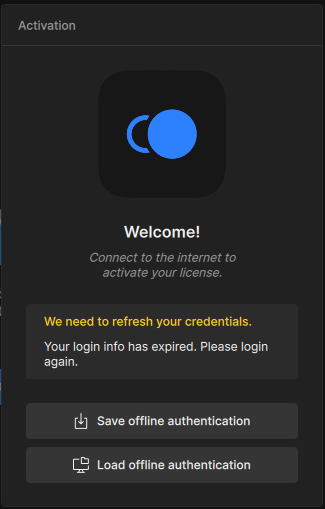
I am logged in here at the forum and to my Topaz account on another browser tab, FWIW.
Neither of these options (or the one under Account in the app) are helpful for solving this problem.
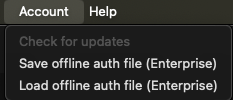
I guess I will try the standalone updater.
Then I see this, and I wonder how the options relate to cloud processing. Are mutual cloud/local models needed if one intends to lean on the cloud for available cloud models? Let’s find out!
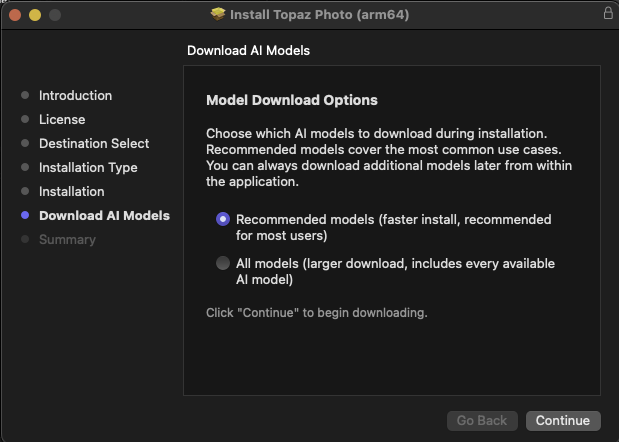
@plugsnpixels - In the installer, choose All Models as it will install generative models like Super Focus, whereas the other option would be only basic models such as Sharpen, Denoise.
If you still get an authentication pop-up after this install let me know what version is at the top right of the app and we can have a look!
Back up and running with a fresh install (1.4.0), but why won’t the app ever remember my login creds on the same computer?
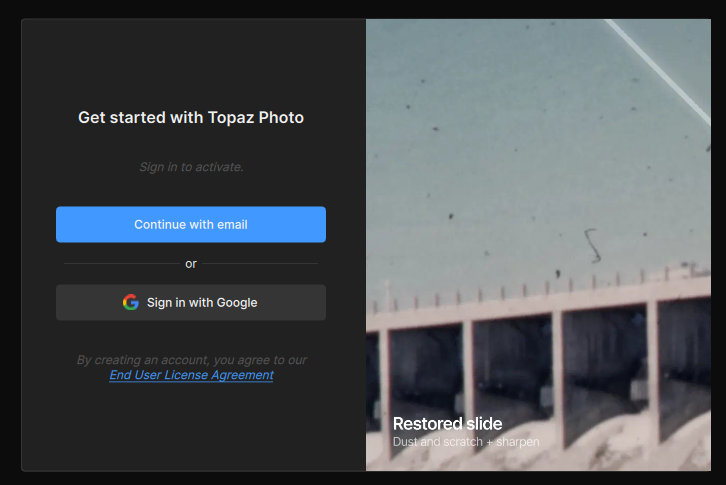
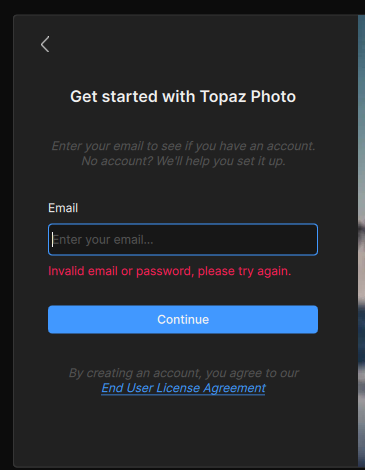
When updating or monthly it will ask for authentication verification to check the subscription status. To know what is causing the error logging in, we can have a look at the logs if you DM them or send them to support@topazlabs.com and get you back in.
I’m successfully logged in (because I can remember the pw) but am wondering why the computer is not storing this info for convenient autofill.
The error shown above is a result of clicking “Continue with email” but not being given a chance to input one in the next dialog. Perhaps it’s expecting an autofill that it doesn’t provide on its own?
If you can share a recording of the behavior, send it to support (for part you mention it goes to error right away) and we can show the development team.
for Auto-fill - you can check for auto-fill options on your machine itself, but the app does not have auto-fill feature. You can add it in Ideas section, I am sure it can gather multiple votes!
Thanks, nothing to video really, and it’s resolved now so won’t show again. The screenshots covered the process as I experienced it.
I’ll keep an eye on how other apps handle their sign-in process.
1 Like
Issue: incorrect image crop on export.
Steps: open JPG image.
Apply Crop
Wonder 2 / Auto (this happen to select 1.6X)
Export image - incorrect segment of the image was exported.
The Wonder auto setting is great, but could you please expose some of the values (or have this as an extra option)?
For example, when set to auto, show the detected true resolution, and the upscale value separately.
Is the auto mode always a 4x upscale of the detected true resolution, or is there also post downscaling applied? (e.g. running Wonder 2 with 2x scale seems to still run 4x and then downscales by 50%).
Please consider adding false resolution detection / downscaling as a filter option so it can be used separately to Wonder, a lot of older photos often have a very high resolution, but look much better when downscaled to a resolution appropriate for the detail captured by the sensor, which is still high enough to not warrant any upscaling.
Lastly could someone please clarify if NeuroStream and Wonder 2 local are coming to Gigapixel, or is Gigapixel being discontinued / consolidated into Topaz Photo?
1 Like
v1.4.1 installs a little further, some models are installed but the “neuroserver…” is not installed. When opening a picture in v1.4.1 the software closes immediately. Conclusion: v1.4.1 doesn’t solve the issues from v1.4.0
Where did you get version 1.4.1 from? The latest one is 1.4.0.
Just open your Topaz account.
OR
If you downgraded to 1.3.3, the update will be automatically suggested. But in that case, the problems of version will be still there after the update. You need to fully uninstall 1.4.0 or 1.3.3 to get 1.4.1 working.
