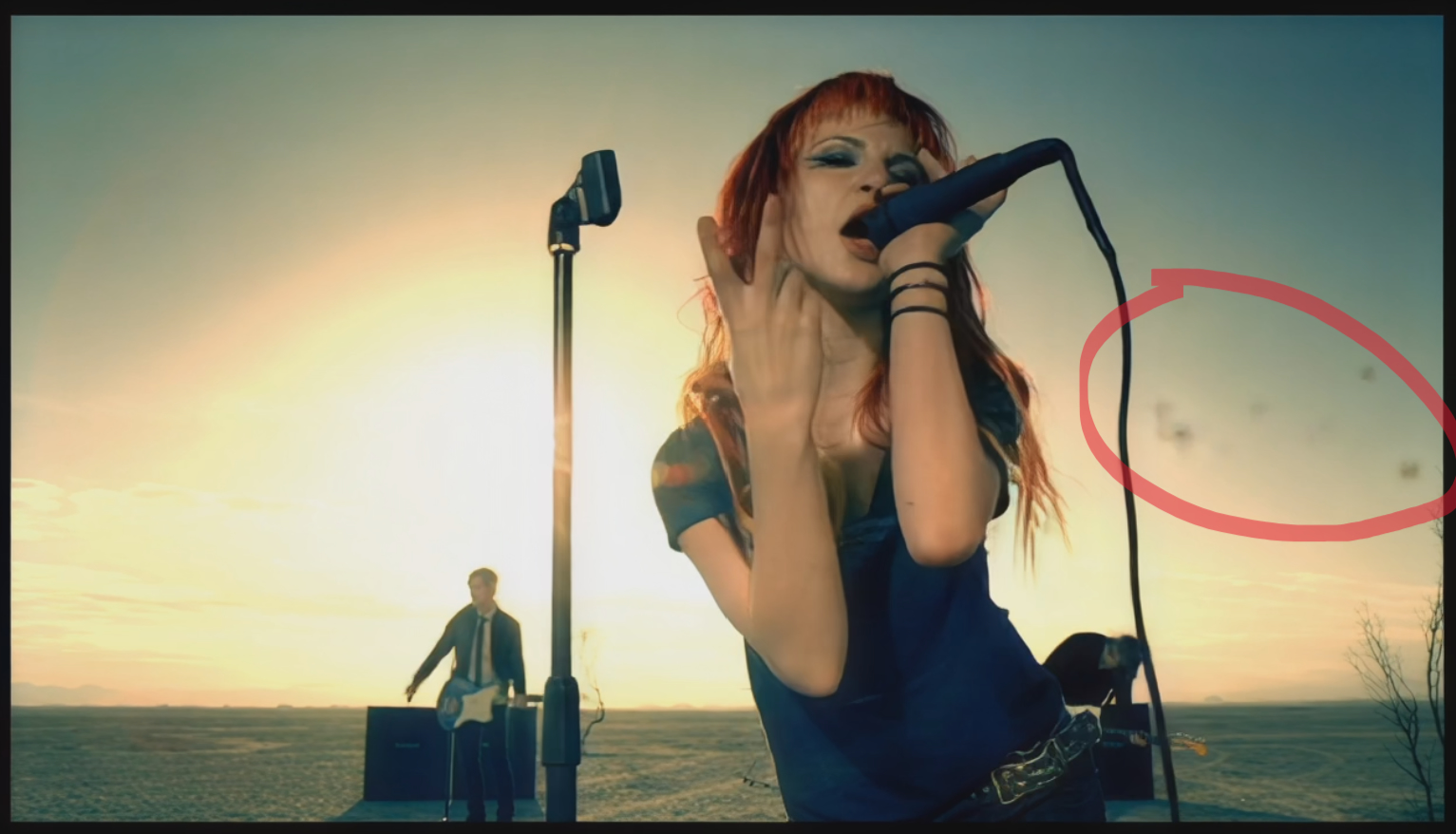
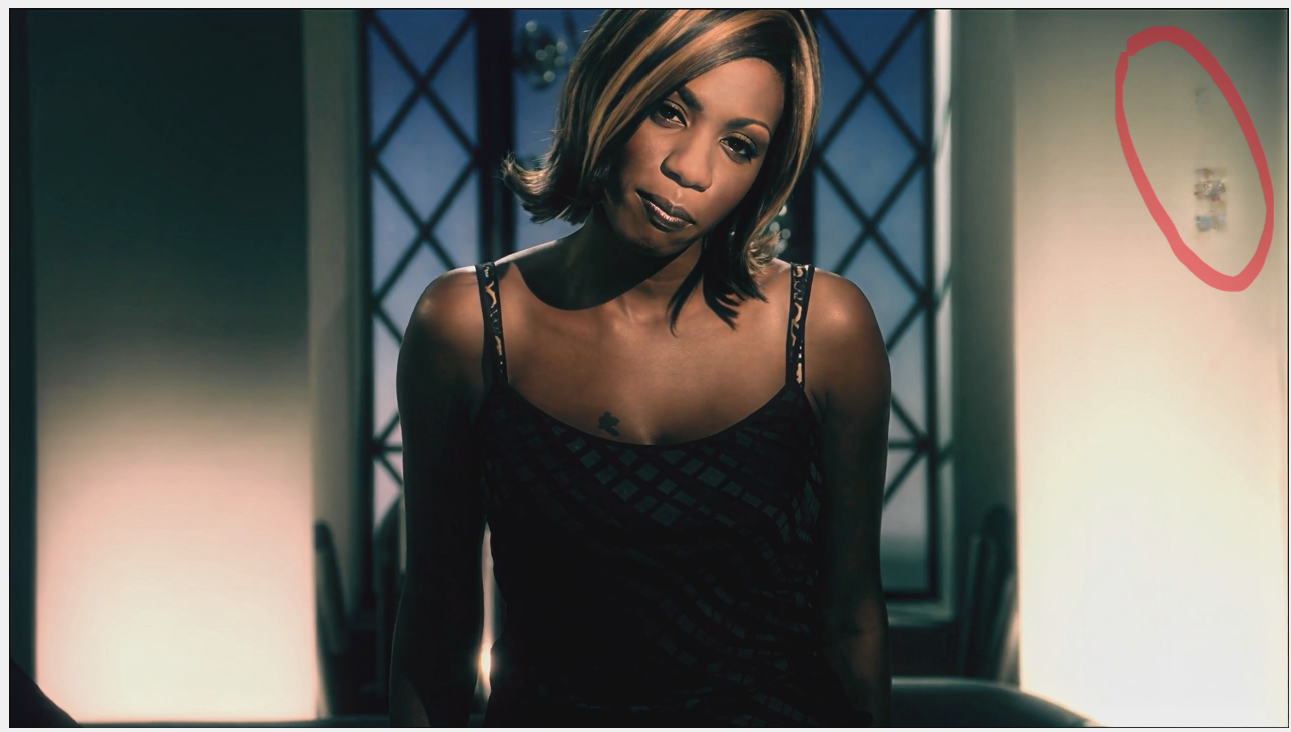
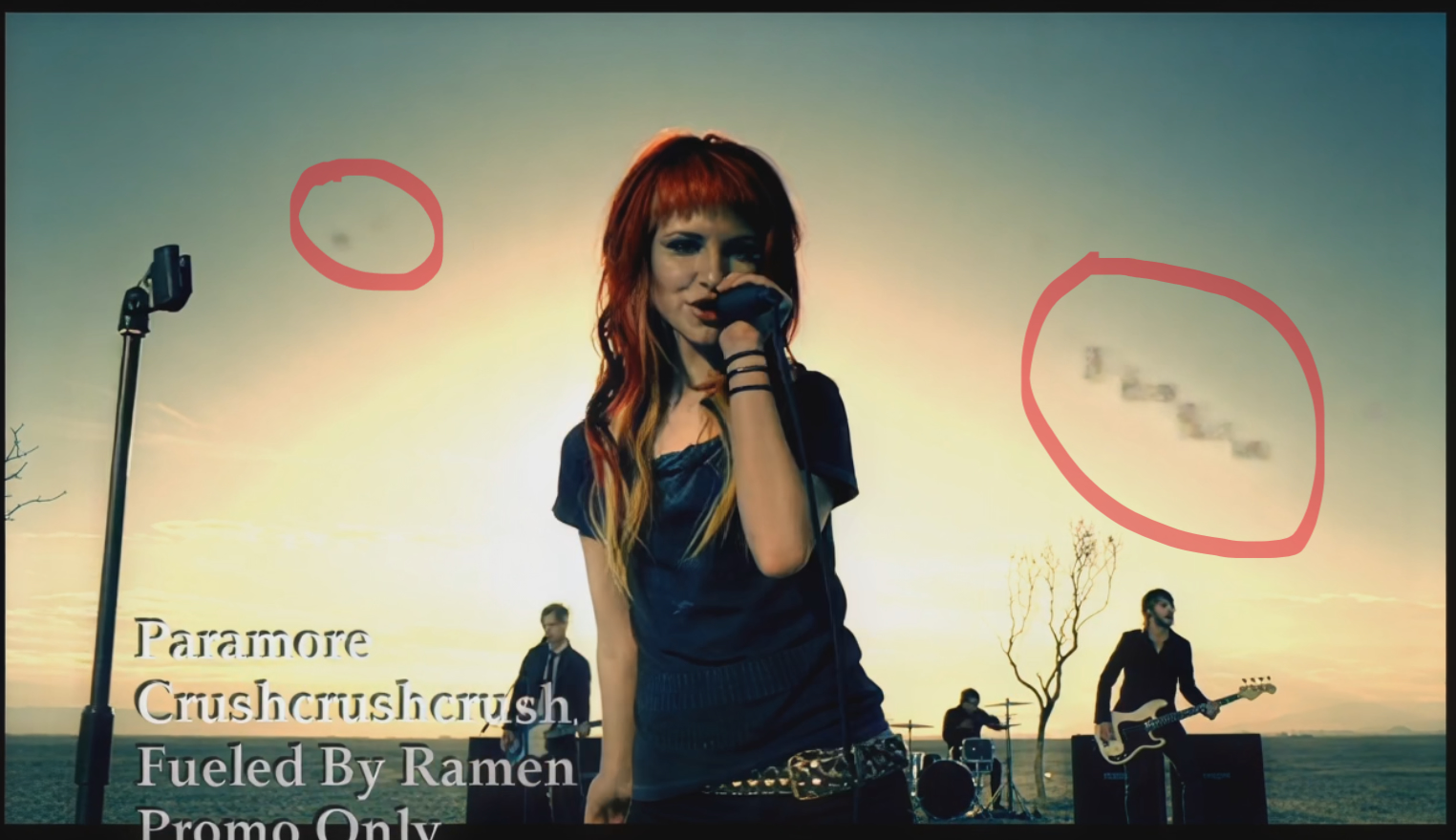
When enhancing using Starlight 2.6, I get these dark blocks sometimes when it’s a solid colour background. Any advice on how to prevent this happening would help.
I’m outputting using x265, 720p, sharpness set to 1.
Thanks
Almost looks like a mix between stuff on the camera lens, the model misunderstanding pixel information and artifacts from a GPU that is struggling or overheating.
If you run the same file through a second time are the blocks showing up in the same place at the same time?
Interesting, can you share the original video so I can try running it on our side and see if I get the same results?
You can securely submit your file(s) to our Dropbox using the link below. Please be sure to send me a note to let me know you sent something and include the file name.
Hi Kyle,
I have just uploaded the files to dropbox. I have uploaded the original file I used and the file Starlight produced.
The filenames are:
Paramore - Crush Crush Crush.mp4
Paramore - Crush Crush Crush2_slp.mkv
Interstingly, for one of the files I used your web based starlight and it happened on that too, so I’m hoping it’s not my GPU overheating?
Thanks
Daryl
Interesting that the web app UI had the same results. I have downloaded the source file and put it into the testing queue. If both are coming back with the issues, then that might be the model seeing something in the pixels and enhancing that incorrectly.
It probably won’t solve the problem, but who knows, I’d give it a try: Export the source as uncompressed AVI or FFV1 to rule out H.264 decoding as the cause. If the problem persists, you could try applying very light denoising to the source, which might help. For example, you can use FFmpeg like this:
ffmpeg -i "input.mp4" -vf "hqdn3d=0.5:0.4:0.6:0.4" -c:v ffv1 -level 3 -coder 1 -context 1 -c:a copy "output.mkv"
I have similar issue and just like your example shows, it usually happens with sky or pure color background area. But I can confirm this is not 100% reproducible. Sometime it’s good when SLP it again.
Was able to run the file in the cloud and locally and see some moments with the blocks being generated. Looks like the model is not reading the sun flares correctly from what I can tell. I sent it over to the product manager and research team to look into further and give me an update.
Hi,
I exported the original source file as FFV1 but still had the same thing happen. Thanks for suggesting.
Hopefully Kyle and his team can find a solution…
Hi Kyle, just wondering if you had any updates? Thanks
Still being investigated and tested by the research team as they can. I have not gotten an update from them on this with any new developments. I will try and follow up this coming week to see if they have anything.