The offline stabilizaztion is makeing sometimes strong artefacts, some parts of the image are moved…
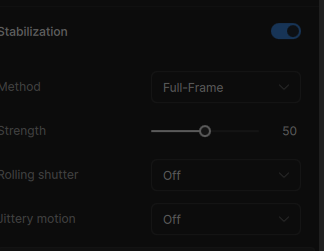
What settings are you applying with the stabilization model? If you have the slider set too high, the model can create artifacts when trying to lock down pixels when there is a lot of movement.
Can you share a sample of the source file and the export, along with the logs? We will need more information to look into this to see if its a setting issue or something wrong with the model and how it is seeing the file.
To gather logs, please select Help > Logging > Get Logs for Support and attach the zip file to your reply.
Here is a video to help with the steps of how to collect the logs.
Good afternoon,
This happens with various settings. Here it’s at 50, but it also occurs with lower values.
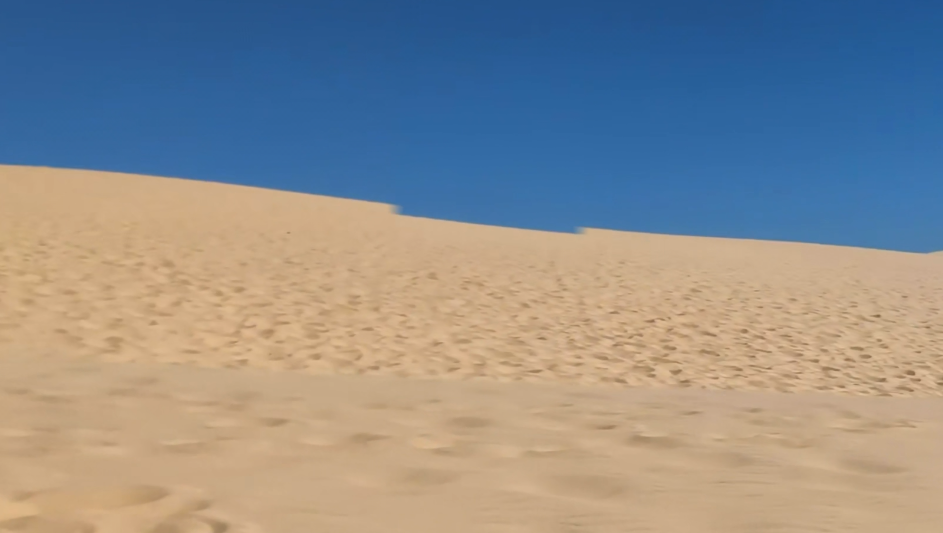
Curiously, it only happens with image content depicting sand.
Here’s a still from a shot of a dune’s horizon against the sky. Only one frame in each sequence has the fault; the others before and after are fine. The video is practically free of camera shake.
(attachments)
logsForSupport.zip (14.9 MB)
Thank you, are you able to share a sample of this video file so we can run some tests?
You can securely submit your file(s) to our Dropbox using the link below. Please be sure to send me a note to let me know you sent something and include the file name.
Thank you very much.
I’ve uploaded the source video and the stabilized version.
Please don’t be alarmed—these are just slightly erotic videos…
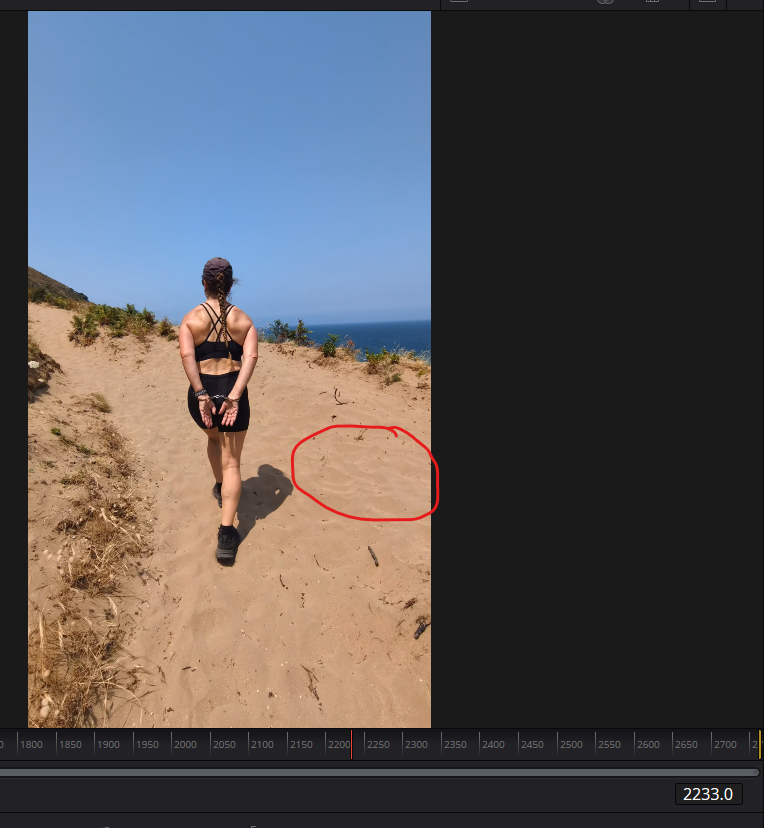
The numerous image artifacts are very clearly visible toward the end in the light-colored sand. Blocks appear to be shifted repeatedly—first clearly visible at frame 2016 in the lower half of the frame in the sand, and then starting at frame 2233 also in the right half of the frame in the sand.
Example:
Thanks a lot
Not a problem, the sand texture is definitely causing some issues with the model as it is trying to match the subtle shifts and changes in the highlights and shadows of the sand. This is a bit difficult for the AI model at times.
Let me see if I can find a balance and talk with the devs on this situation.
Do you only use stabilisation or also slow motion? I had this artifacts with the slow motion Chronos fast.
Hello
I only use stabilization
Lucas
On a lower setting with stabilization, intensity below 25, it does seem to be a lot better and has less blur/distortions in the sand. Since the video is not completely shaky this might work for you but unsure of how stable you want the video to be, as the more the model tries the more it will lose the texture.
These are worse when enabling the Jittery Motion option; I would not recommend that as that intensifies the situation it seems with the sand texture.
Thank you very much.
But that isn’t always the solution. Sometimes I need better stabilization. This video is just an example, after all. I would appreciate it if you could pass this along to the development team so they can resolve the issue. It’s unacceptable for areas within the image to simply shift around.
However, I have another issue with “Chronos.” I have many videos with variable frame rates, but I need a fixed frame rate for processing in DaVinci. So, following your colleague’s recommendation, I converted them to 30 fps using HandBrake and then smoothed them out again using “Frame Interpolation” set to 30 fps and “Duplicate Frames” set to 10. That works, but Chronos messes up the video in other places—it introduces stuttering.
Translated with DeepL.com (free version)
Lucas 
Understood on the Stabilization issues, the team has the information for review.
As far as the Chronos model and frame interpolation issues, I will pass that information along as well. Working with variable frame rate sources can be difficult, but running through Handbrake to convert to CFR should help. We will continue to look into the situation.
any news?
I have not gotten an update on any further developments into this situation. The team has been working on some widespread bugs and issues, but this is still on their list.
