Using Topaz Photo 1.6.1 when using your “recover faces”, specifically “recover faces 3” model it introduces clear square or rectangular artifacts around the faces, as in this attached example. The face itself is fine and the model seems to have improved it, but the square around it is bizarre and ruins the photo
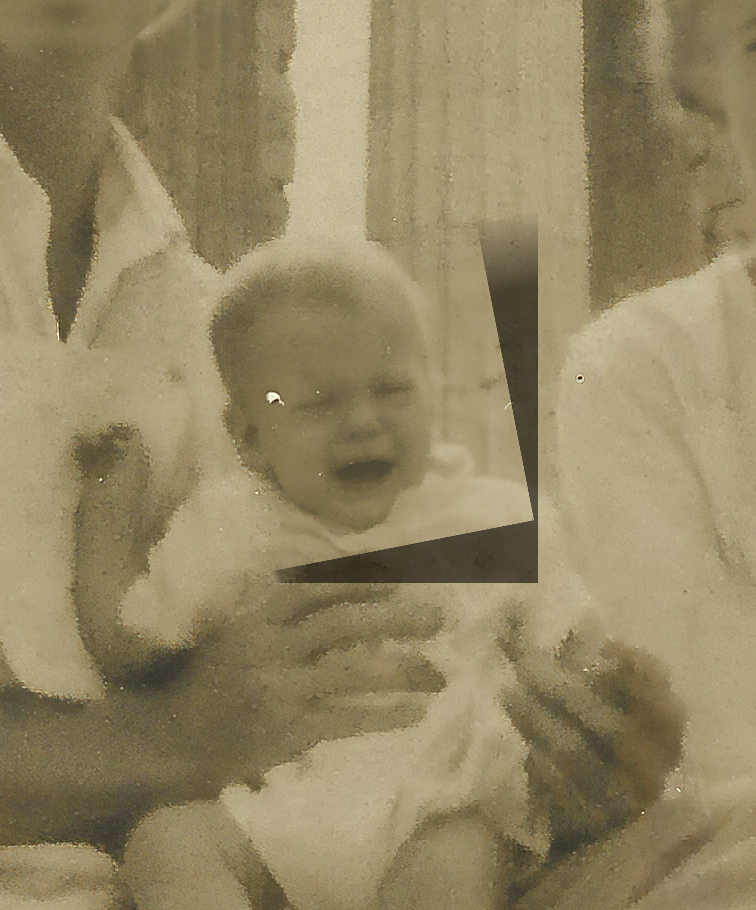
This is something our development team is looking into and working on a fix.
For now this seems to occur with any faces that are sideways or slightly sideways and with Recover Faces v3 only.
Make sure to use v2 for now and I will post here once a patch fixing this is released!
Circling back to confirm that Topaz Photo v1.7.0 includes a fix for this issue.
- Once you’ve updated to v1.7.0, please retest the files that previously showed black artifacts on faces that were sideways or slightly turned.
- If you still see the issue on v1.7.0, send the affected file and details to support@topazlabs.com, and we can relay your example to the development team.
1 Like
