Please give us the former stabilization back

The fact that the results are significantly worse than in the previous version might be an issue specific to me. However, I think pretty much everyone would agree with the following points:

The new system…

  • takes much more time
  • “Batch stabilization” is not working
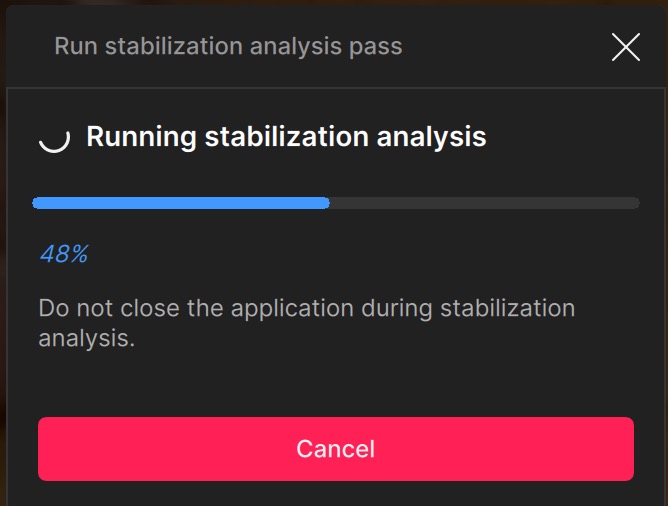
  • Saved presets that include stabilization immediately trigger a full analysis upon loading, with no option to cancel just the analysis—for instance, if you want to use the preset settings without stabilization.
  • If I select a 5-second segment from a 30-minute video, the entire 30 minutes gets analyzed anyway. And that can take several minutes to hours.
  • You have to wait for one clip to finish processing before you can select the next one. This slows down the entire process so much that a professional workflow is no longer possible.

I hope these points (and I could certainly come up with more) convince the Topaz team to revert to the old stabilization system.
1 Like

Just a heads up, in the new beta, 1.7.1.1.b, there is an option to disable the stabilization analysis process, as that was brought up by you and a few users since it was rolled out.

Sounds great.
I have more example for clips being more shaky after stabs for you: MiniDV and FHD50p. In the MiniDV folder, you find a stab I did about 2 months ago, which was perfect. The same file failed on the current version.

[

Sicherer und kostenloser Versand grosser Dateien
swisstransfer.com

](https://www.swisstransfer.com/d/30d33037-11b0-4ac8-874f-661133210b6b)

I’m having the exact same problem-- also with Minidv footage. Have you figured out a solution? Is there any way to download an older version of Topaz?

When can we anticipate an update that solves the shaking effect? Any clip I give to topaz stabilizer just makes it more shaky.

You can download older versions of the app if you wish and roll back to use them from the releases page.

This issue is still being investigated by the team.