[2025-03-28 15:26:55.799,  10.67 ms] [16c13f000] Info | [AIE] No model info found for Enhance - RecoveryV2
[2025-03-28 15:26:55.800, 581.00 μs] [16c13f000] Info | wantROI size: QRectF(1014,1006 128x128)
[2025-03-28 15:26:55.801, 977.00 μs] [16c13f000] Info | Process round is for  pre-img-optimization
[2025-03-28 15:26:55.801,  12.00 μs] [16c13f000] Info | Image dimensions: 2164 1402
[2025-03-28 15:26:55.801,   6.00 μs] [16c13f000] Info | Mat dimensions: 128 128
[2025-03-28 15:26:55.801, 178.00 μs] [16c13f000] Info | [AIE] Output size 128x128 1.000000 2
[2025-03-28 15:26:55.801,  12.00 μs] [16c13f000] Info | [AIE] Initializing with 2028x2012x256x256 RecoveryV2 2164x1402 1.000000 -2
[2025-03-28 15:26:55.802, 602.00 μs] [16c13f000] Info | [AIE] [SingleStepResize] Encode skipped
[2025-03-28 15:26:55.802, 204.00 μs] [16c13f000] Info | [AIE] [SingleStepResize] Begin refine
[2025-03-28 15:26:55.802, 224.00 μs] [16c13f000] Info | [AIE] Model: ssdunet Device: -2
[2025-03-28 15:26:55.802,  22.00 μs] [16c13f000] Info | [AIE] Selecting backend for device -2 from: coreml,
[2025-03-28 15:26:55.802,  17.00 μs] [16c13f000] Info | [AIE]  ---TBlockProc 64x64 C: 1/1 R: 1/1 X: 32 Y: 32 inSize: 64 64 Pad: 0 0
[2025-03-28 15:26:55.803, 198.00 μs] [16c13f000] Info | [AIE] loadModel skipped
[2025-03-28 15:26:55.803,   8.00 μs] [16c13f000] Info | [AIE] unetLoadTime: 0 ms
[2025-03-28 15:26:55.803,  69.00 μs] [16c13f000] Info | [AIE] Updated model params
[2025-03-28 15:26:55.803,  14.00 μs] [16c13f000] Info | [AIE] Skipped 0 block(s) out of 1 block(s)
[2025-03-28 15:27:00.804,   0.00 ns] [16cf77000] Info | [AIE] CoreML inference failed: Unable to compute the prediction using ML Program. It can be an invalid input data or broken/unsupported model.
[2025-03-28 15:27:00.804,  62.00 μs] [16cf77000] Info | [AIE] Not matching output noise_pred
[2025-03-28 15:27:00.804,  12.00 μs] [16cf77000] Info | [AIE] Error debug information
[2025-03-28 15:27:00.804,  10.00 μs] [16cf77000] Info | [AIE] Image encoder_hidden_states Size: 1x1024x77
[2025-03-28 15:27:00.804,   9.00 μs] [16cf77000] Info | [AIE] Image sample Size: 64x64x4
[2025-03-28 15:27:00.804,   7.00 μs] [16cf77000] Info | [AIE] Unable to run model with index 0 it had error:
[2025-03-28 15:27:00.804,  18.00 μs] [16cf77000] Info | [AIE] Image Model inference failed: unable to run model with index 0
[2025-03-28 15:27:00.805,   5.00  s] [16c13f000] Info | [AIE] Error handling block: unable to run model with index 0
[2025-03-28 15:27:00.805, 368.00 μs] [16c13f000] Error | Exception: "Exception: AIProcessor failed: unable to run model with index 0"
Topaz support told me that it is unknown when this current $64 upgrade sale will end. But in this new video by Topaz affiliate Dave Kelly he says it ends on April 9th:
I have the trial right now, but there is a problem with it. I would like to renew my 1 year license, but I want to see if Topaz will fix the problem before I pay them. I hope this April 9th date is correct and that before then Topaz will fix the Recover 2 problem I showed above.
Will the advice below work to keep old and new versions working?
To keep an older version of Gigapixel AI while installing a newer version, you’ll need to take specific steps to prevent the new installation from overwriting the existing one. Here’s how you can accomplish this:
Rename your existing Gigapixel AI folder before installing the new version:
Navigate to your current installation directory
Rename the folder to something distinct (e.g., “Gigapixel AI v5” or whatever version you have)
Install the new version to a completely separate directory:
During installation, choose a custom installation path
Create a new folder with a version-specific name (e.g., “Gigapixel AI v6”)
Complete the installation to this new location
Create desktop shortcuts for both versions:
Right-click on the executable (.exe) file in each installation folder
Select “Create shortcut”
Rename the shortcuts to clearly indicate which version they launch
Backup the old version first:
Before attempting any of this, make a complete backup copy of your existing installation folder
This provides insurance in case anything goes wrong
The issue you encountered where the new version eliminated the old one likely happened because the installer is designed to update rather than create a parallel installation. By using distinct folder names in separate locations and managing your own shortcuts, you should be able to maintain both versions.
Note that running multiple versions of the same software can sometimes cause conflicts with settings or preferences. Each version might try to use the same configuration files or registry entries.
You’re asking asking about Gigapixel version 8.3.2 and posted in the Release Topic for the latest version 8.3.3 not sure if you have tried this version incase not would you like to see if the latest version of Gigapixel 8.3.3 might resolve this issue.
You can download the latest version link from the top of this Topic or download it from the link below here’s the link for Mac and I’ve included a link for Windows incase anyone else is having a similar issue
I got the same issue with pop menu error on Windows 11.
It happend with 8.3.2, after updating to 8.3.3 it didn’t either. Please help to fix this issue!
Computer is really loud and GPU (Nvidia Geforce GTX1080Ti 11GB) usage is around 80% and more although i’m doing nothing
Constantly get the same error message in log:
[2025-03-29 16:56:17.038,   0.00 ns] [3f00] Info | [AIE] ONNX error at 274: Invalid output name: tf_clip_by_value
[2025-03-29 16:56:17.038,   0.00 ns] [7c44] Info | [AIE] ONNX error at 274: Invalid output name: tf_clip_by_value
[2025-03-29 16:56:17.038, 358.00 μs] [3f00] Info | [AIE] Error debug information
[2025-03-29 16:56:17.038, 358.00 μs] [3f00] Info | [AIE] Error debug information
[2025-03-29 16:56:17.038, 520.30 μs] [7c44] Info | [AIE] Error debug information
[2025-03-29 16:56:17.038, 520.30 μs] [7c44] Info | [AIE] Error debug information
ut Size: 128x128x3
ut Size: 128x128x3
.038, 149.00 μs] [7c44] Info | [AIE] Image infer_output Size: 512x512x3
[2025-03-29 16:56:17.038,  57.20 μs] [7c44] Info | [AIE] Unable to run model with index 1 it had error:
[2025-03-29 16:56:17.038, 196.20 μs] [3f00] Info | [AIE] Image infer_output Size: 512x512x3
[2025-03-29 16:56:17.038,  78.10 μs] [3f00] Info | [AIE] Unable to run model with index 1 it had error:
[2025-03-29 16:56:17.038, 105.30 μs] [7c44] Info | [AIE] Image Model inference failed: unable to run model with index 1
[2025-03-29 16:56:17.038, 105.30 μs] [7c44] Info | [AIE] Image Model inference failed: unable to run model with index 1
[2025-03-29 16:56:17.038, 105.42 ms] [1390] Info | [AIE] Error handling block: unable to run model with index 1
[2025-03-29 16:56:17.038, 166.70 μs] [1390] Info | [AIE] Error handling block: unable to run model with index 1
[2025-03-29 16:56:17.113,  75.88 ms] [3f00] Info | [AIE] Model Backend state is invalidated due to previous errors
[2025-03-29 16:56:17.113,  76.05 ms] [7c44] Info | [AIE] Model Backend state is invalidated due to previous errors
[2025-03-29 16:56:17.113,  77.90 μs] [7c44] Info | [AIE] Unable to run model with index 1 it had error:
 errors
[2025-03-29 16:56:17.113,  77.90 μs] [7c44] Info | [AIE] Unable to run model with index 1 it had error:
29 16:56:17.113, 189.40 μs] [7c44] Info | [AIE] Image Model inference failed: unable to run model with index 1
[2025-03-29 16:56:17.113, 272.70 μs] [3f00] Info | [AIE] Image Model inference failed: unable to run model with index 1
[2025-03-29 16:56:17.113,  76.18 ms] [1390] Info | [AIE] Error handling block: unable to run model with index 1
[2025-03-29 16:56:17.113,  81.80 μs] [1390] Info | [AIE] Error handling block: unable to run model with index 1
[2025-03-29 16:56:17.203,  90.47 ms] [7c44] Info | [AIE] Model Backend state is invalidated due to previous errors
[2025-03-29 16:56:17.203,  90.37 ms] [3f00] Info | [AIE] Model Backend state is invalidated due to previous errors
[2025-03-29 16:56:17.203,  90.37 ms] [3f00] Info | [AIE] Model Backend state is invalidated due to previous errors
29 16:56:17.203, 218.80 μs] [7c44] Info | [AIE] Unable to run model with index 1 it had error:
29 16:56:17.203, 218.80 μs] [7c44] Info | [AIE] Unable to run model with index 1 it had error:
run model with index 1
I had this crash, too, on RTX 3090/Win10. The recent beta version and this stable one seem to use AMD-related model (with RTX 3090) for one of the generative workflows, maybe this is an issue?
For me, this error was introduced in the v8.3.0 release, and affects the Text & Shapes model. The last beta version had no errors. Also, it doesn’t result in a application crash, just a repeated processing error window, until I change the model.
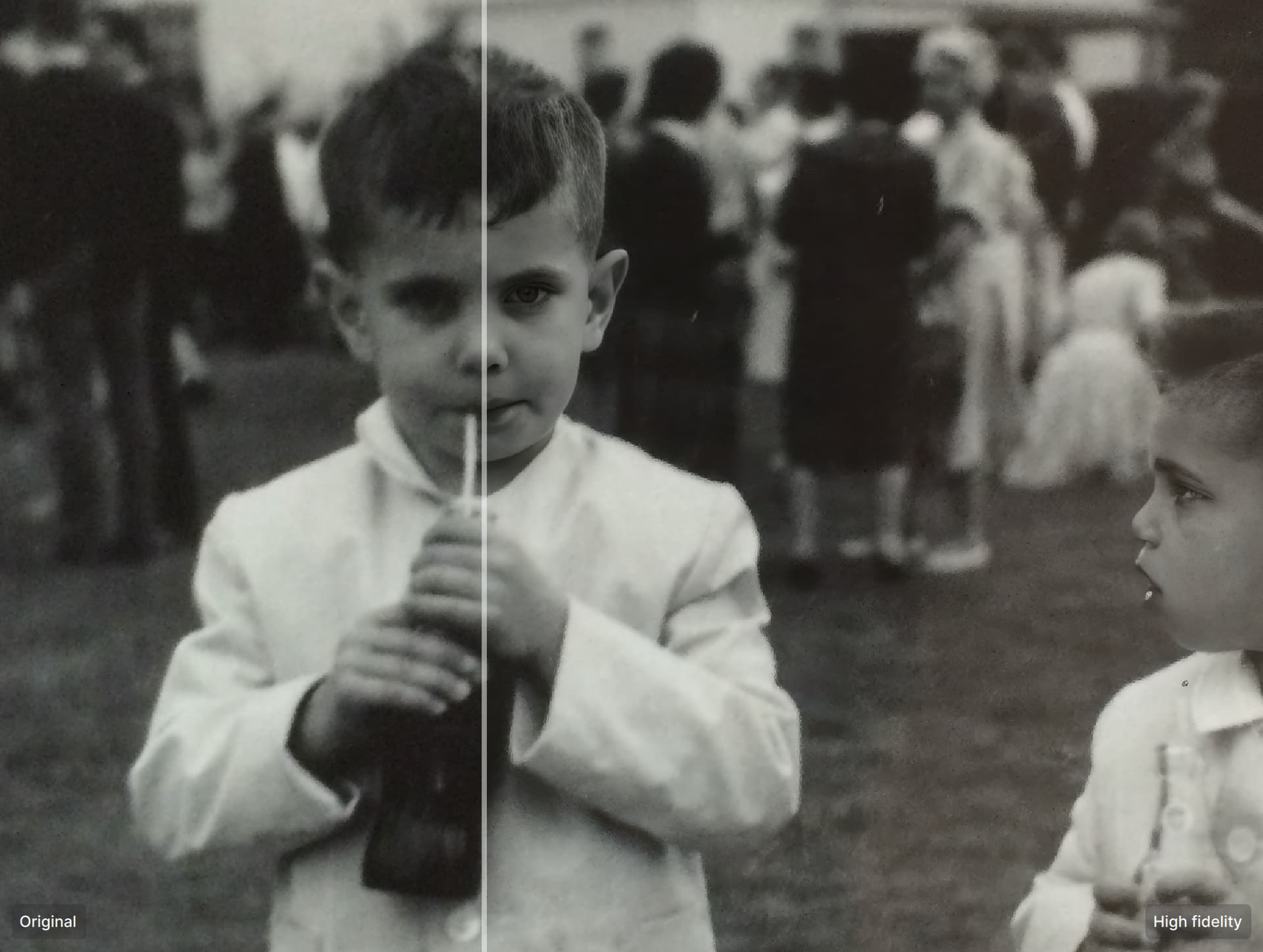
Hi! I’m on 8.3.3 and I am seeing stuff like the face is super high res and nothing else is. It’s like the faces (nice processing there!) are pasted on top of an unprocessed photo:
My results with redefine v2 have been quite disappointing, especially when there are people in the picture. Yes it’s very fast, and that’s nice, but certainly didn’t give me better results than v1…
Have you tried the Legacy Models in particular Very Compressed and Low Resolution V1
Very Compressed is great at removing noise especially with older images like yours and Low Resolution V1 removes the blur you find on older images
Here’s the link on how to obtain the Legacy Models
Also, the Generative Models are perfect for older images Redefine for instance, is great at restoring textures and definition to older images but, be sure not to use the Creativity setting no higher than a level of 2
Recover V1 & V2 can also be extremely useful when it comes to low quality images such as old photos
For best results I would experiment with those choices first before applying Face Recovery to the photo
How can I un install Gigapixel and all its models and re-install Gigapixel on an external drive (with all its models), which take up so much space on my working drive?
What are you talking about?
Of course it is, you can choose the drive where you want to install the software. But that’s only if there’s no software installed yet. Mine is installed on a drive other than the “C” drive.
My mistake, I recently did an install that didn’t allow me to choose a drive and I thought it was Topaz but apparently not. Then why are you asking how to uninstall Gigapixel and install it on an external drive? If you can’t then you should ask for support.