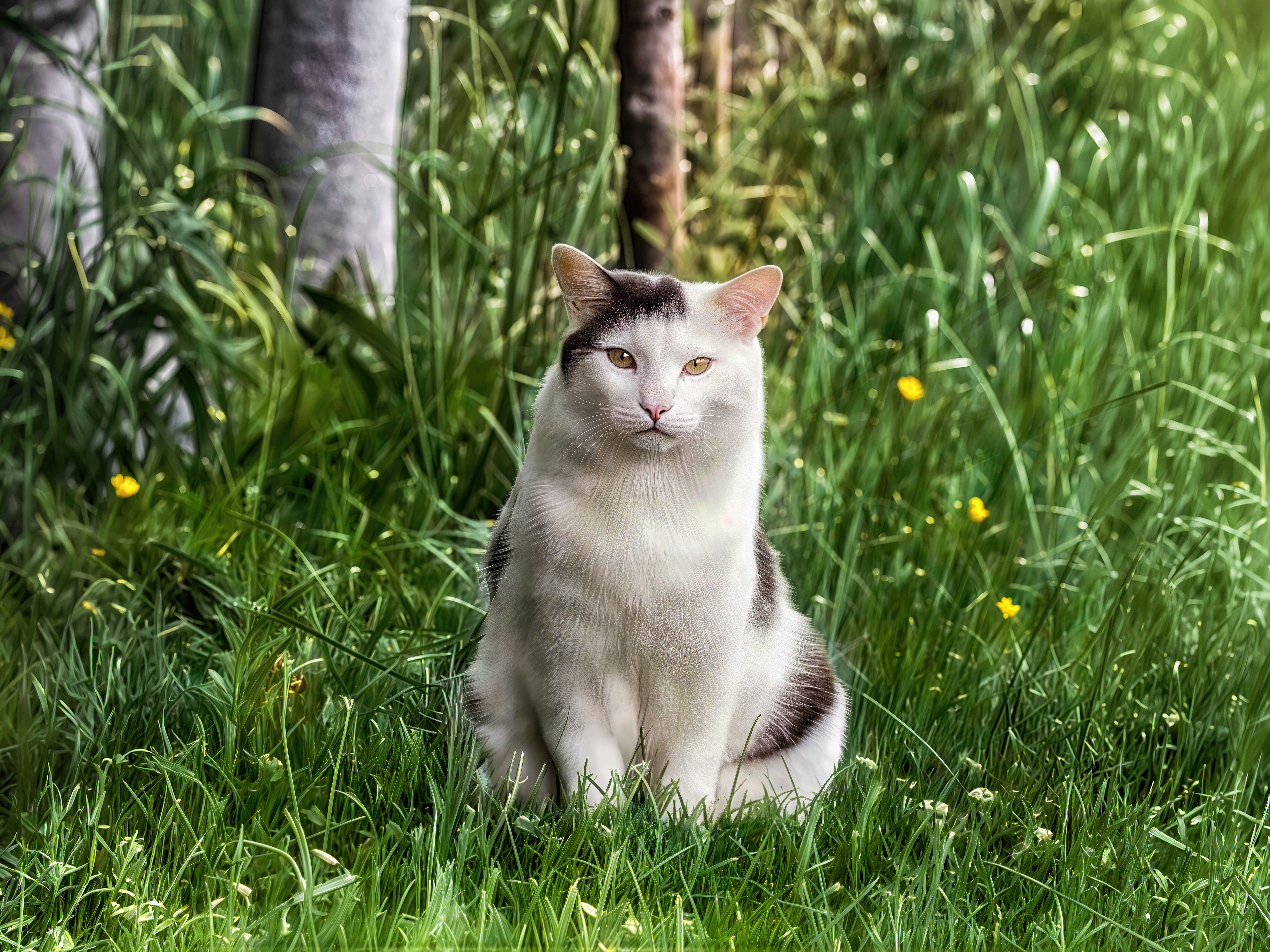
Not the same cat…
Cute cat. But her expression changed. It went from surprise to indifference.
Technically yes, but it’s just the expression in her eyes that has changed.
Yes, I tried that: Cats’ squinted eyes are said (according to the professional press) to indicate aggression. (My cat certainly has some facial expressions.) I don’t know if cats have several hundred facial expressions, but according to cats have almost 300 facial expressions they do. This cat’s expression certainly doesn’t match the original, which, in addition, was about 300 meters away. In the nearby village I’ve only met very friendly cats so far, so I can hardly say. 

I recreated your image. I started with Wonder 3 Max at 1x scale, then increased the scale further with Wonder 3 Low + a low-resolution version of Recover 2. I combined everything and created two variations with subtle redefine using Prompt, compiling the best parts from each. Next, I ran it through Flux2 Klein 9B and finished with Wonder 2 for the final scaling. I compiled the Flux version with the 100% gigapixel version. Honestly, I got a really great result. I also applied a depth-of-field filter for better rendering and to eliminate the flaws in the poorly redefined grass in the background.
I took the opportunity to improve the colorimetry to give the photo even more beauty.
And @Fotomaker @andymagee-52287 What do you think?
And if you want @unrelent, I created a 4:3 version by stretching the image. I simply generated material on the left and right.
And if you want, here’s the JSON file of the comparison.
Beautiful Cat.json (5,6 Ko)
I just saw it. I hadn’t seen it before. Nice improvement with the moustaches and the blurred background to give a little depth of field.
Today on my trip I was lucky to see various butterflies. For example, a peacock butterfly, a popular butterfly for photography due to its colors. One can’t take pictures up close, the butterfly will fly away – and from a distance the photos will look small. I tried cropping, Nano Banana (details), and in the end Gigapixel Redefine Realistic 4x worked best for me. Here’s the Peacock Butterfly. It can certainly be improved, for example that white flower, or rather it’s not exactly 1:1, but my goal was to get the most detailed butterfly
.
It’s not bad.  Nice improvement.
Some new photos from July 8th at Pairi Daiza starting with a female snow leopard.
Since the originals are already quite good, I just did a global pass of wonder 3 max, a pass of recover v2 for the scenery and a pass of Realistic Redefine with prompt for the main subject in order to improve the fur and eyes.
Snow leopard (picture 1)
Snow leopard (picture 2)
Snow leopard (picture 3)
Here, I used Wonder 3 Max, Hypir AI, and Redefine Creative Low Texture 5. It’s ideal for feathers. Redefine Realistic on feathers is a disaster. It fails to improve them.
Grey heron (picture 1)
Grey heron (picture 2)
Grey heron (picture 3)
A beautiful antelope enhanced with Wonder 3 max + Topaz photo sharpen motion blebur and GAi redefine realistic with prompt.
Here, I simply made a pass with Wonder 3 set to high and Realistic Redefine on the cat. And I manually softened the blurry dark lines of the wire mesh using the highlighting technique.
Female serval (picture 1)
In this one I also redid the depth of field to better focus the eye on the feline.
Female serval (picture 2)
The last one was a bit of a struggle. I first tried with Nano Banana after an initial pass through Wonder 3 at a high setting, but the result was practically identical. The only slight difference was that there was no more motion blur. But the depth of field wasn’t corrected. I then used Topaz Photo’s Super Focus v2 and v3 and a little bit of Sharpen. Finally, I used Redefine Realistic with Prompt. And I recreated a proper depth of field.
I also used parts of the previous image which was clear.
Beautiful. One of the most beautiful cats. Nice details.
Well restored fur coat.
Yeah. When I see that feline, I really want to pet and cuddle it 
 .
.
Thanks 
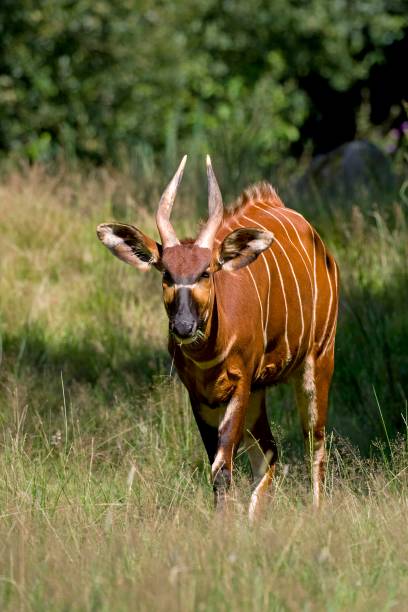
No, It is indeed an antelope. There are no bongos at Pairi Daiza. Or not yet.
Some new photos taken at home. A doe and her fawn. It had been quite a while since I’d seen them. Here, I was able to test my Neewer LS-83 on my Galaxy S25 Ultra.
I then improved the colorimetry in Photoshop Camera RAW and afterwards, enhanced the overall quality with Gigapixel Wonder 3+ Hypir AI + Subtle Redefine with Prompt and a little bit of On1 Resize 2026.

Honestly, it’s too cute .
So all I see is that it requires registration “to upload adult content”. That looks very artificial intelligence-like (maybe because of the last sentence with “too cute”?, ha-ha-ha!). Too bad, the doe is certainly pretty, but the AI is keeping a close eye on us! 


