You are absolutely right, it is as you write. But I don’t mind that, I wanted to have a sharp snake with a highlighted head. I tried various tools, but for example Nano-Banana gave me a completely different snake, curled up, with its head looking forward from the image, and with a much more powerful body. Even so, it turned out better than I expected. But it can certainly be done better (but where to get patience and time).
Yeah, it definitely takes patience.
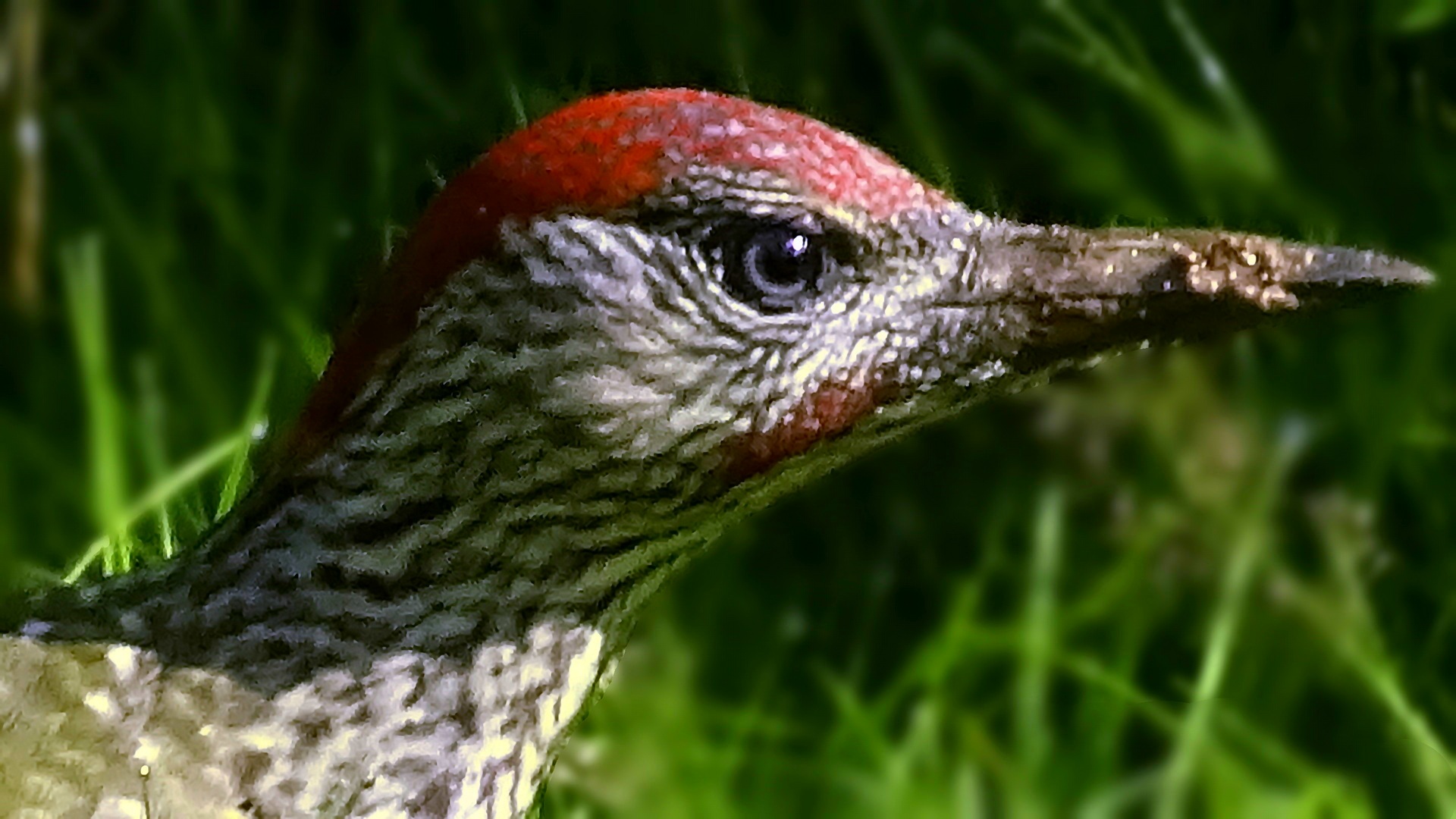
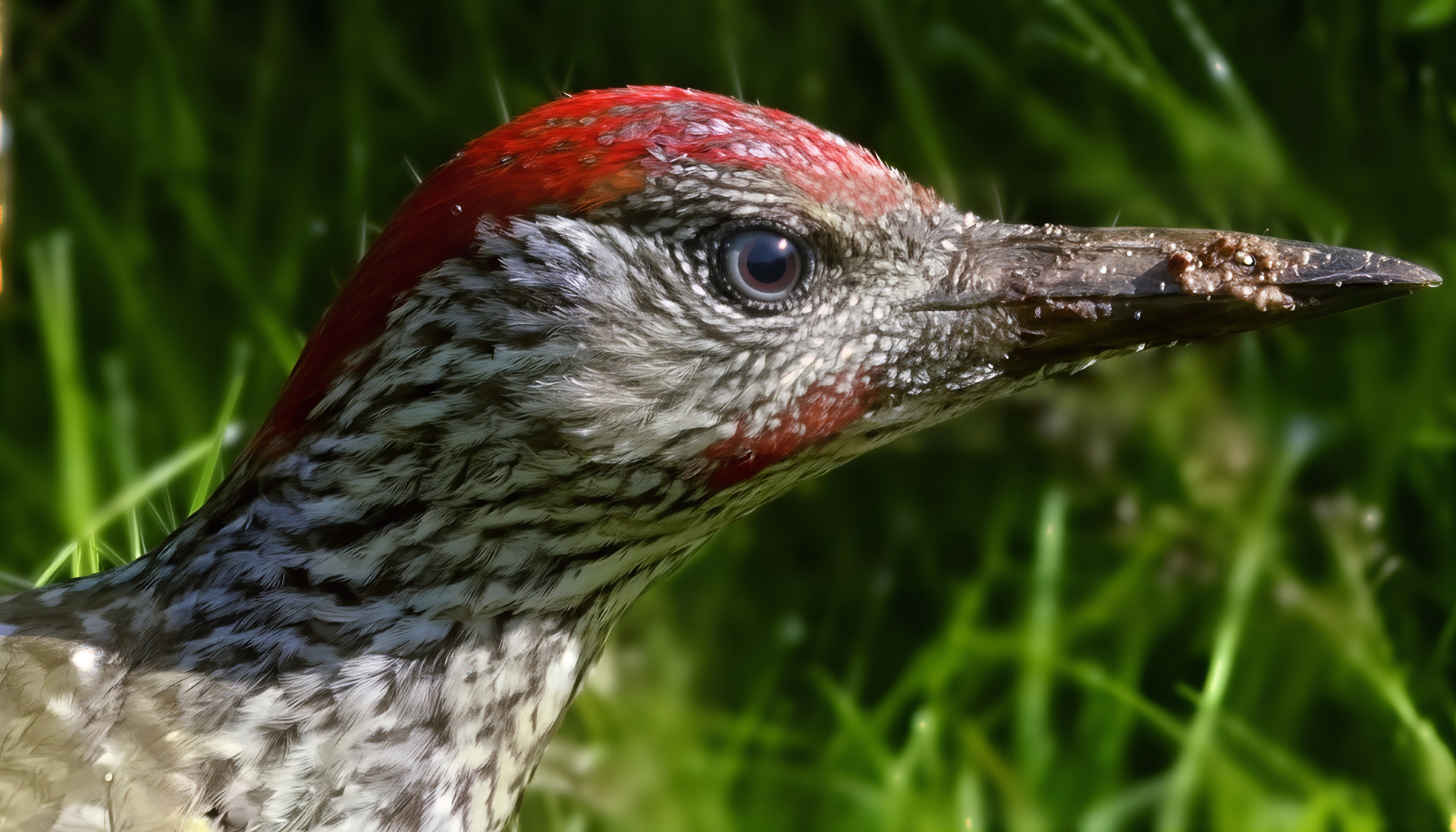
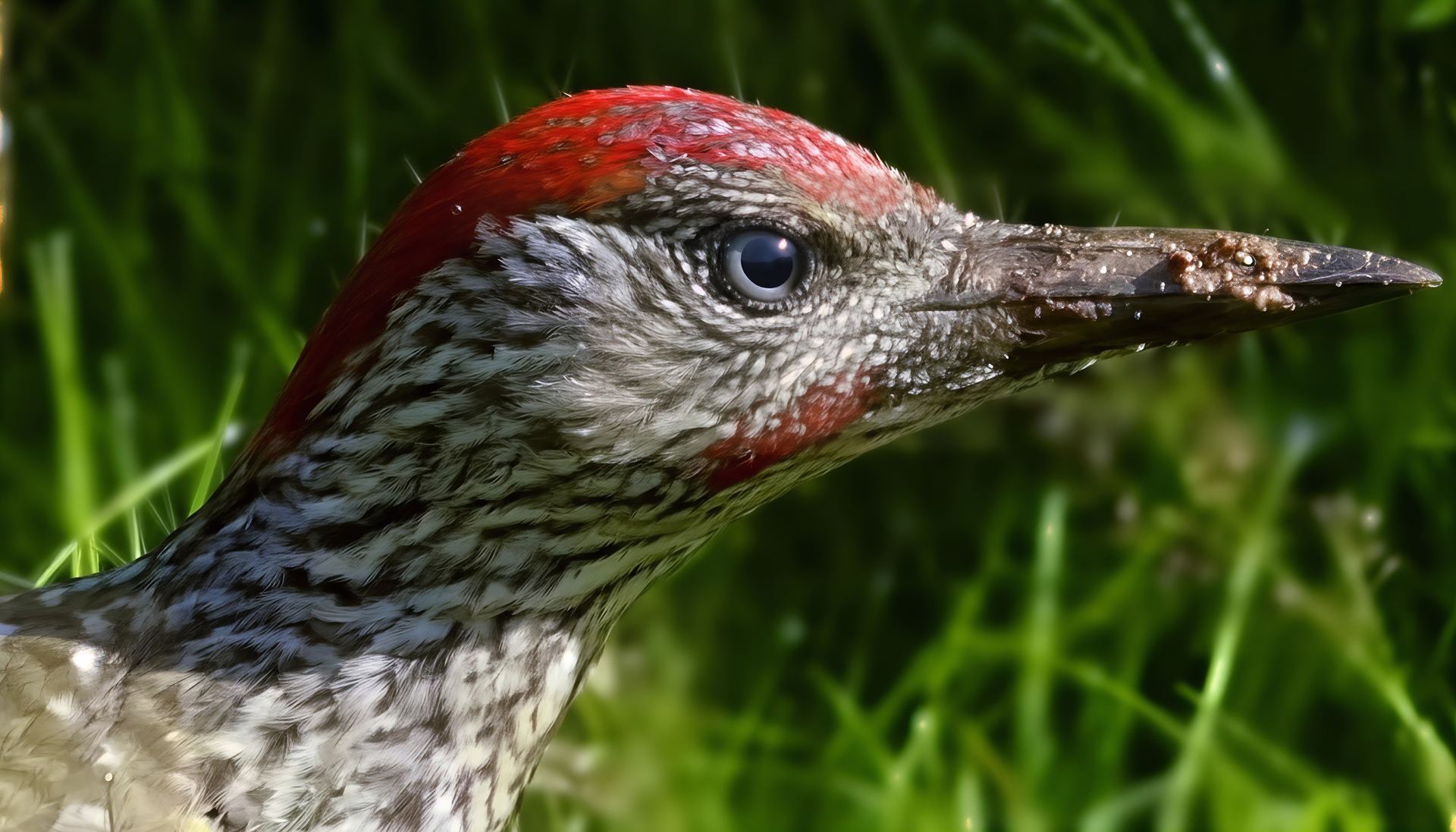
Green woodpecker: Sometimes she walks around the lawn looking for something to catch (some ants, for example). She doesn’t like to be photographed, but sometimes there is time for my camera. I wanted to try to improve the feathers. Zooming in on the bird with a telephoto lens, the inevitable cutout and subsequent upscaling lost details mainly on the feathers and the sharpness of the image. After a number of tries, the FotorPea AI tool (maybe it uses Nano Banana, I don’t know) finally produced a decent result and created feathers from those spots on the original. Then I slightly enhanced it with Wildlife (Sharpen/Subject) and Upscale 2x. Further attempts did not bring me anything extra (and for example Wonder ran to no effect for about 2 hours).
I tried just the head (portrait) first to see if that would do anything. So I’ll try the whole bird and if it works, I’ll brag about it.
The first image is a crop from the original. The latter is the result.
2 Likes
Well, the eye looks nice and sharp (but not over-sharp). And the feathers seem to have more detail without looking like paint strokes! There’s a nice weather-worn look on the beak. And the background grasses stayed soft (a good thing…).
Good luck on full bird. 
Thanks! Praise is pleasing and warm. BTW, some of the AI tools I tested created conifer twigs on a bird’s neck instead of feathers. You can expect anything from AI! But maybe that AI  was high and considered the approaching Christmas tree season?
  vs.
vs. 
1 Like
Too much spiked eggnog?!?
1 Like
You guessed it! Artificial spiked eggnog, of course.
1 Like


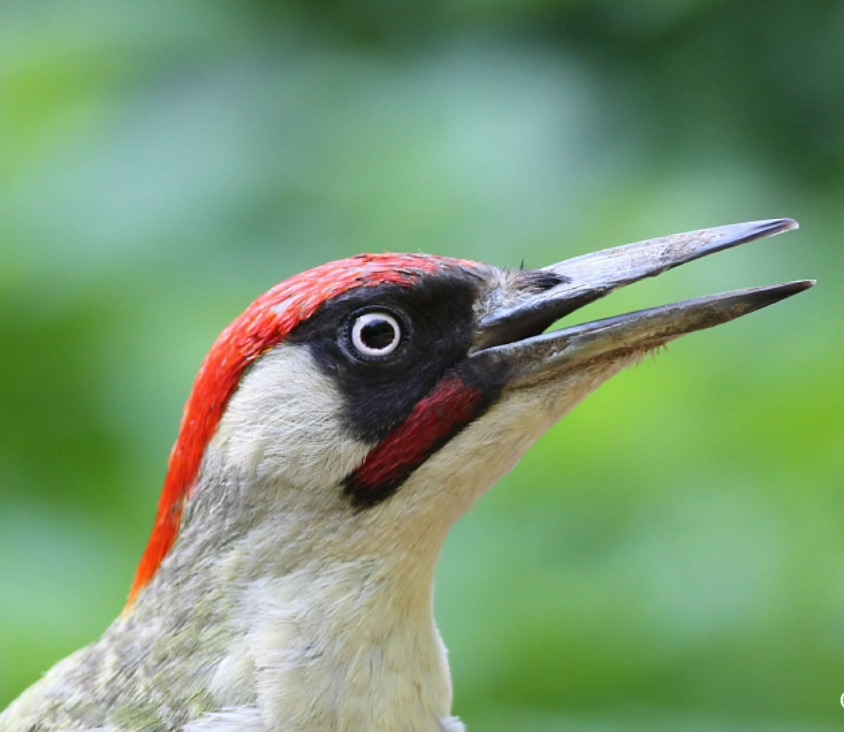
The restoration of the feather details is really great. However, the only detail that bothers me is the eye, which looks too fake. It looks like plastic. It doesn’t look natural.
Because the eye of a green woodpecker looks more like this:
lol
1 Like
I also noticed that the brown iris is wrong. I don’t know why the AI put it in there. The original has it as it should be (in terms of colors). I guess the AI wanted to show off its creativity  .
.
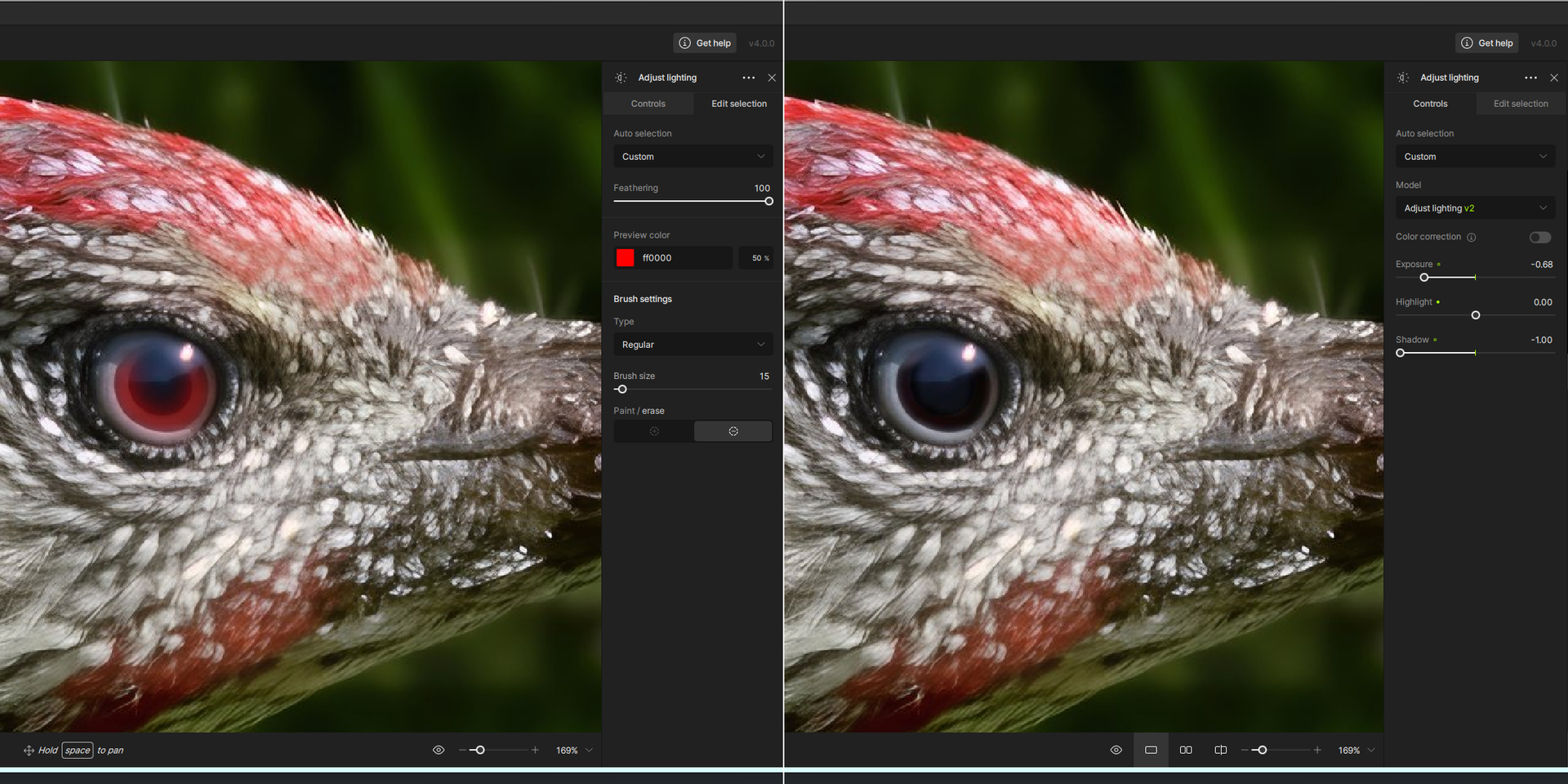
Wow, that’s exactly it! I didn’t think of such a simple and effective solution (Topaz Photo/Remove will directly do it too). Thanks for the good idea.
1 Like
Yeah, in that case, tone down the creativity for something more realistic. Or create that area in a different AI that will just improve it without transforming it, and then recompose everything. Kind of like what I do  .
.
1 Like
Yeah, it’s true that it’s already better. But I’d still make the iris a bit darker. Because for this type of bird, I don’t think the iris is brown. Not even dark brown. I think it must be practically black. In the original photo, it looks very dark gray, almost black.
Also, in the example image I posted, the iris appears to be a very, very dark brown. So much so that you can barely tell it’s brown.
Oh yeah, that’s right. I envy your diligence and patience in finishing even the fine details. I even played around with the idea of copying the eye from your woodpecker into my head (that is, the one in the photo of my woodpecker  ), but in the end I adopted Robert’s solution, which worked for me. The dark brown iris can be darkened even more in a decent editor, etc., but I didn’t mean it as a competition photo for some exhibition . Thanks to everyone for the useful advice! I was happy to learn.
2 Likes
Hello Harald.
If you look very closely at the iris of the picture you posted you will be able to see that the iris is reflecting the background. Which looks like a tall hedgerow at the top to what looks like grass/soil in the lower area. Which give it the perception of being very dark brown.
Regards.

1 Like
Well, it also seemed to me that there was some reflection of the surroundings in my woodpecker’s eye, maybe the sky above and maybe some bushes or something below, and that bright dot in the upper right of the eye might be the sun… who knows. Ideally, the eye is probably all black, but my bird was chasing ants in the grass about 25-30 meters away from me – so I have no idea what it actually had in that eye. I didn’t like the brown artificially intelligent iris, and the Remove function solved it quite well. I admit that I also searched for photos of woodpeckers on the Internet, but I couldn’t find any nice, large detail, so I ended up solving it in this simple way.
Originally, I just wanted to try out what could be done with the feathers, and lo and behold, the improved photo immediately demanded other interesting improvements .
My result using Robert’s Remove method. Maybe the shadow in the eye (in the upper part) plays a role there. It would be possible to color that part of the eye in the editor using a black gradient, but I don’t know if that would be good or bad. So I’ll leave it like this. And I’ll finally try the feathers on the whole bird.
1 Like
Hello Unrelent
That looks just fine. I look forward to seeing the finished picture.
Regards Robert.
