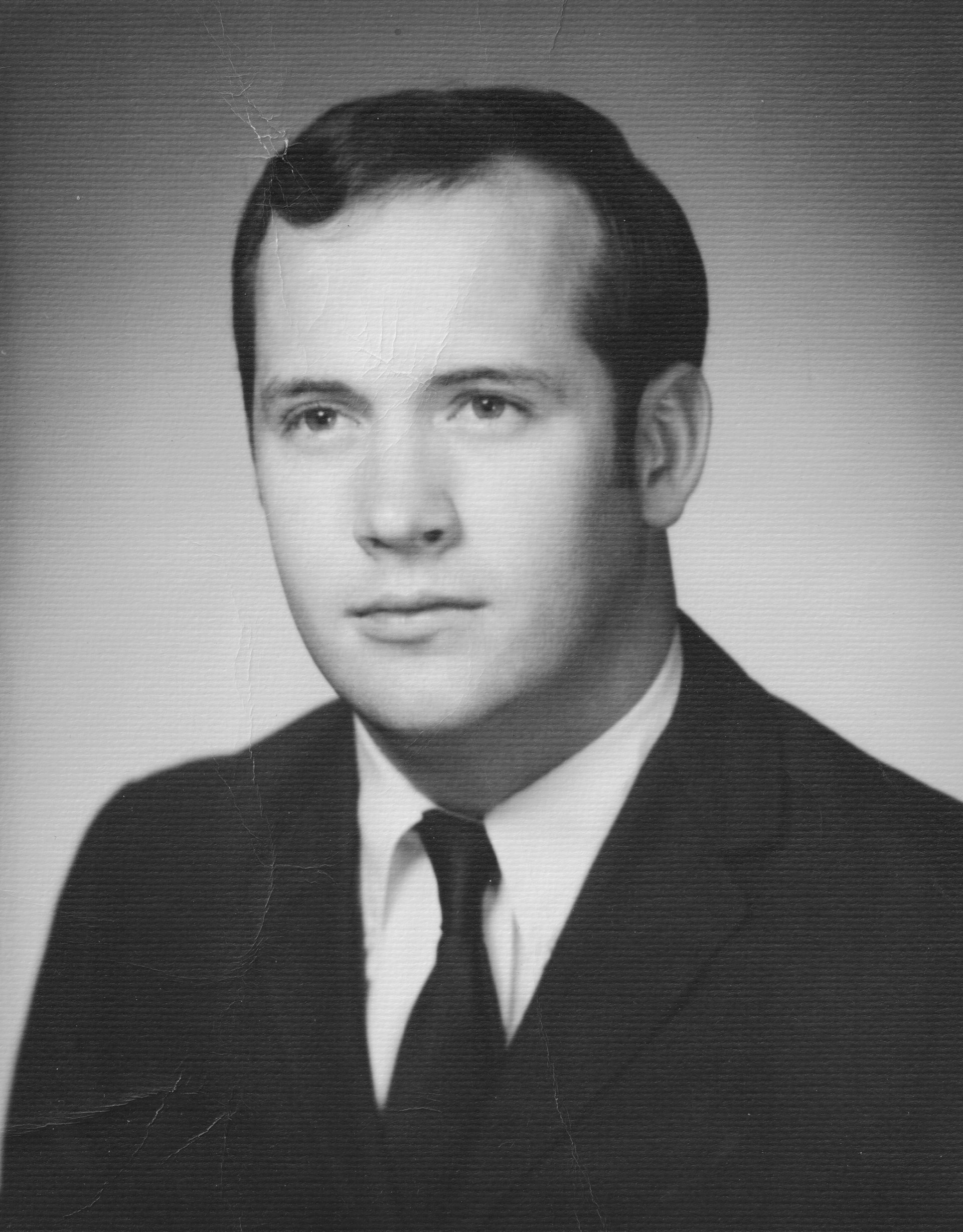
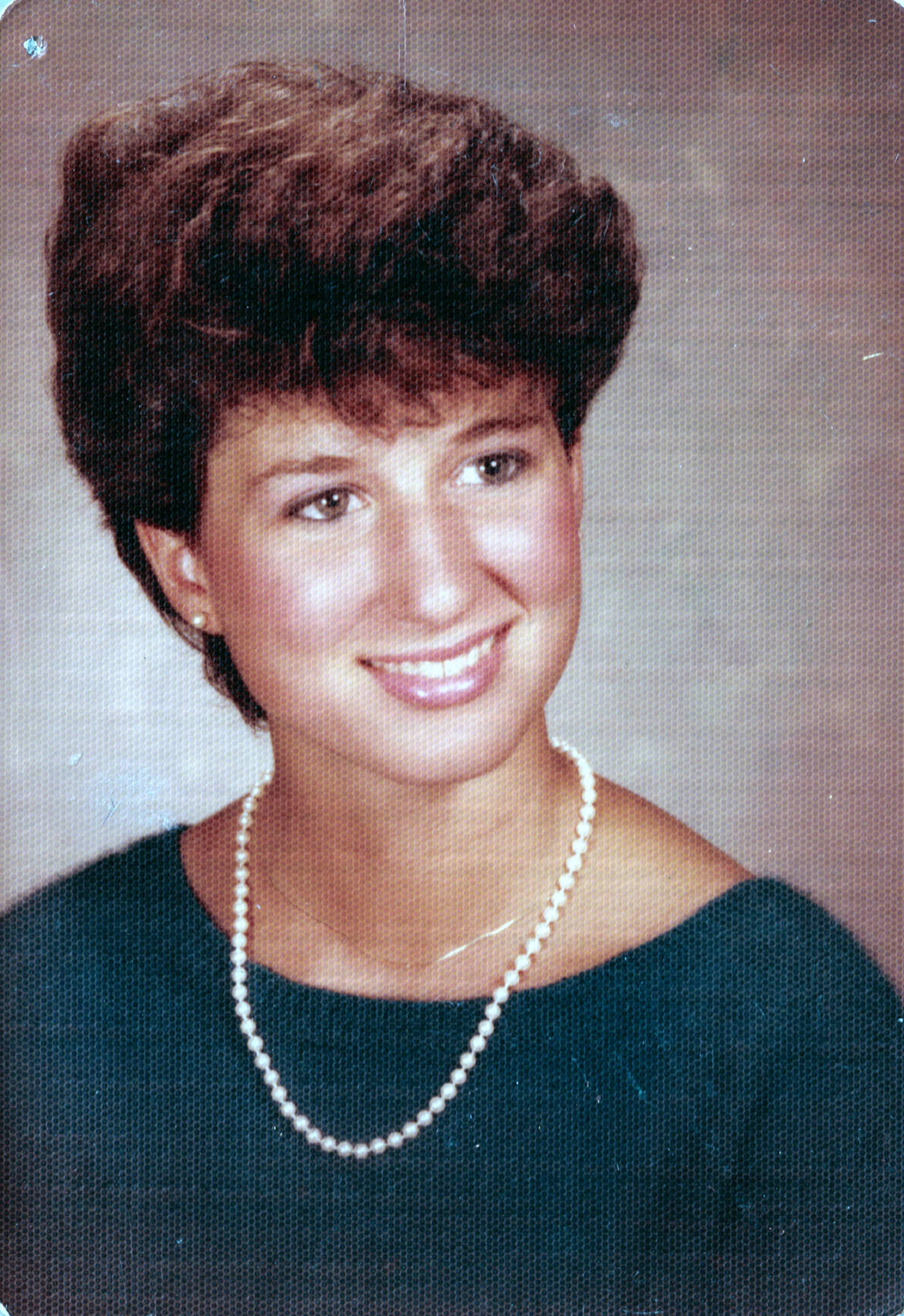
Topaz Photo AI struggles to enhance digital images that have been scanned from 1960/1970s photographs printed on honeycomb (hexagonal) texture paper. In some cases the software enhances the hexagonal pattern making the “enhanced” image worse than the original. The human eye can clearly discern what the enhanced image should look like, so should an “AI” algorithm; at least the hexagonal pattern should be detected and removed.
Someone (compupix?) reported a similar problem in November 2022. You might consider giving each feedback message an unique ID number that can be used for future reference.
They have responded before to recent reports that it is only trained on digital camera noise not scanner/media noise. I would suspect it would be a big effort to train on a century of media formats and decades of scanners!
Dissapointing since they are selling to consumers wanting to restore old photo collections, yet theses are very likely to not be digital cameras. But they recently posted a request how they could further use AI so I think this category of physical media/scanners has merit to investigate.
So I’ve been using Gigapixel, Sharpen, Denoise, Photo AI and Video AI for a couple years now and one feature I really wish existed was something specifically to remove scan lines and moiré patterns. I’m by no means an expert on photoshop or editing, I consider myself a bit of a novice but more proficiency than the average person and the one thing that truly holds me back from some outstanding photo restorations are these noise patterns. I typically have to use denoise on an extreme setting, then subsequently go into photoshop’s camera raw filters and further remove noise and texture to get to a suitable look, but then the quality of the image suffers. I wonder if it may be possible to create an algorithm that can be implemented into Denoise and/or Photo AI that’s specifically targeted at removing these patterns while maintaining as much of the detail as possible. Most of the time the patterns are just that, patterns. I’ve seen some pretty amazing things come out of these programs, I can’t imagine it wouldn’t be possible for them to understand how to detect and remove these. So i’m just throwing my voice out there, I’m sure I’m not the only one who detests these patterns and would love a quick fix that doesn’t destroy an image.
Not to steer anyone away from Topaz Labs, but I have found that using the Sattva Descreen plugin for photoshop has taken care of a majority of this problem for me. They have a couple of options at different pricing and also have a free trial so you can give it a shot yourself. https://descreen.net/eng/soft/descreen/descreen.htm
Interesting. Thx. I didn’t want to download/install w/out doing a quick “reviews & complaints” search on Google. Here’s what came up:
Sattva Descreen is a specialized Adobe Photoshop plugin designed to remove moiré patterns and halftone screens from scanned, printed images (such as magazines, newspapers, and books). Reviews generally indicate it is a highly effective, specialized tool that is considered indispensable by some, though it operates via an older licensing model.
Key Reviews and Performance
Effectiveness: Users have described the plugin as “absolutely indispensable” for cleaning up scanned material, noting it often outperforms standard Photoshop features like “Dust and Scratches”.
Technology: Unlike simple blurring, it uses Fourier transform technology to detect and remove screen patterns while attempting to preserve image details.
Best Results: For optimal performance, high-resolution scans (600–1200 DPI) are recommended.
Workflow: It is considered a massive time-saver compared to manual descreening, especially for complex, multi-colored, or high-detail images.
Complaints and Considerations
Safety and Origin: Some users have expressed hesitation about registering with personal information on a third-party website, specifically due to the developer’s location in Russia.
Licensing Concerns: Concerns have been raised regarding the ability to receive support or re-activate licenses due to ongoing, external geopolitical circumstances, although users have reported successful, ongoing use of the Professional version.
Compatibility: The plugin requires Rosetta to run on newer M1/M2/M3 MacBook models and does not support newer, non-Adobe, graphic editors like Affinity Photo.
Learning Curve: While powerful, it requires some understanding of scanning, and users often recommend working at higher resolutions (2x to 4x) to avoid artifacts.
Versions
Home Edition: Suitable for basic tasks, with newer versions offering improved, automatic removal of yellow moiré from the Blue channel.
Professional Edition: Offers advanced, customizable settings for frequency and screen angles, along with dedicated noise reduction.
Yep that summed it up greatly. As I said, I don’t want to use a community forum for topaz to lead people away but I very often run into the problem of moire patterns and I use this plugin before I run any of the topaz labs software and it’s worked miracles for a lot of restorations I’ve done. I’d like for topaz to have their own version but until then, this is what I recommend. You’re more than welcome to try their demo software so you can see what it does and decide if it’s worth it for you. I’m not a representative of theirs, just love the product and wanted to share it to help with your issues.
I actually had purchased a license for Sattva last year and had no problems getting it, and been using it, but as I said, like all other regular descreeners, it applies it wholesale on the entire image.
A Topaz version ( or any AI version really) could actually applu it where its needed and avoid unnecessary detail loss. Like in text.