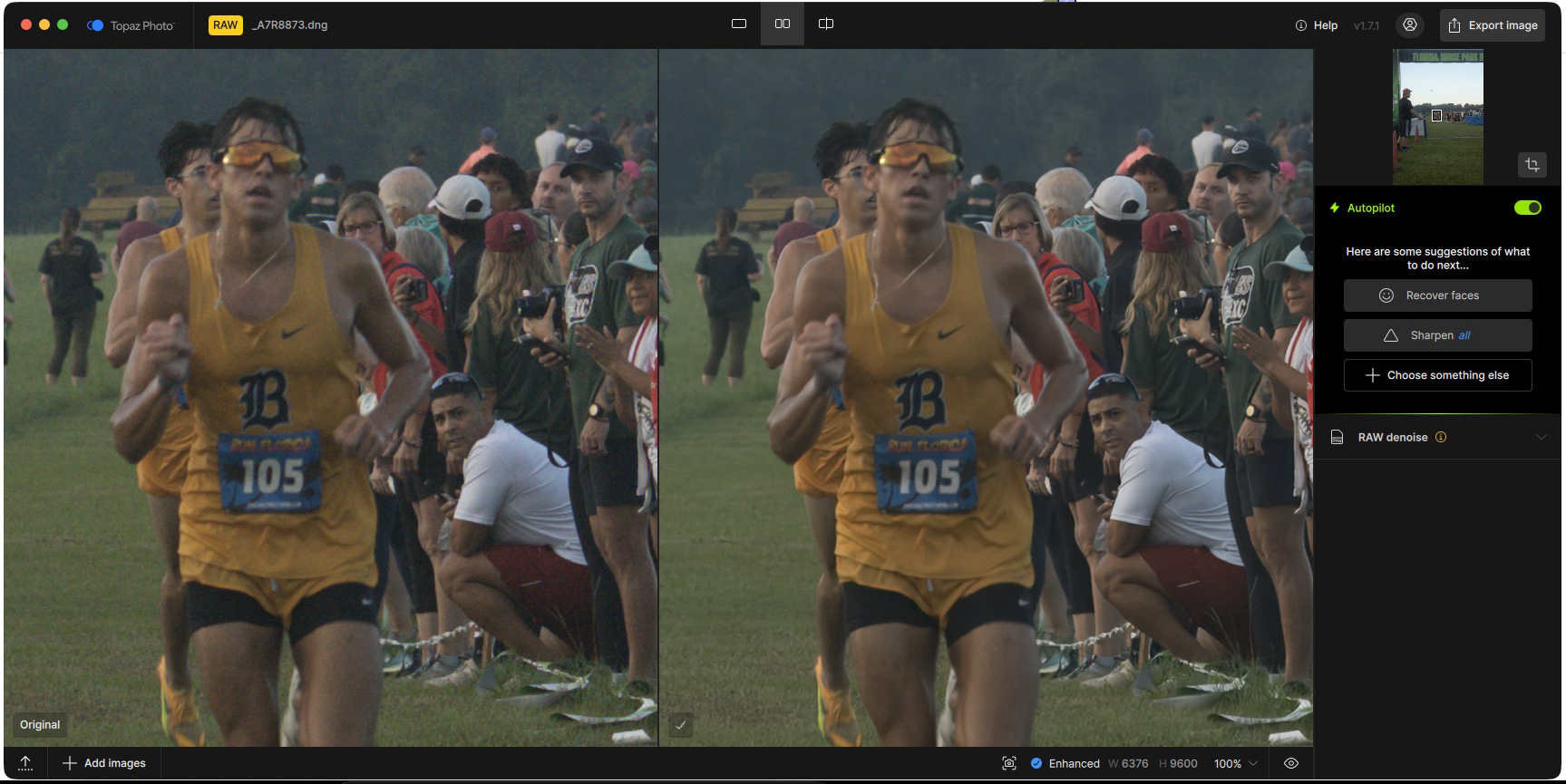
I intentionally selected a particularly challenging RAW photograph from a cross-country race taken early in the morning under extremely hazy conditions. The photograph suffers from poor color balance, low contrast, and an overall flat appearance.
My objective was to see how effectively Topaz Photo could improve an otherwise difficult photograph.
As the attached screenshot illustrates, Autopilot applied RAW Denoise and then suggested Recover Faces and Sharpen All.
While the noise reduction provided some improvement, the most significant issues affecting the photograph’s usability remained largely unaddressed.
What concerns me is that Topaz Photo already includes tools such as Adjust Lighting and Balance Color, yet Autopilot didn’t recommend either of them.
I subsequently attempted to use Balance Color manually, but the resulting adjustment shifted the entire photograph toward an excessively warm color temperature, producing an unnatural appearance.
I understand that Topaz Photo is primarily an image enhancement application rather than a comprehensive RAW editor. However, as a subscriber, I believe it’s reasonable to expect its AI-powered analysis to do more than identify noise, sharpening, and facial recovery opportunities.
In this particular example, the photograph’s most significant problems are immediately apparent. Correcting the color cast, improving contrast, and addressing the hazy appearance would likely contribute more to making the photograph usable than additional sharpening or facial recovery.
My expectation isn’t that Topaz should miraculously recover every bad photograph. Rather, I expect Autopilot to intelligently assess the photograph, prioritize its most significant deficiencies, and recommend the appropriate enhancement tools already available within the application.
If Autopilot cannot adequately address particular issues, providing meaningful guidance about those limitations would also be valuable.
I’d be interested in understanding why Autopilot failed to recommend the existing lighting and color correction capabilities for this photograph.