i cant export my videos because its giving me color space Error
below msg fyi
Currently selected colorspace settings are not supported. Please revert to Auto settings or adjust parameters in the Video Input Options menu.
This is being looked into at this time.
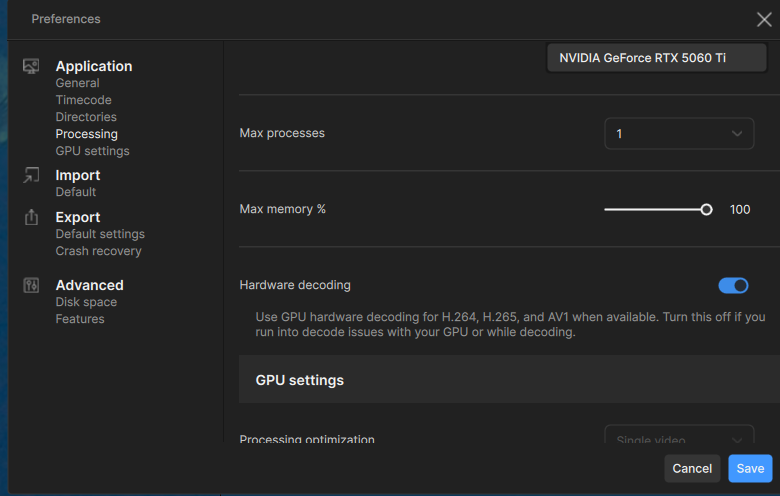
In the Preferences Panel, disable the hardware decoding option and see if that helps here.
File>Preferences>Processing
If that doesnt work, please send the logs to the support team at help@topazlabs.com.
To gather logs, please select Help > Logging > Get Logs for Support and attach the zip file to your reply.
Here is a video to help with the steps of how to collect the logs.
same error .. disabling hardware decoding seems to work but speed of a 2 sec preview is not acceptable !!!
Can you send the logs to the support team for further review of the performance? help@topazlabs.com
To gather logs, please select Help > Logging > Get Logs for Support and attach the zip file to your reply.
Here is a video to help with the steps of how to collect the logs.
Same issue. Disabling hardware works but it’s slow processing.