any idea when?
If I were to guess, probably a major release either, version 4.5.0 or version 5.00
Please remove your Gigapixel request as this will be a Photo AI feature only
This is from Dakota at Topaz Support
Here’s an edited reply I wrote on the subject
Hi.
Please be patient there’s a lot more to come and colourization is certainly on the list of features that Topaz are going to include as a future update.
As I’m sure you know AI colorization won’t be anything basic like basic Photoshop colouring technique where you take an old portrait add a Blank Layer choose the Colour Blend Mode then, select a soft round Brush and paint a skin tone colour over the portrait.
On the contrary, when Topaz do introduced their Colourisation Enhancement it will be something special for instance let’s hope they’ll be able to reproduced natural skin and flesh tones in portraits which I dare say will be quite an achievement just ask any Portrait Artist about the sheer scope of recreating human complexions with natural depth and realism.
I don’t know if this would be a factor for Topaz but, certainly a factor for restoration that’s mostly overlooked when dealing with colouring some old photographs other than, dealing with faded, damaged, sepia or silvering is that for added contrast many B&W pictures would quite literally range from 100% White (no details) for highlights to 100% Black (again no details) for the shadows because, no colour no need to worry about burning the highlights or crushing the shadows for dramatic impact which, is something you certainly wouldn’t want to see with old colour pictures.
This is an exciting avenue for Topaz to take right now considering for years they been telling us their applications were never trained on B&W or Scanned Images only colour digital ones. I have reiterated that several times myself, when members have had problems in the past explaining although, the enhancements work expect there might be issues.
As I say exciting times ahead for Photo AI and certainly all good thing comes to those who wait
Here’s the link to the original post
Hope this helps
Will be interesting to see what is offered…
Certainly yes,
Dakota also mentioned the option for adding a Film Grain Filter which would be really useful especially, if it was able to simulate being applied naturally within the image.
Fingers crossed 
For creating retro looks that would be useful.
As long as (for more accurate retro film looks) the “grain” looks like grain and is asymmetrical and random vs the symmetry and uniformity of digital noise. And, as long as it can be adjusted from fine to coarse - like the grains of different film types and photographic eras.
There used to be DxO (and other) filters that actually replicated the looks of specific film types by capturing (vs faking) them. Those tools were great for achieving more accurate, era-based looks.
Yes, I completely agree with your sentiments exactly that would be incredible
Apologies, for delay in liking and replying was unable to access the community read only mode for some reason
It would be very usefull to have coloring of black and white photos in TPAI.
Do you mean like the Ps Colorize feature that takes a stab at applying full color, that would have existed in real life, to an image that was captured in BW or do you mean a global overlay color; like a photo filter?
I would love two features available in the future available both in the Photo AI and in the Video AI:
- The ability to colorize black and white photos/videos using AI.
- The ability to do face swap in photos/videos using AI.
I know that face swap can open a whole can of worms because some people will definitely try to use this for deepfakes related to porn, but there are some open source projects that do face swap where they included some blocks on their AI model to prevent the such material to be generated.
If this is a concern for Topaz Labs then maybe you could put such blocks in the face swap part.
Hello vinicius.egidio,
I wanted to try it with old photos. But everytime I used the URL:
then uploaded an image, it took me to:
which is the cloud version of Photo AI.
It did a great job enhancing the photo, but it was still B&W.
Hi.
Image Colourization is coming to Photo AI possibly with the next major Release version 4.5.0 or 5.0.0
Hope this helps
That help an enormous amount!
Rarely have I experienced such a combinate of both shock and joy to see a much loved ancestor spring off the screen in color. It must be like the public who first saw technicolor films with their popcorn in the cinema.
Thank you, AND-E.
Absolutely and that’s a beautiful way of describing those once in a lifetime feelings
thank you
Hi Michael.
Thought you might be interested in knowing that it doesn’t look like the new Topaz Restoration Models will be available in Topaz Photo after all they will however, be available in the new Mosaic application coming soon to Topaz Studio and as a separate application.
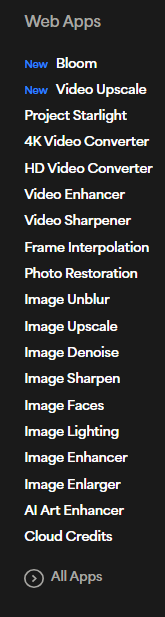
You are correct I have seen it there myself however, that’s the Web Apps version this is a new local based application on your computer and either you can get it when it’s available as, part of the Topaz Studio or as a separate application.
Good to know. I will stop beating my head against the wall, and just wait! 
Nice one
That train may already be leaving the station based on current partnering arrangements and a switch to a like-minded subscription model. But, who knows…
