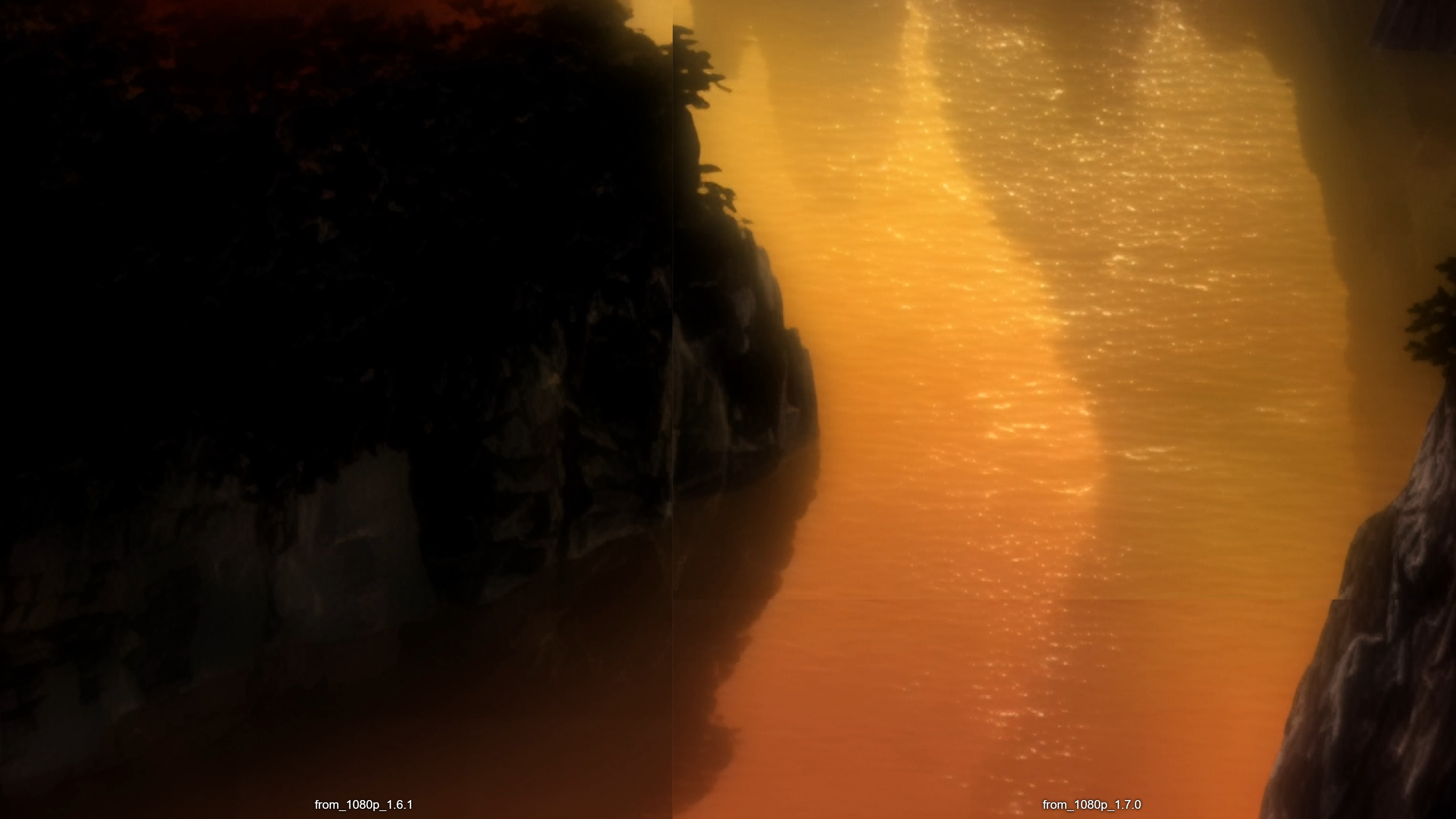
Here a comparison in split screen of the bottom left corner of the video, the banding is quite visible on the water (light) and the rock (displacement).
It seems I am not the only one: /t/topaz-video-1-7-0/104328/164
Sending this over to the devs to review what is going on. Are you able to share a sample of the original and the export?
I have sent you a DM with the link of the samples
I tried with a 720p source of the same sample, same issue
Did not see anything about this on the 1.7.1 release. Can you confirm this is still being investigated @kyle.topazlabs ?
This is still being looked into, and could be a symptom of the diffusion-based processing on the material and how it is reading the movement in the frame. Research is investigating further, but it will not be a quick fix if they can sort out the actual cause.
What is the goal with the source clip and wanting to run the Starlight model? If just upscaling, does Gaia 2 work for your needs?
For ~2010 era anime, many masters were not real 1080p they were upscaled (usually bicubic or bilinear) when put on bluray and are quite hard to look at in 2026. Still, they are the highest source of information available. My current process is detecting the upscale used on the bluray, descaling it (and getting something like 810p), properly downscaling it to 720p with spline36 and then upscaling it with SLM with a round x3 upscale (as I don’t know or control how topaz performs the downscale If I do an 810p x3 landing over 4k).
And about gaia2: diffusion models like SLM or SeedVR2 are the only ones getting a decent job at those upscales: recreating details, fine lines, etc… Standard upscale models simply “zoom and apply anti aliasing” (in my opinion) making the fine line sharp but bigger. The result is nothing compared to diffusion models (again, for my taste).
I do think this is a regression caused by the fix introduced in v.1.7.0:
Additionally on some very rare occasions some have experiences an issue of the lower edge of the frame to have a horizontal edge. This update also addresses this.
I can wait (i do use SLM after all :D) just wanted to check after the release.
Thank you for getting back to me.
Just noticed something interesting with Video 1.7.1 (can’t say for 1.7.0) and the original sample: the regression is present at x3 and x4. Not x2.
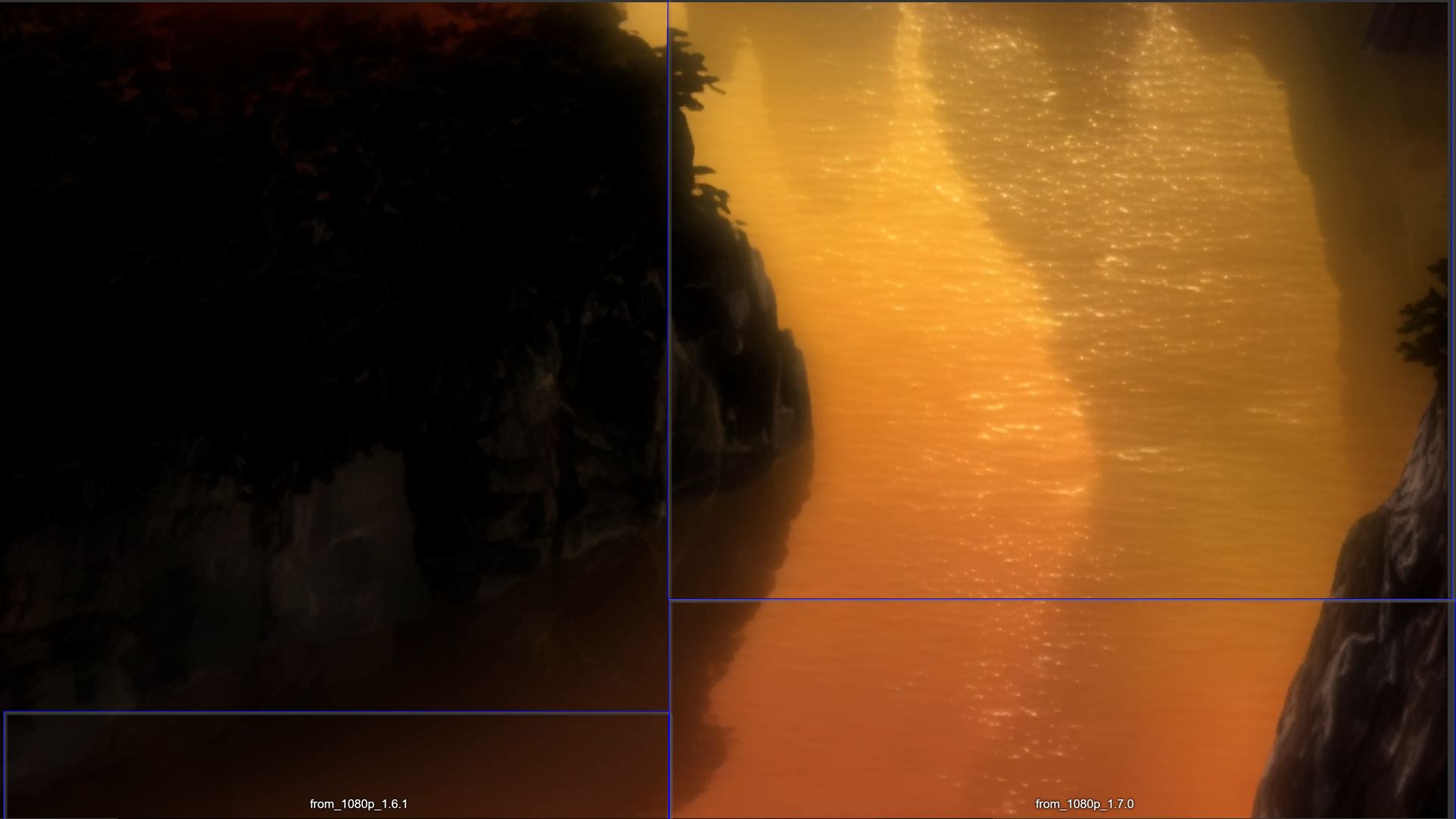
I can see the tiling (blue marked) and already wrote a posting about this SLM issue, I have the same problem. It happens with upscales above 1440p, and sometimes it gets that worse, upscale gets unusable. For me, SLM is broken. I’m using one of the latest TVAI version when doing SLM 3x/4x upscales, there the problem does not exists.
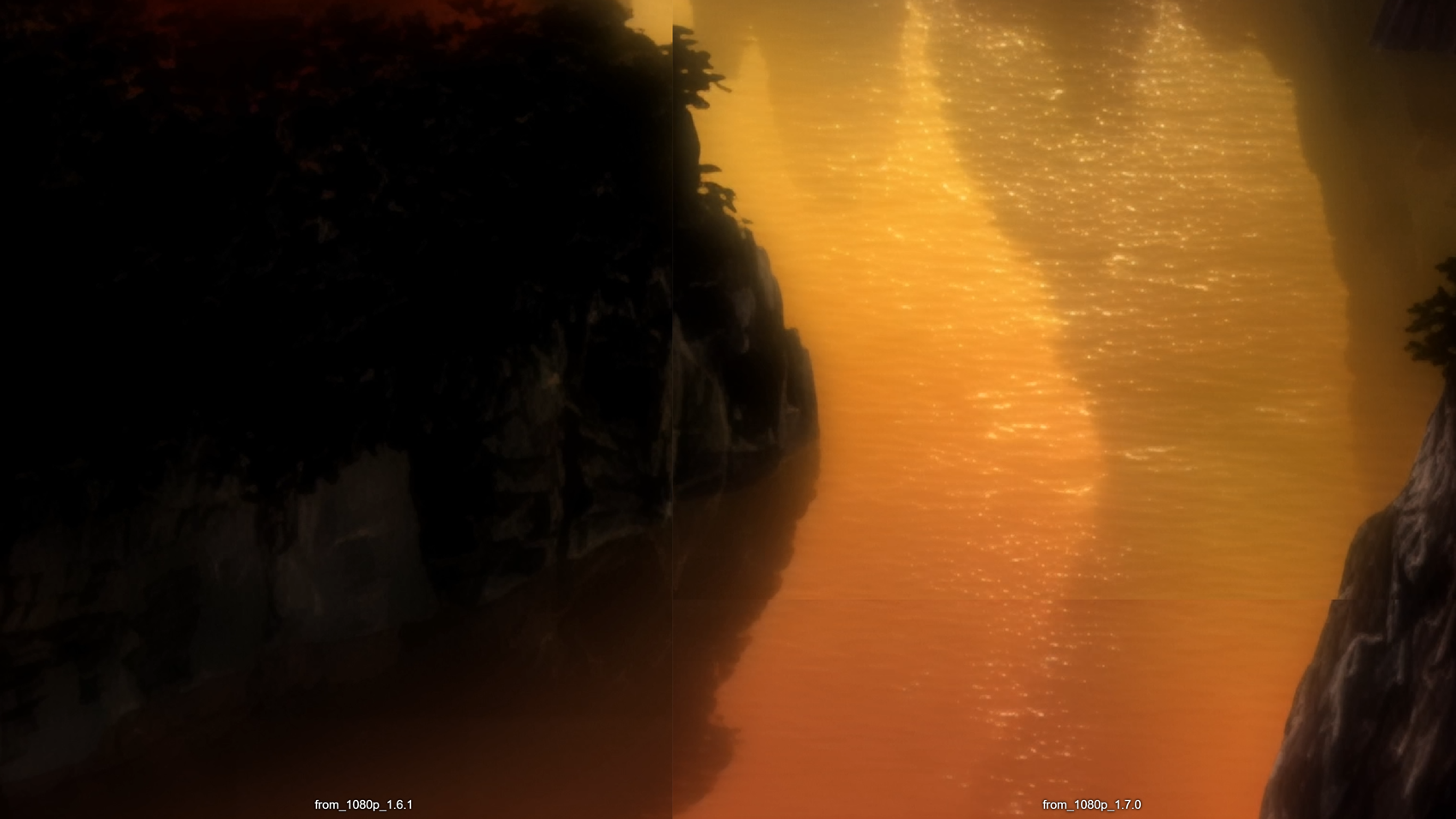
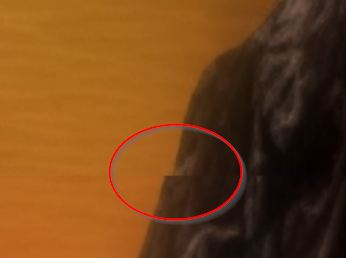
Segment zoomed: a horizontal lineup shift is clearly visible.
What is a shame is that the computer on which I am performing the upscales could aford the upscale without tiling (lot of VRAM available) but it is not configurable 
yes it is, less than 16GB VRAM gets used, on my RTX 5090
